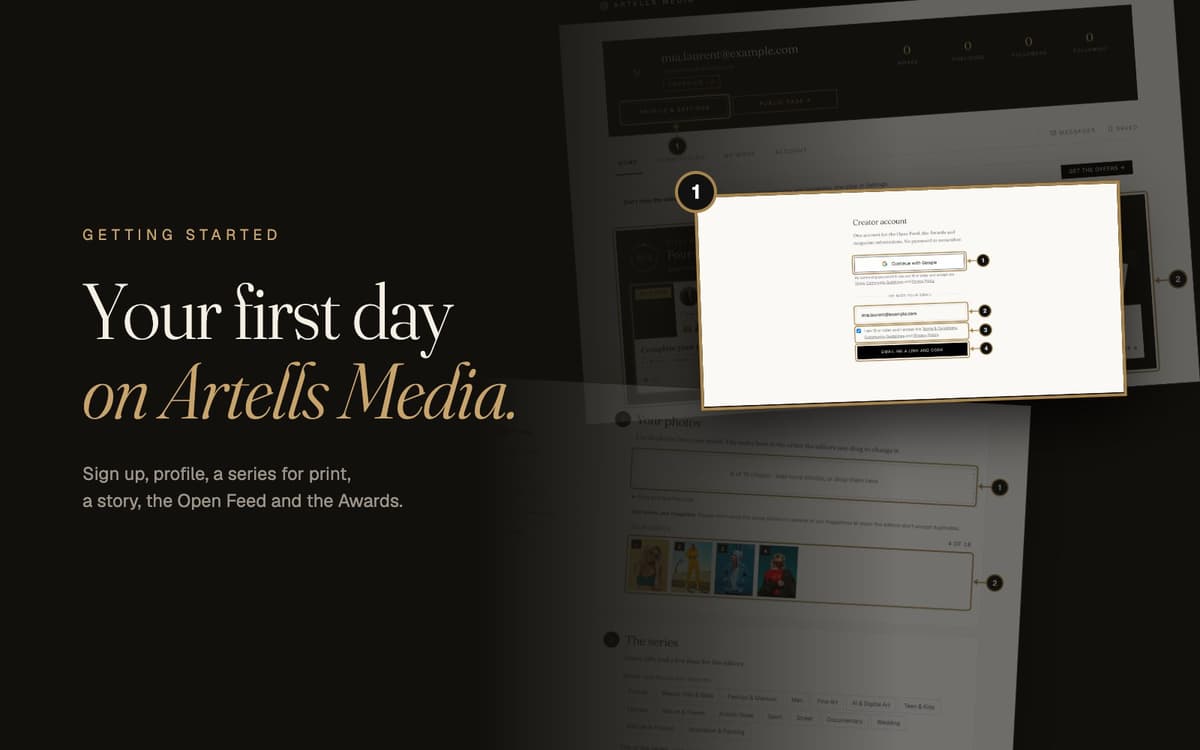
Somewhere on your hard drive there is a series that deserves paper. Maybe a few. This guide gets them out of the folder and in front of the editors of five international magazines, and it takes about twenty minutes.
We'll follow one new creator, Mia, through her first day: she signs up, builds her profile, sends a series to a magazine, writes a story, posts to the Open Feed, enters the Awards and starts climbing Top Creators. Every step has a screenshot with numbered marks that match the text. Each part starts with why it's worth your time and ends with the questions people actually ask us.
A note on Mia: Mia Laurent is a made-up creator, invented for this guide, and so are the other names in the screenshots. The photos you see in them come from Unsplash, used under the Unsplash License, and aren't Mia's work. Everything else, the buttons, the steps and the rules, is exactly what you'll see on the site.
Jump straight to a part, or open the arrow to see its steps:
Part 1. Sign up
Why bother: one account opens everything at once: the magazines, the Open Feed, the Awards and your public page. No password to forget, and about a minute of your life.
Step 1. Open My account
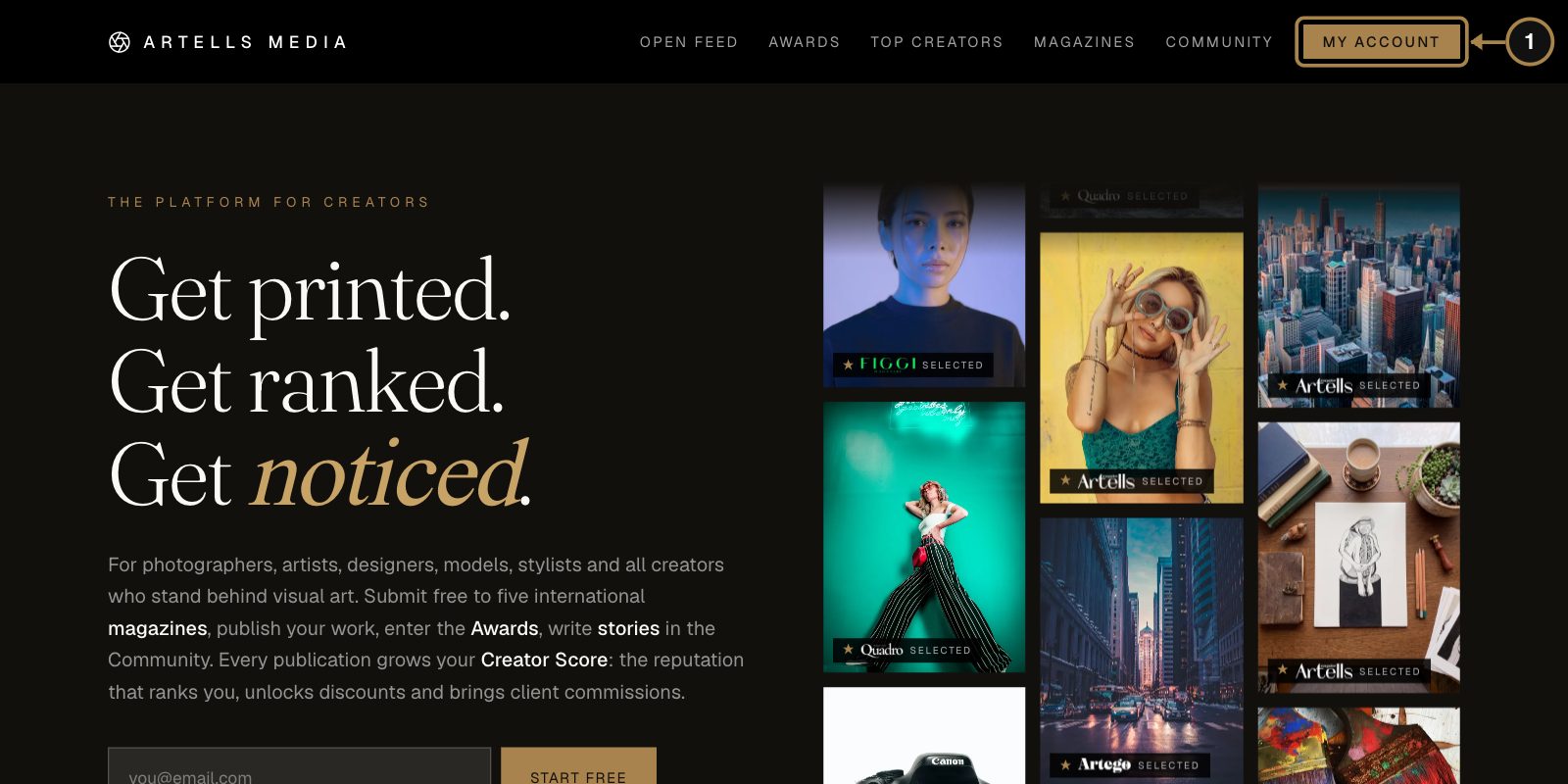
Click My account in the top right corner (1). On a phone, tap Join in the bottom bar. New here? This is also where you create your account. The email box on the home page does the same.
Step 2. Choose Google or your email
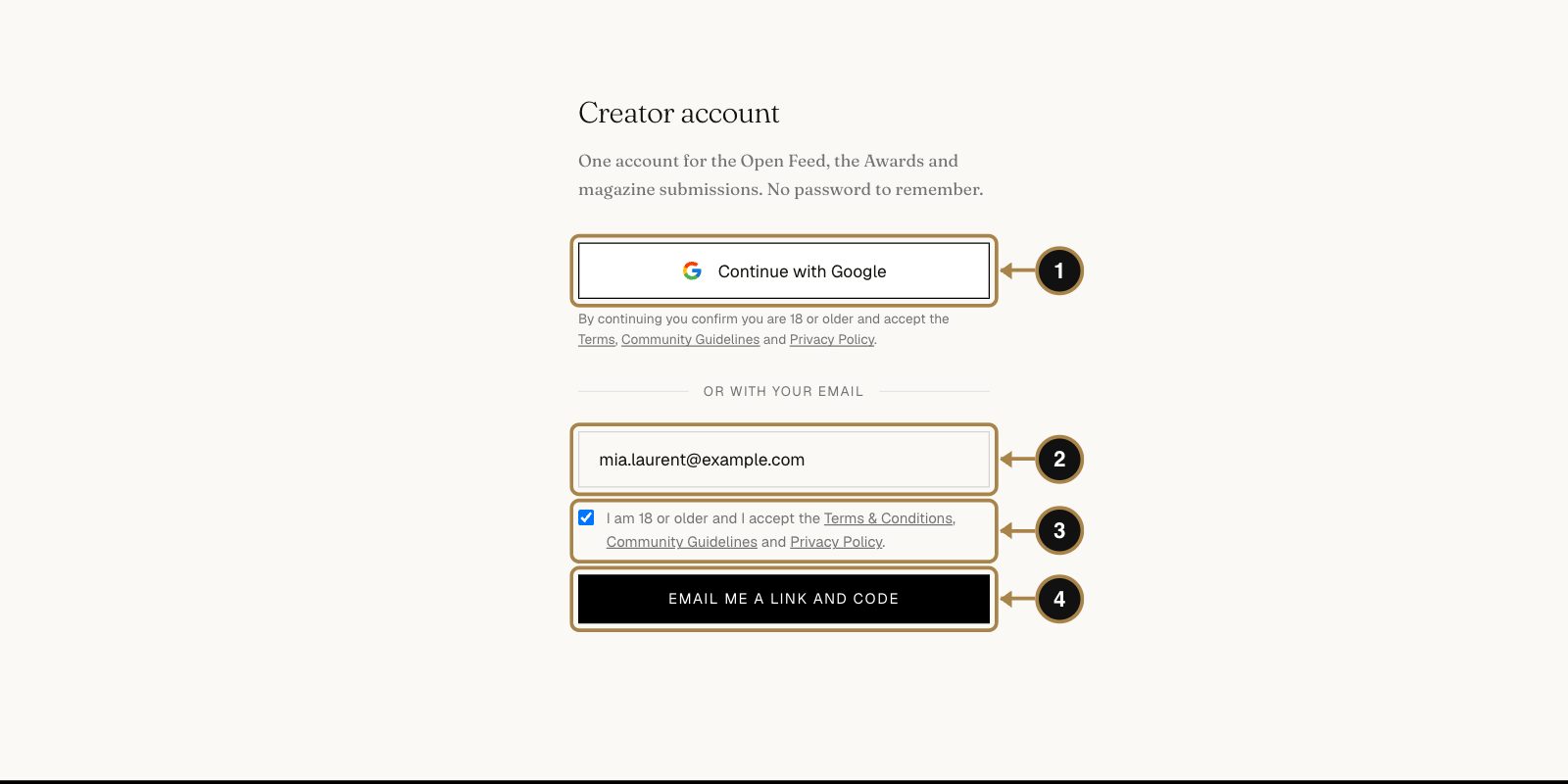
Two doors, both without a password:
- Continue with Google (1). One click and you're in.
- Your email (2). Type it, tick I am 18 or older and I accept the Terms & Conditions, Community Guidelines and Privacy Policy (3) and press Email me a link and code (4).
Pick the inbox you actually read. Editors' decisions, Awards results and your tear sheets will all land there, and you don't want good news sitting next to a pizza coupon for a week.
Step 3. Enter the code
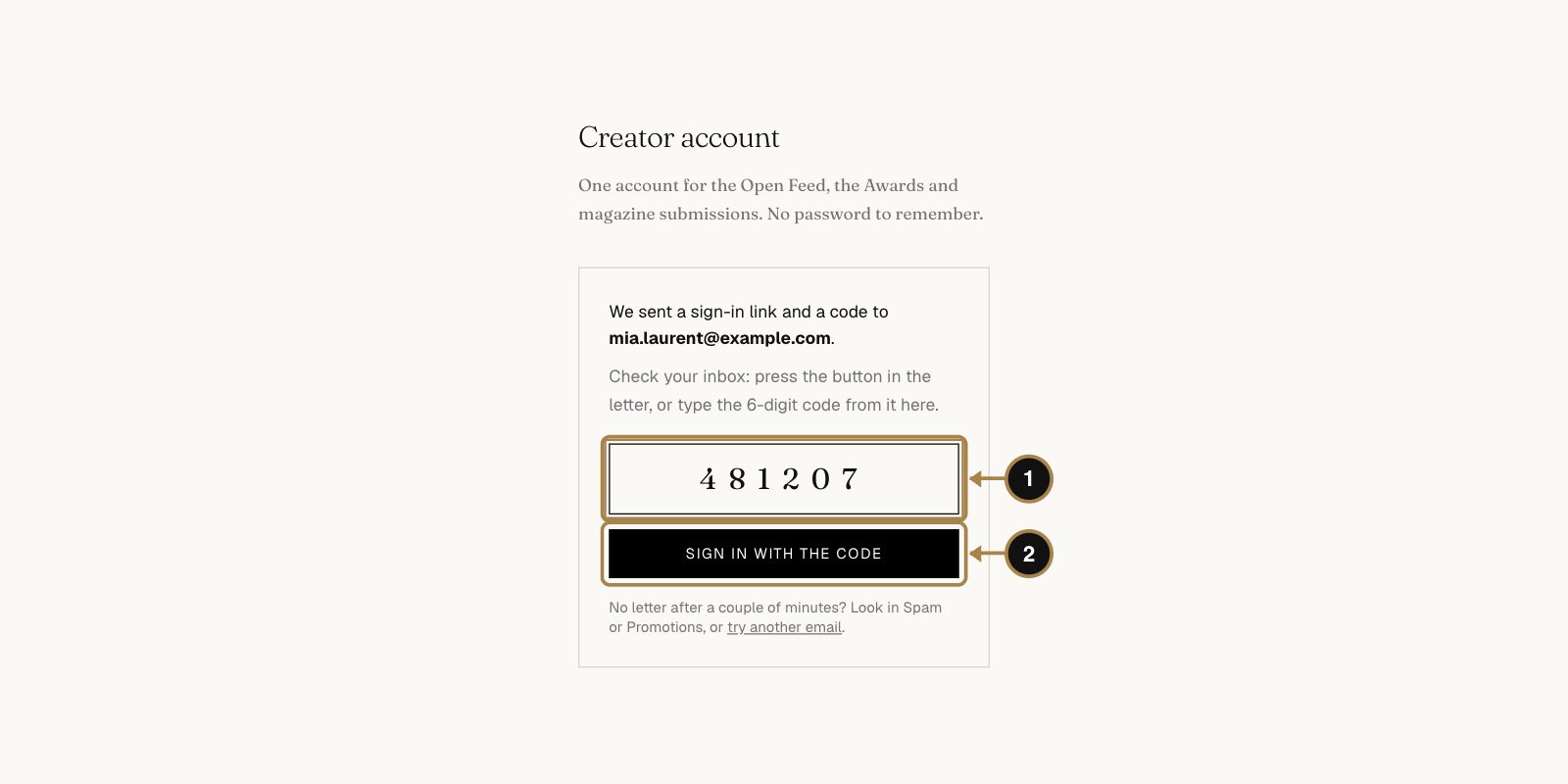
We send a letter with a sign-in button and a 6-digit code. Press the button in the letter, or type the code here (1) and press Sign in with the code (2). The code saves the day when the letter opens on your phone and the site is on your laptop.
Questions about signing up
The letter didn't arrive. What now?
Give it two minutes, then check Spam and Promotions. Still nothing? Go back to the sign-in page, ask for a new letter and check the address for a typo. If it keeps failing, write to team@artellsmedia.com.
Do I need a password?
No. Each time you sign in, you get a fresh link and code by email, or you use Google. Nothing to remember, nothing to leak.
I signed up with Google. Can I sign in with my email later?
Yes, as long as it's the same address. It's one account either way.
Can I sign up if I'm under 18?
No. The platform is for creators aged 18 and over.
Part 2. Set up your account and profile
Why bother: when your series lands on an editor's desk, the first thing they click is your name. A profile with a face, a short bio and a few strong works tells them a real creator is behind the photos. It's also where every future publication, editors' pick and Awards place collects by itself, with a public link anyone can check. Clients browse it too. Ten minutes now, and it works for you for years.
Step 4. Your account home
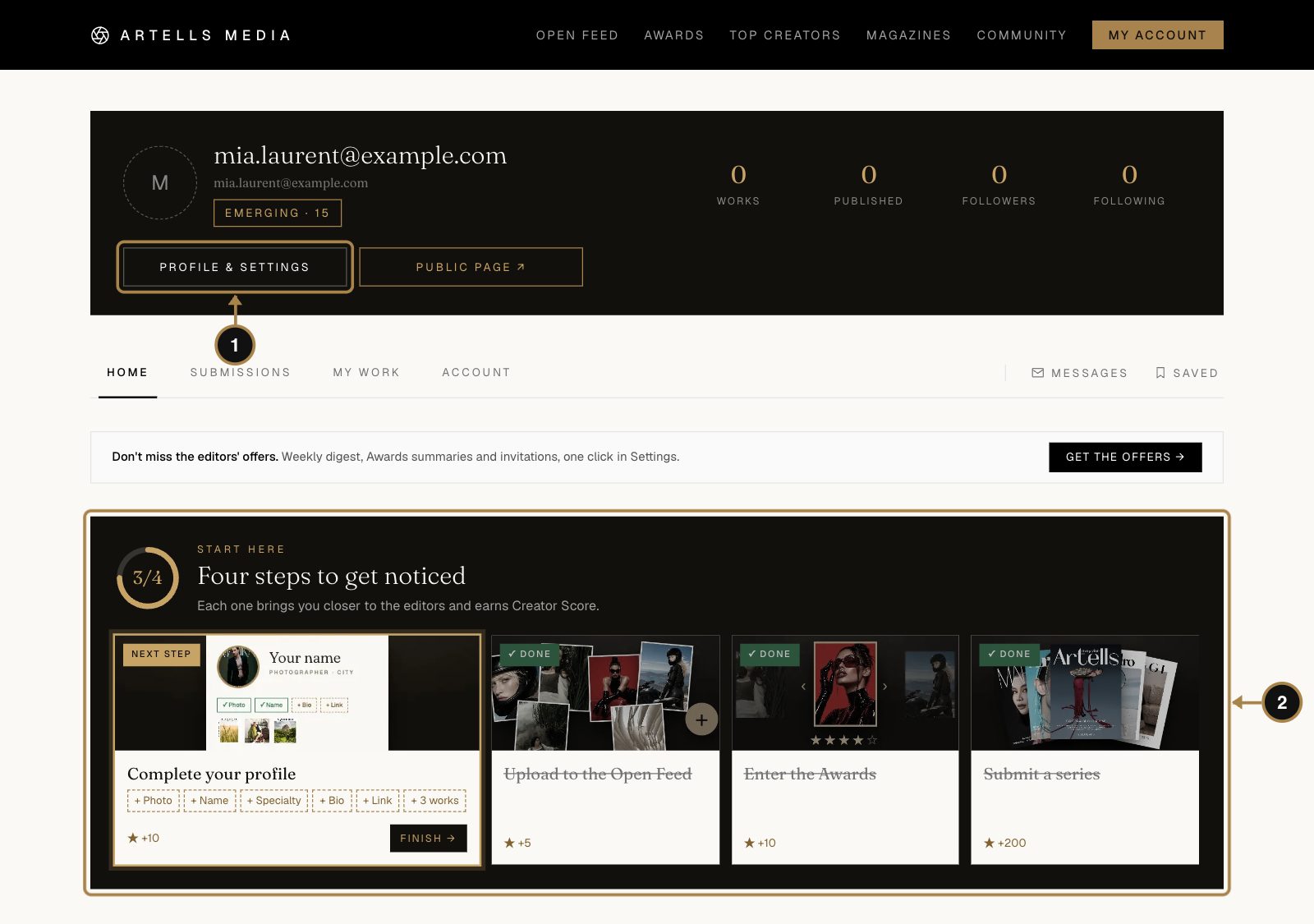
Welcome home. Two things matter on day one:
- Profile & settings (1) opens the form for your public card.
- Four steps to get noticed (2): complete your profile, upload to the Open Feed, enter the Awards and submit a series. Each card shows the Creator Score it brings and opens the right page in one click. The ring on the left fills up as you go, which is surprisingly satisfying.
Step 5. Add a photo of yourself
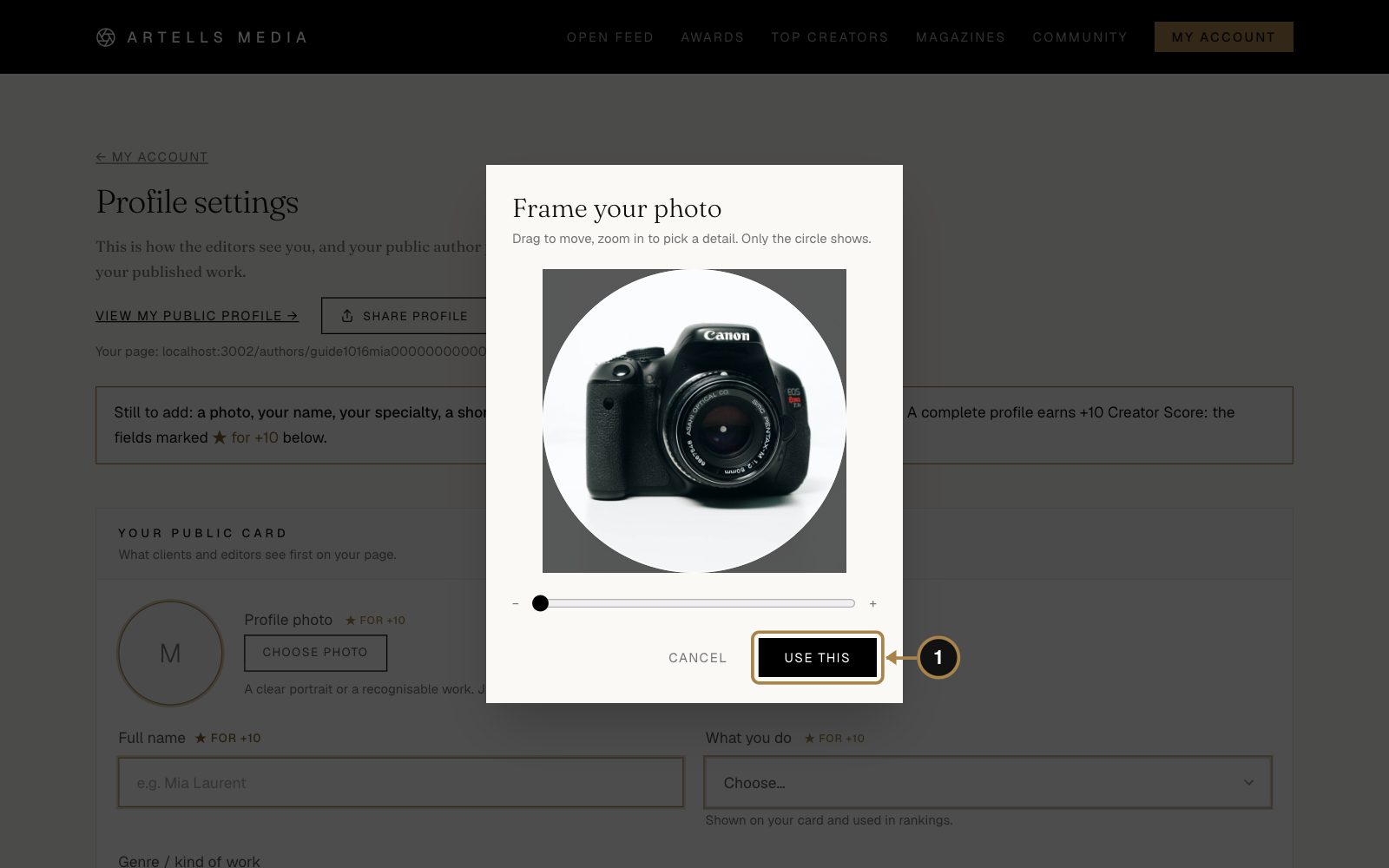
In the settings, click Choose photo next to the round avatar and pick a file. A small window lets you drag and zoom: only what's inside the circle will show. Happy with it? Press Use this (1).
For this guide Mia went with a photo of her camera. For your real profile, a clear photo of your face works best: a logo or your cat is charming, and editors still prefer to know who they're talking to.
Step 6. Name, what you do, genre and bio
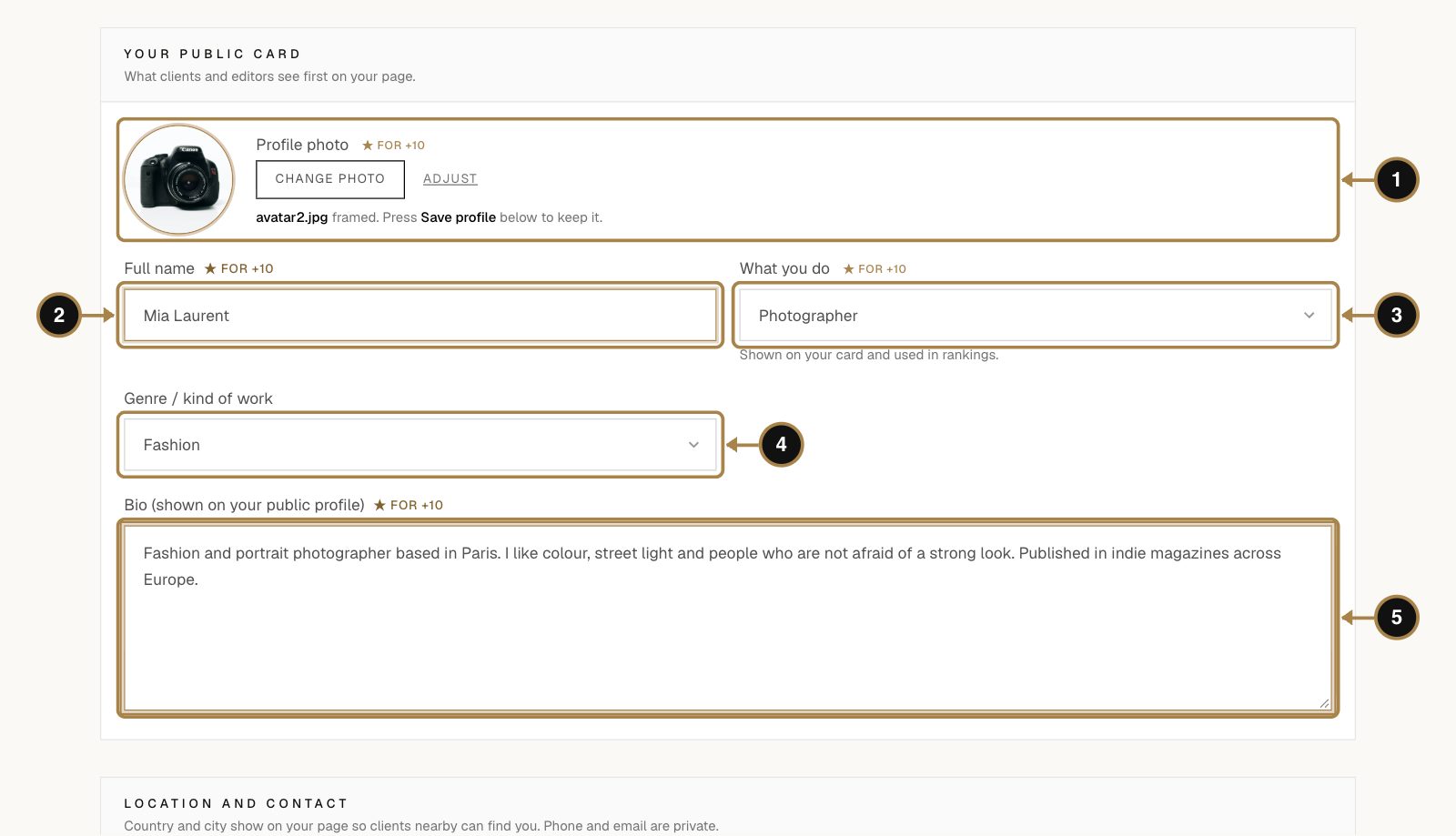
- Photo (1). Done already.
- Full name (2). Exactly as you want it printed in magazine credits and certificates. Thinking about a talent visa one day? Use your passport name.
- What you do (3): photographer, model, makeup artist, stylist, designer, artist and so on. It shows on your card and decides which rankings you appear in.
- Genre (4) opens once you've picked what you do. It's the second line on your card.
- Bio (5). Two or three sentences: what you make, what you love, where you've been published. Imagine a good friend introducing you at a party, minus the embarrassing story.
Fields marked ★ for +10 add 10 points to your Creator Score together, once the profile is complete.
Step 7. Country, links and Save
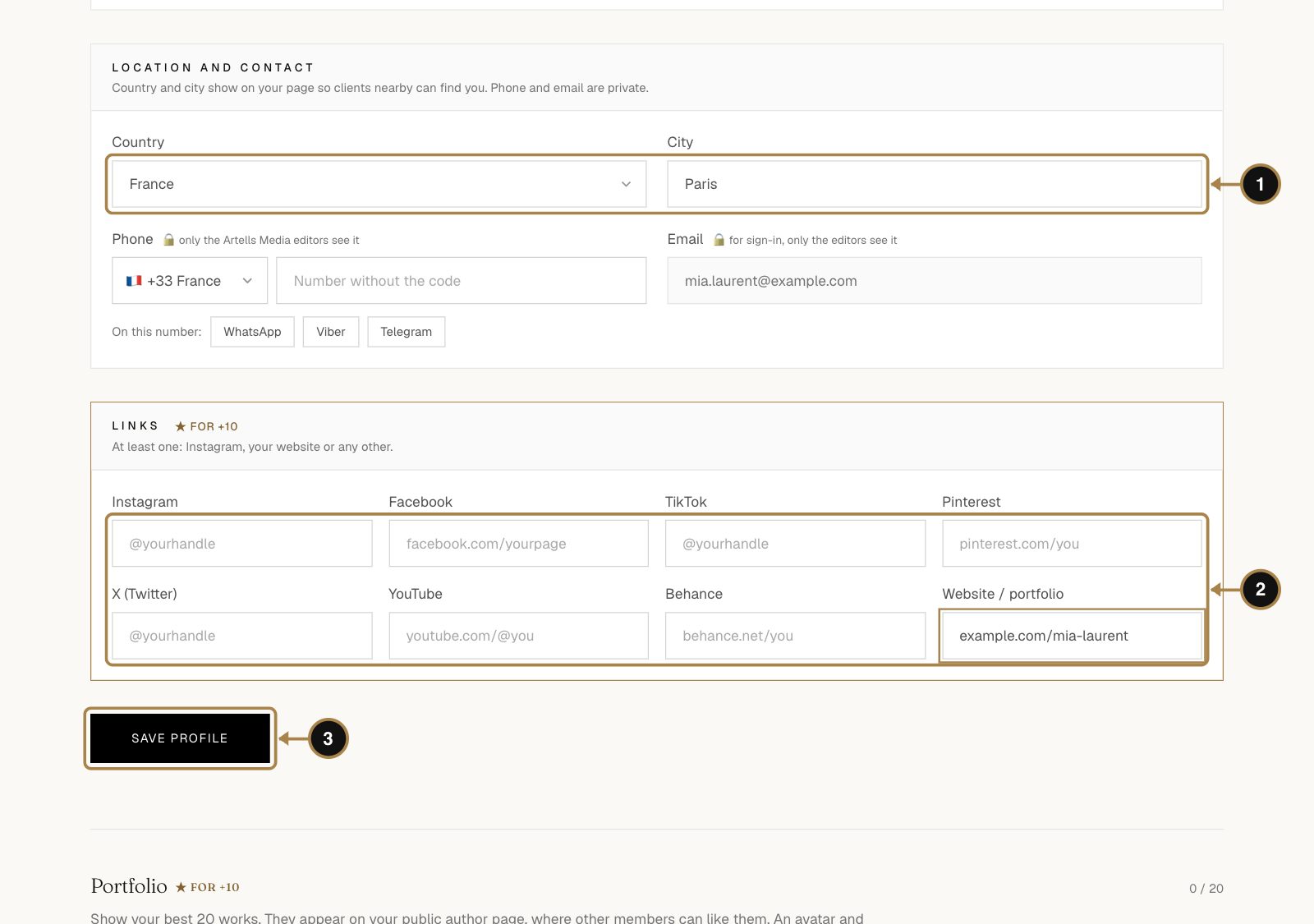
- Country and city (1). Clients often look for someone nearby.
- Links (2). At least one: Instagram, a website, Behance, wherever your work lives. Empty fields simply stay hidden.
- Press Save profile (3).
Your phone number and email stay private. Only the Artells Media editors see them.
Step 8. Add three portfolio works
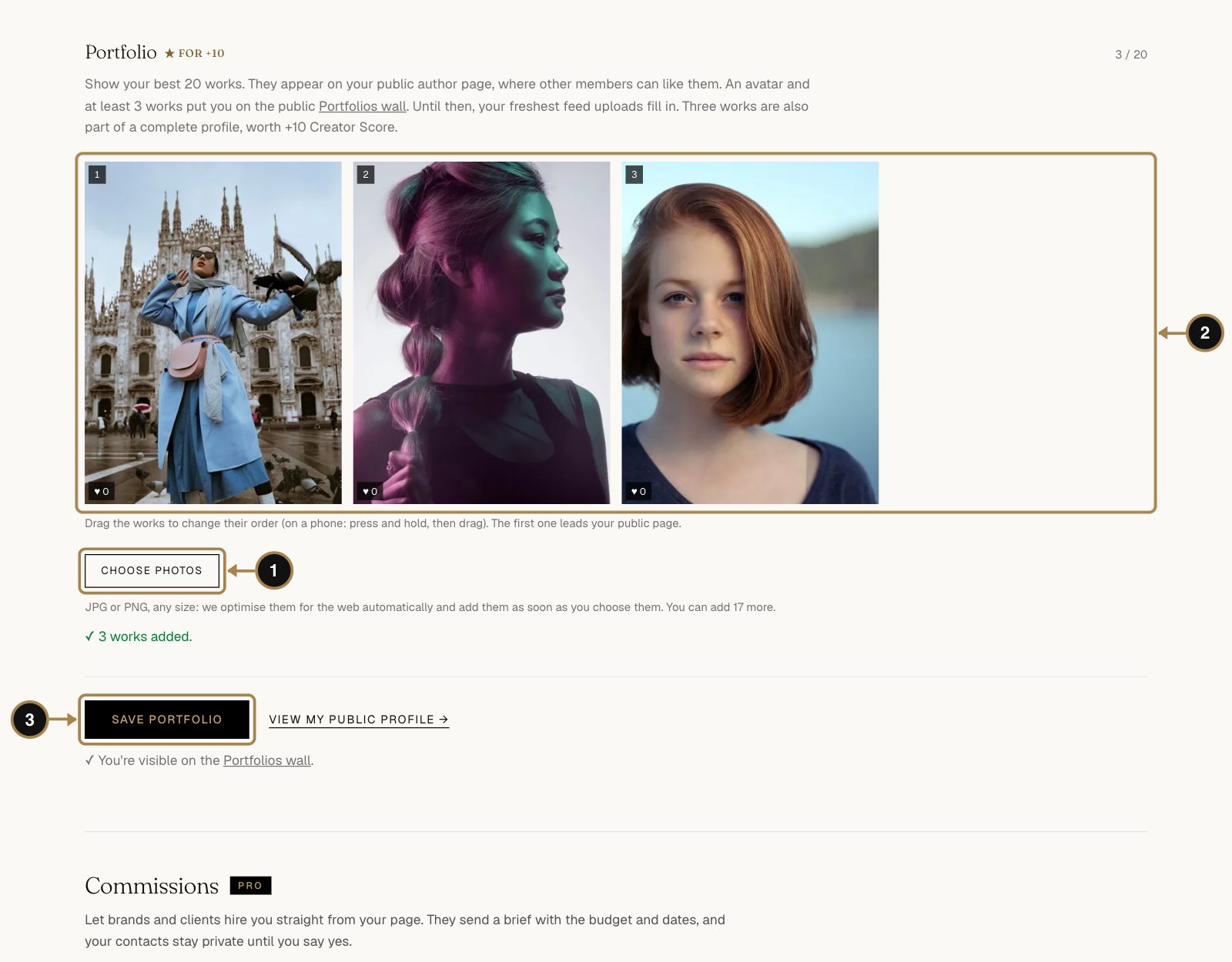
Scroll down to Portfolio, click Choose photos (1) and pick your best works, up to 20. They show up right away (2). Drag them into order: the first one leads your public page, so make it the one you'd frame. Press Save portfolio (3).
Three works and a photo put you on the public Portfolios wall, where clients and other creators go shopping for talent.
Step 9. Check your public page
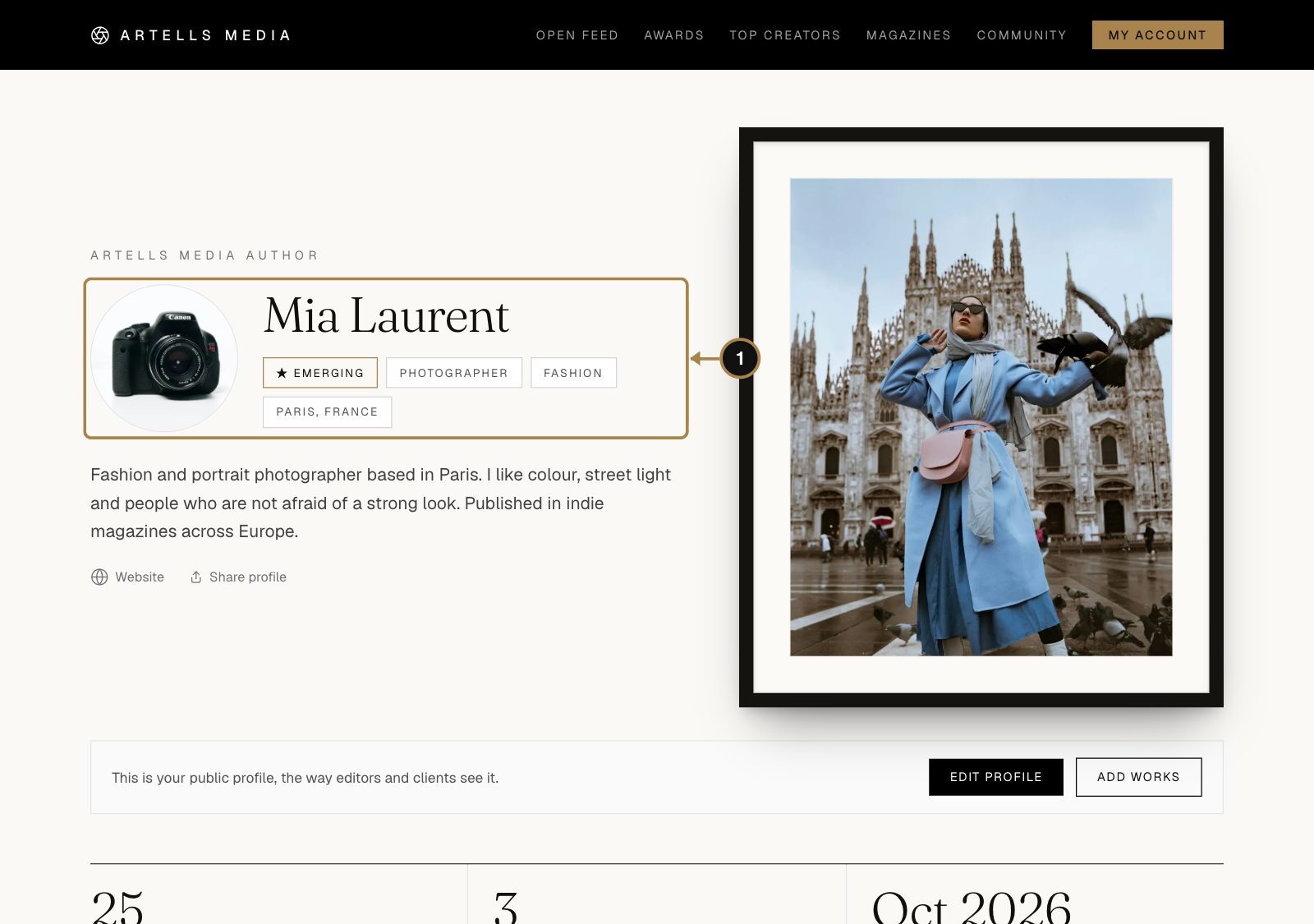
Click Public page in your account to see yourself the way everyone else does (1). It looks a little empty for now. Each publication, pick and Awards place will add to it on its own. More tips in How to set up your profile.
Questions about the profile
Who can see my email and phone?
Only the Artells Media editors. They never appear on your public page.
Can I change my name later?
Yes, in the same settings. A series that's already printed keeps the name it was printed with.
What does "complete profile" mean exactly?
A photo, your name, what you do, a bio, at least one link and three portfolio works. All six together give you +10 Creator Score.
What is the Creator Score?
One number for your track record here: publications, editors' picks, Awards places, stories. Nobody can buy it, which is the whole point. Part 7 below shows where to see it and how it grows.
Part 3. Submit a series to a magazine
Why bother: this is the big one. A published series means your name in the credits of a print and digital magazine sold in 189 countries, tear sheets of your pages for your portfolio, and a public verification link you can put in a CV, a pitch to a client or a visa file. It also adds +200 to your Creator Score, more than anything else on the platform. Submitting costs nothing, and the editors answer within 7 days.
Step 10. Choose a magazine
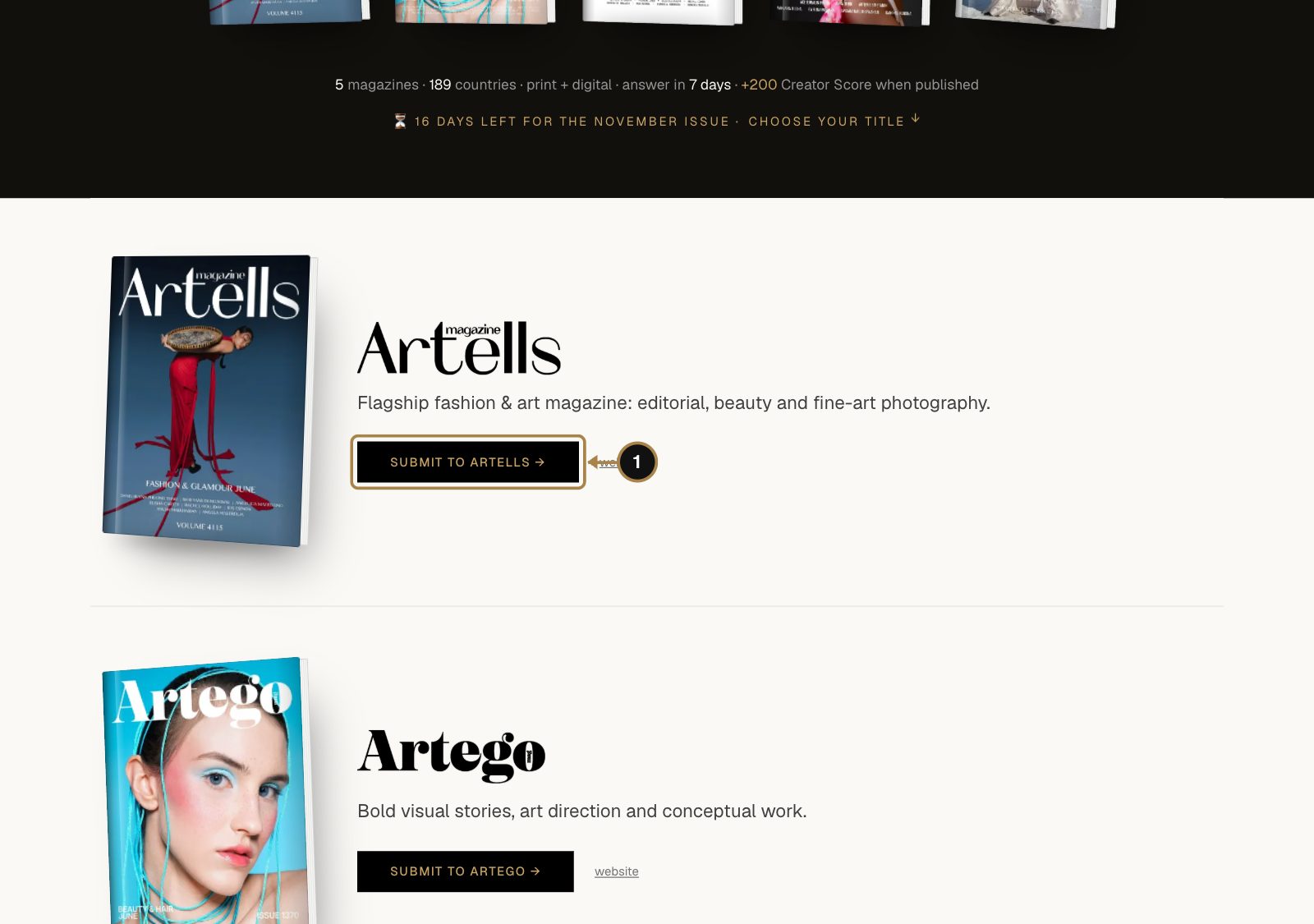
Open Magazines. There are five, each with its own personality: Artells, Artego, Marika, Figgi and Quadro. Read the short description, look at a recent cover and press Submit to … (1) on the one that fits your series best. The same buttons sit in your account under Your magazines this month.
Mia picks Marika for her colour portraits. Good call.
Step 11. Add your photos
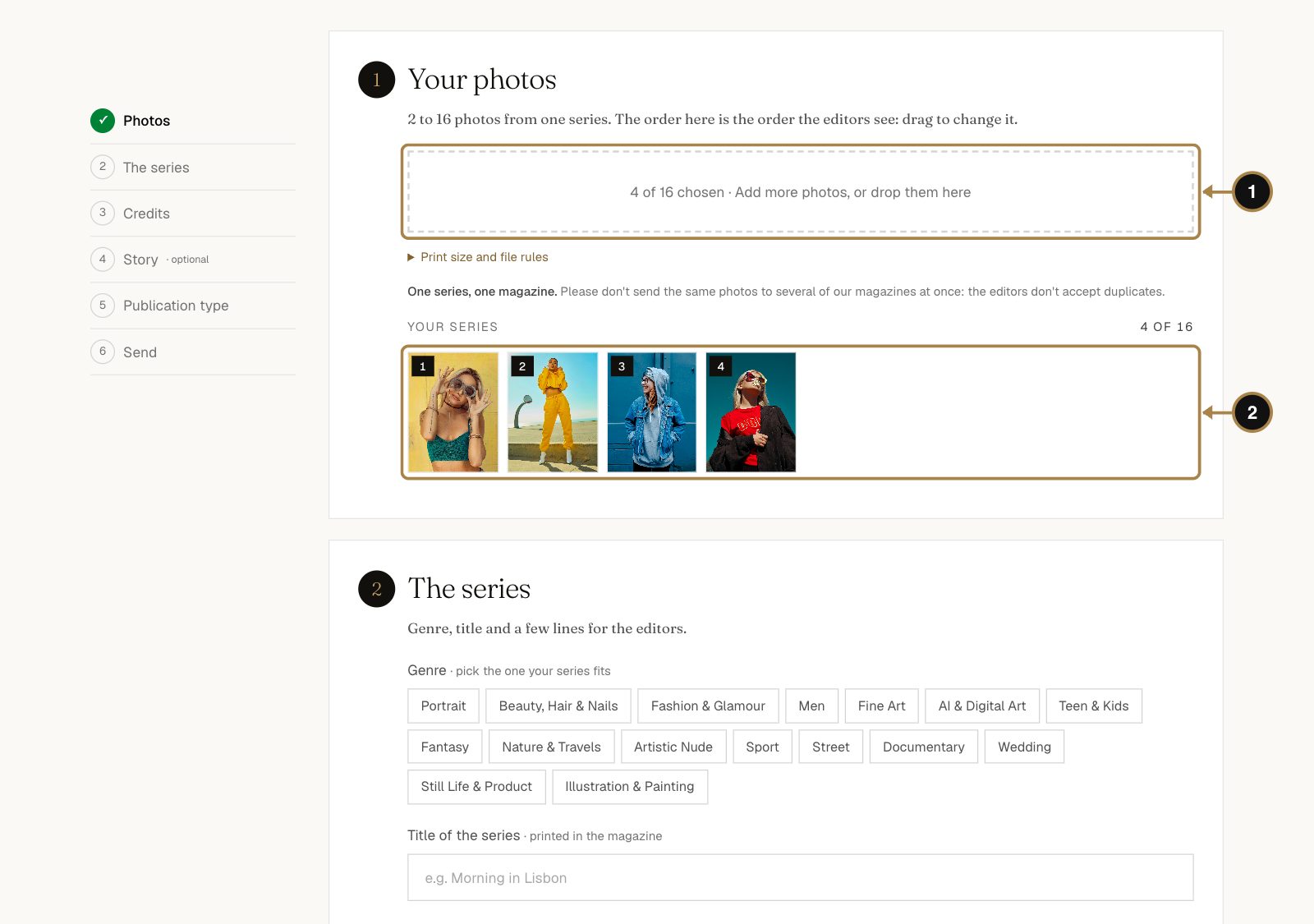
The form is one page with six short sections, and the list on the left shows how far you've got.
- Click the box or drop your files into it (1). You need 2 to 16 photos from one series.
- They line up below (2) in the order the editors will see them. Drag to change it. Open with your strongest frame: first impressions count on a desk too.
For print the editors need full-size files: JPG in sRGB, at least 2550×3300 px for a vertical photo or 5100×3300 px for a horizontal one. Print size and file rules under the box has the details.
Step 12. Genre, title and description
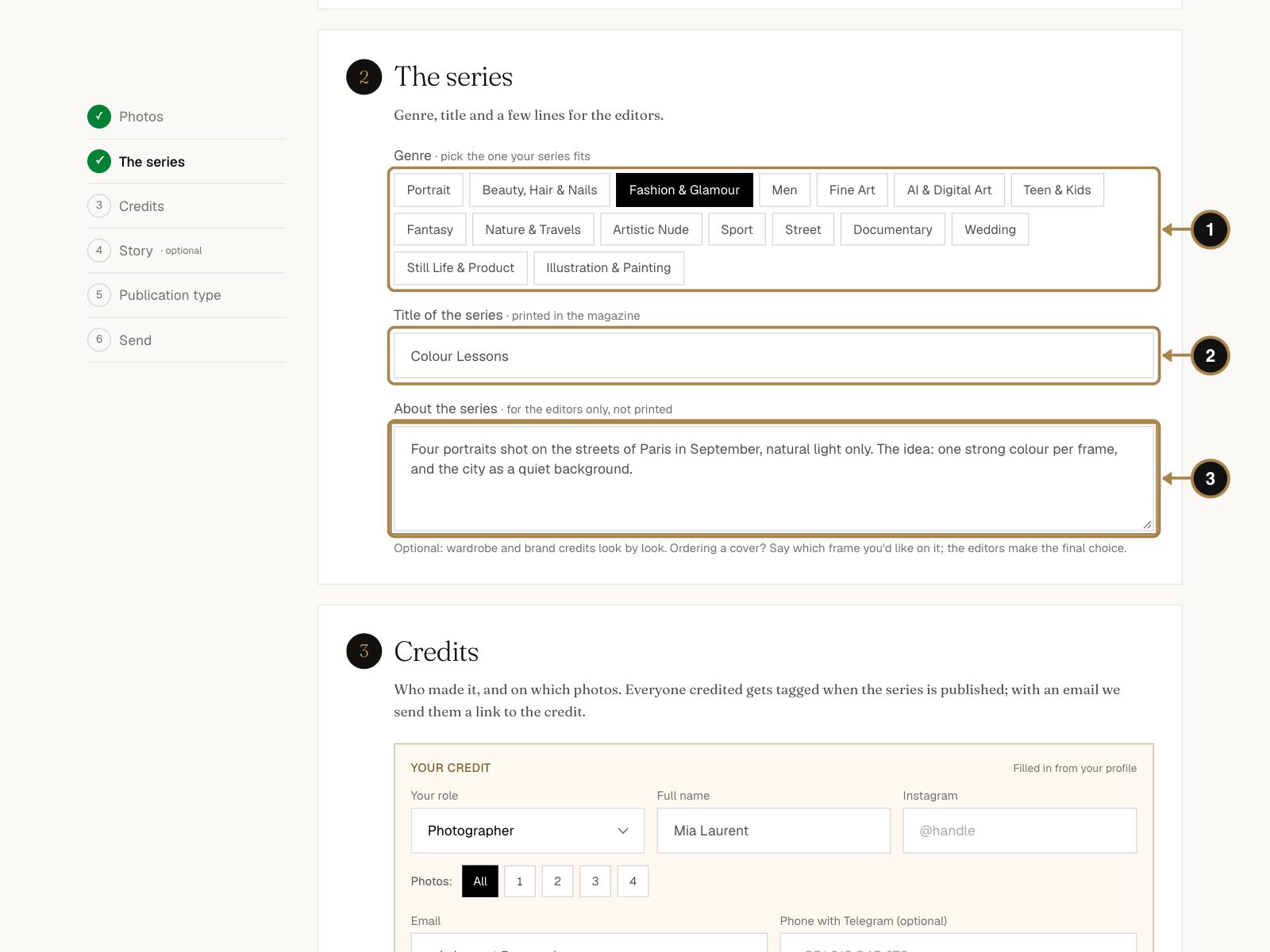
- Genre (1). The one that fits the series.
- Title of the series (2). It's printed in the magazine, so give it a moment.
- About the series (3). A few lines for the editors only: the idea, where and how you shot it, wardrobe and brand credits. This text isn't printed, so no need to be poetic. Clear beats clever.
Step 13. Credit the team
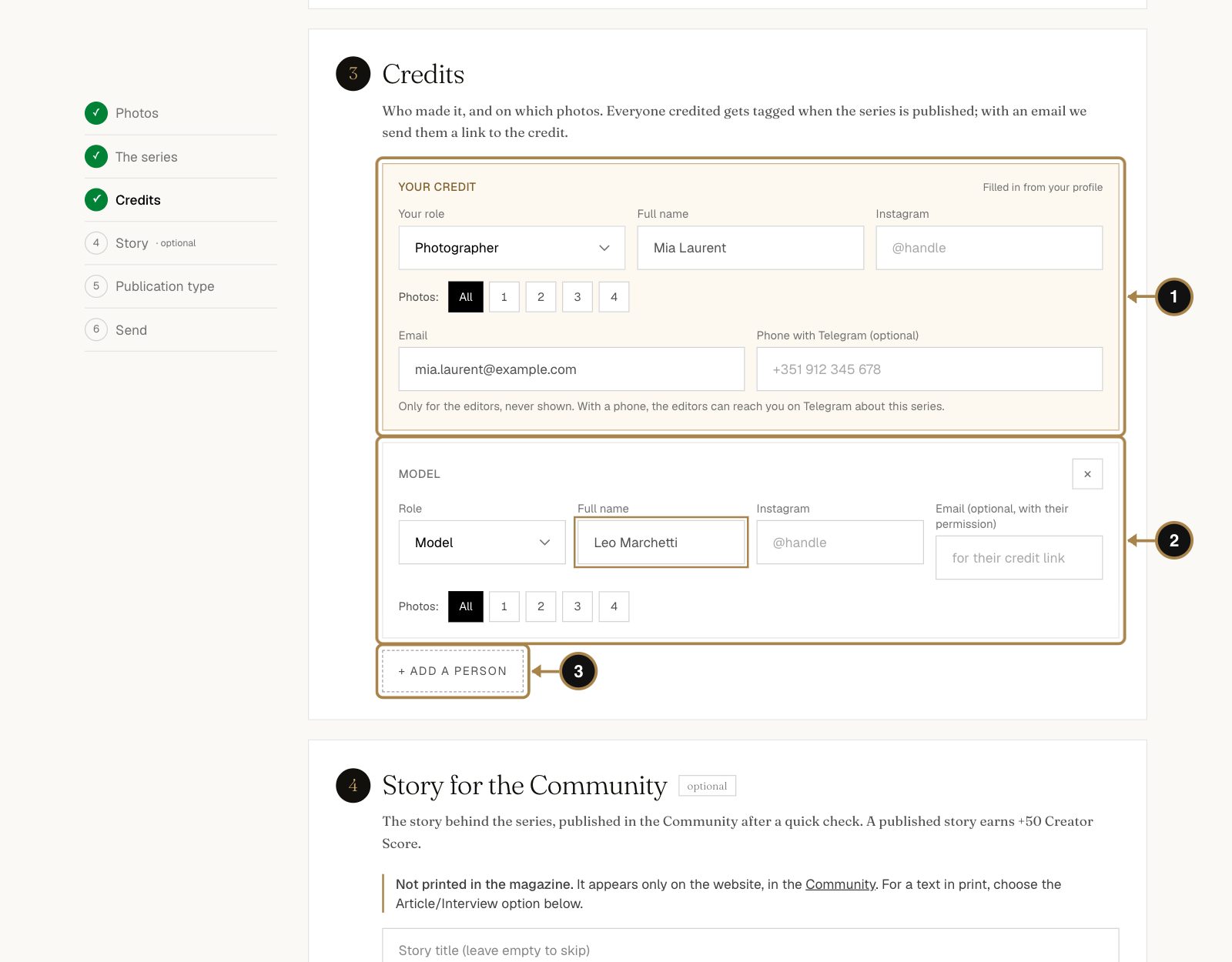
- Your credit (1) is filled in from your profile. Under Photos you can mark which shots you're in; All is the default.
- Press + Add a person (3) for each member of the team (2): model, makeup artist, stylist, designer. Choose the role and type the name; Instagram helps.
- Their email is optional. With it, we send them a link to their credit once the series is published, so the credit lands on their profile too. Teams love that.
Everyone you credit is named in the magazine. Credits are easy to forget and painful to fix after print, so take a minute here.
Step 14. A story for the Community (optional)
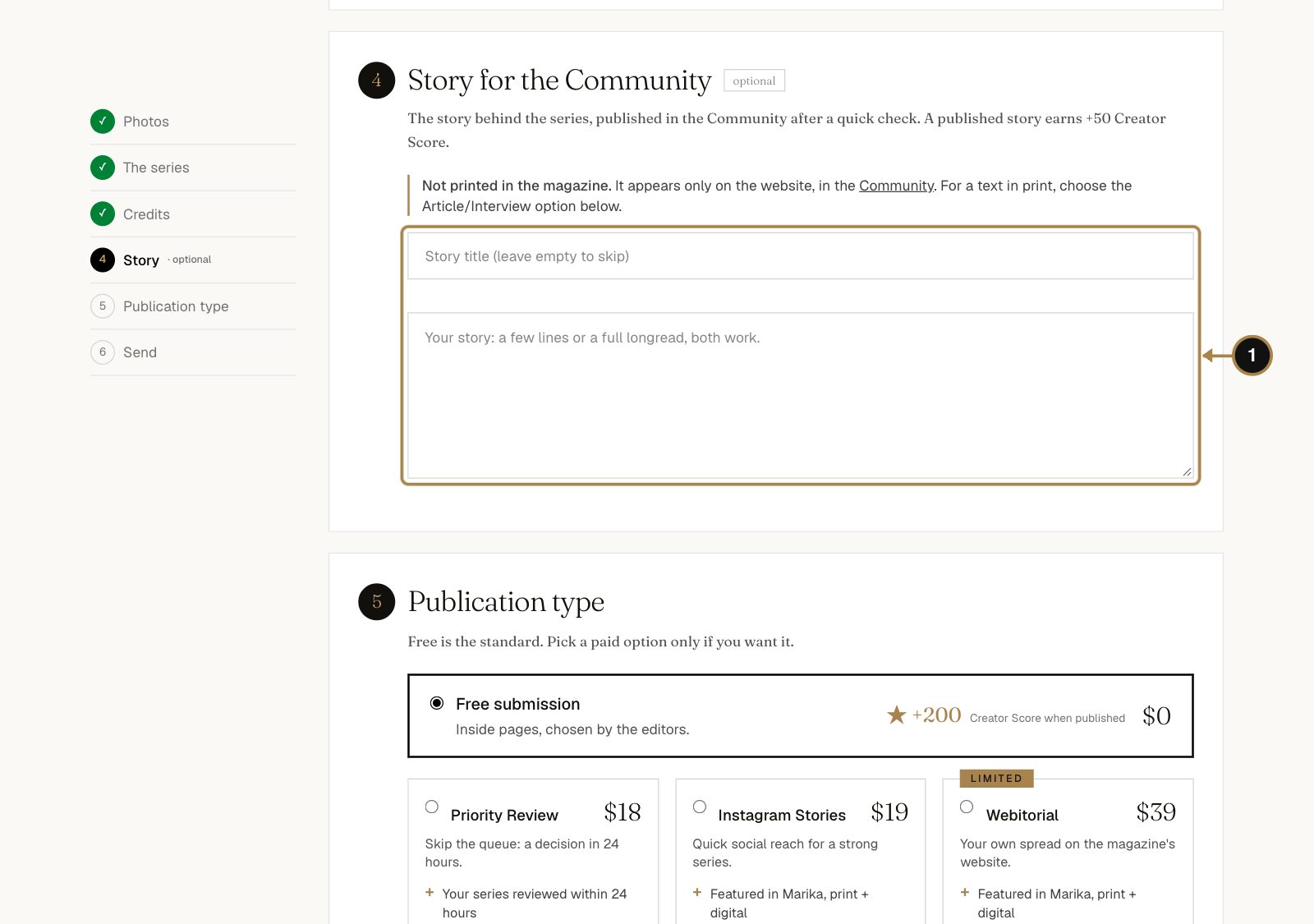
Got a story behind the series (1)? The concept, the chaos, the moment it finally worked. It isn't printed in the magazine. It's published on the website, in the Community, under your name, after a quick check by the editors. Leave it empty to skip. You can always write one later, see Part 4.
Step 15. Publication type
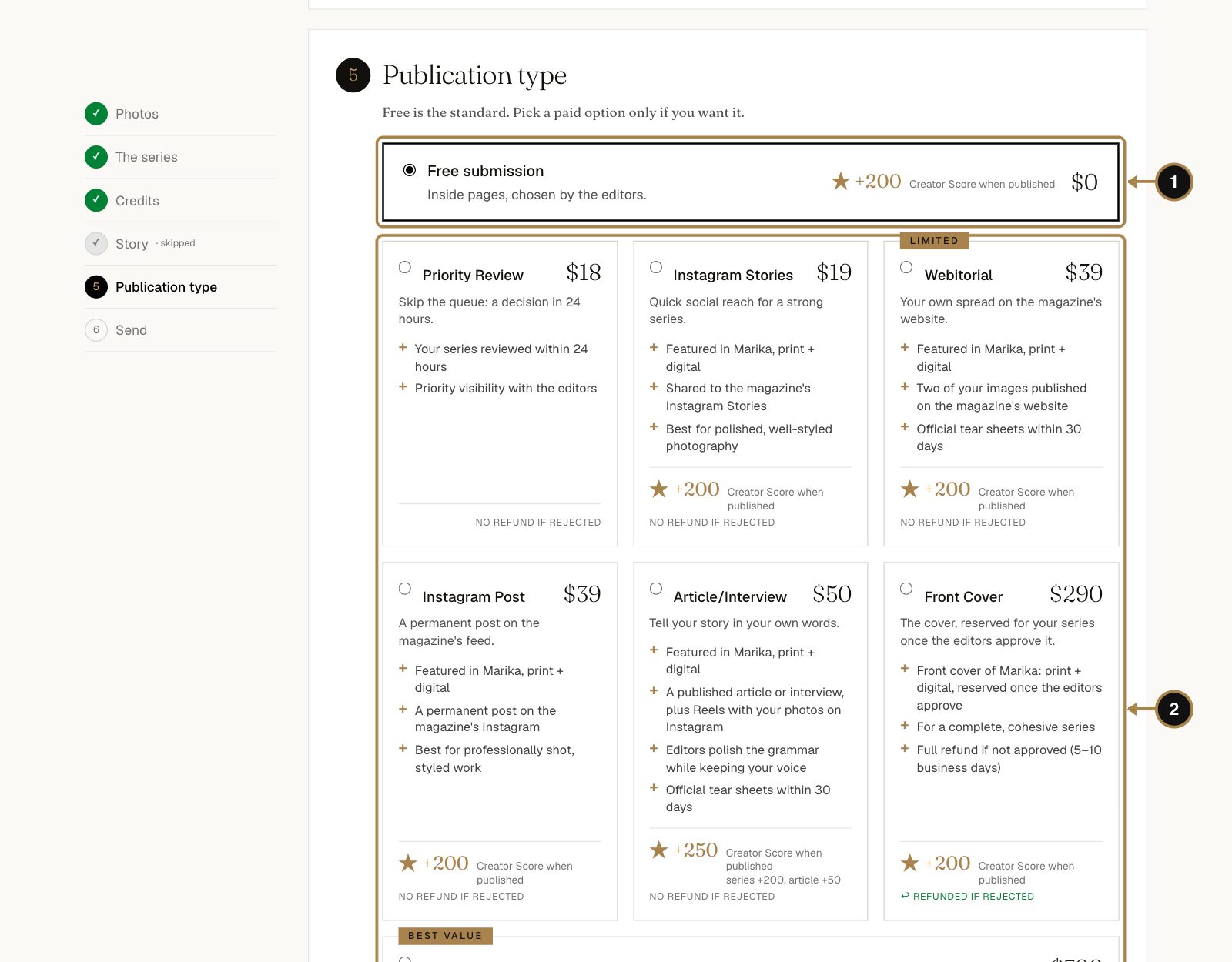
Free submission (1) is already selected: inside pages, chosen by the editors, $0. That's how most series get published.
Below it are optional extras (2): Priority Review for an answer within 24 hours, a feature on the magazine's Instagram or website, an interview, the front cover. Prices are on each card. Pick one only if you want it. None of them buys an acceptance: the editors decide on the work.
Step 16. Agree and send
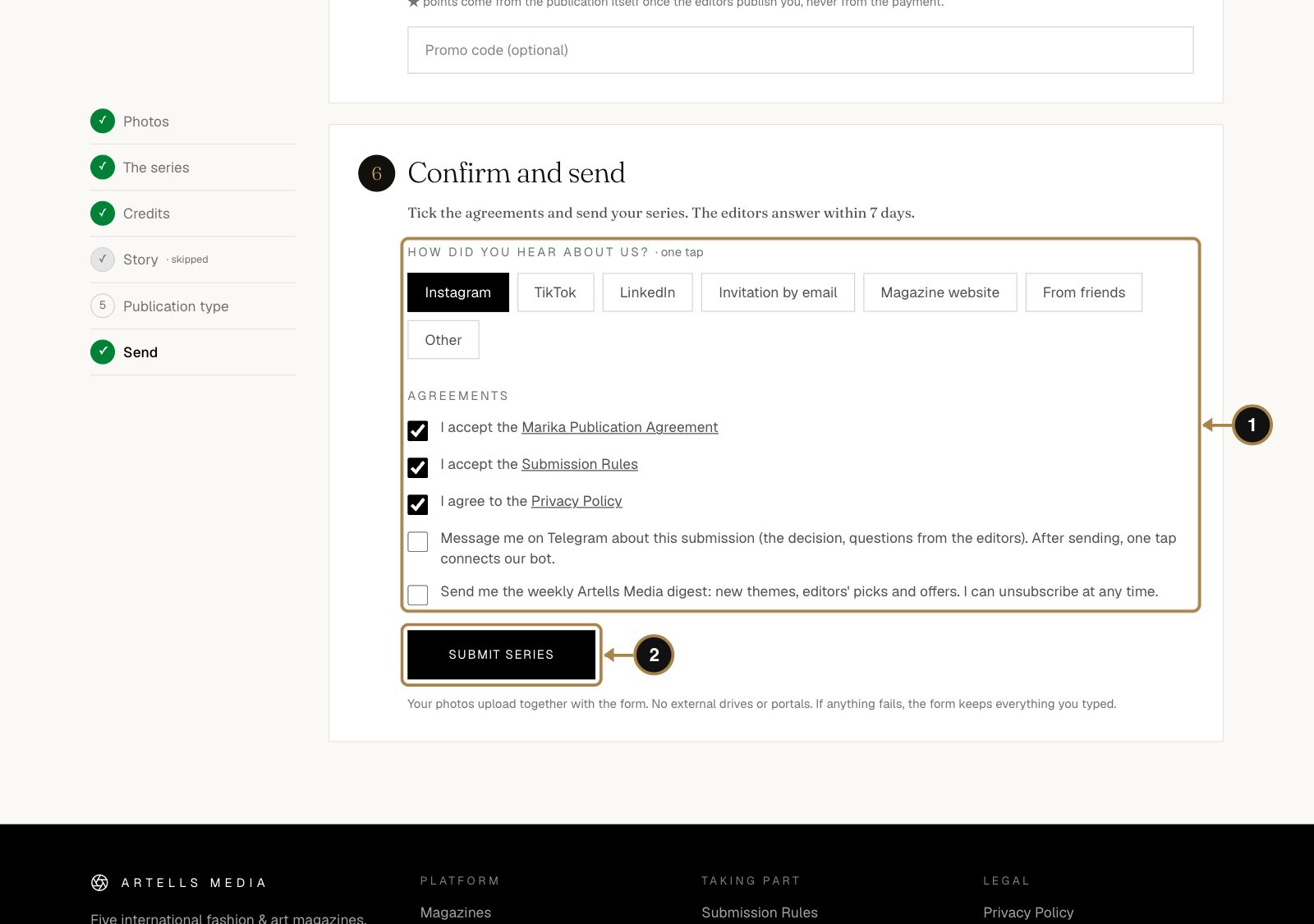
- Tell us how you found us. One tap, and it genuinely helps.
- Tick the three agreements (1): the magazine's Publication Agreement, the Submission Rules and the Privacy Policy. The links open each document if you like to read before you sign. We respect that.
- The two boxes below are optional: updates on Telegram and the weekly digest.
- Press Submit series (2).
The photos upload together with the form. If the connection drops on the way, the form keeps everything you typed.
Step 17. Your series is in
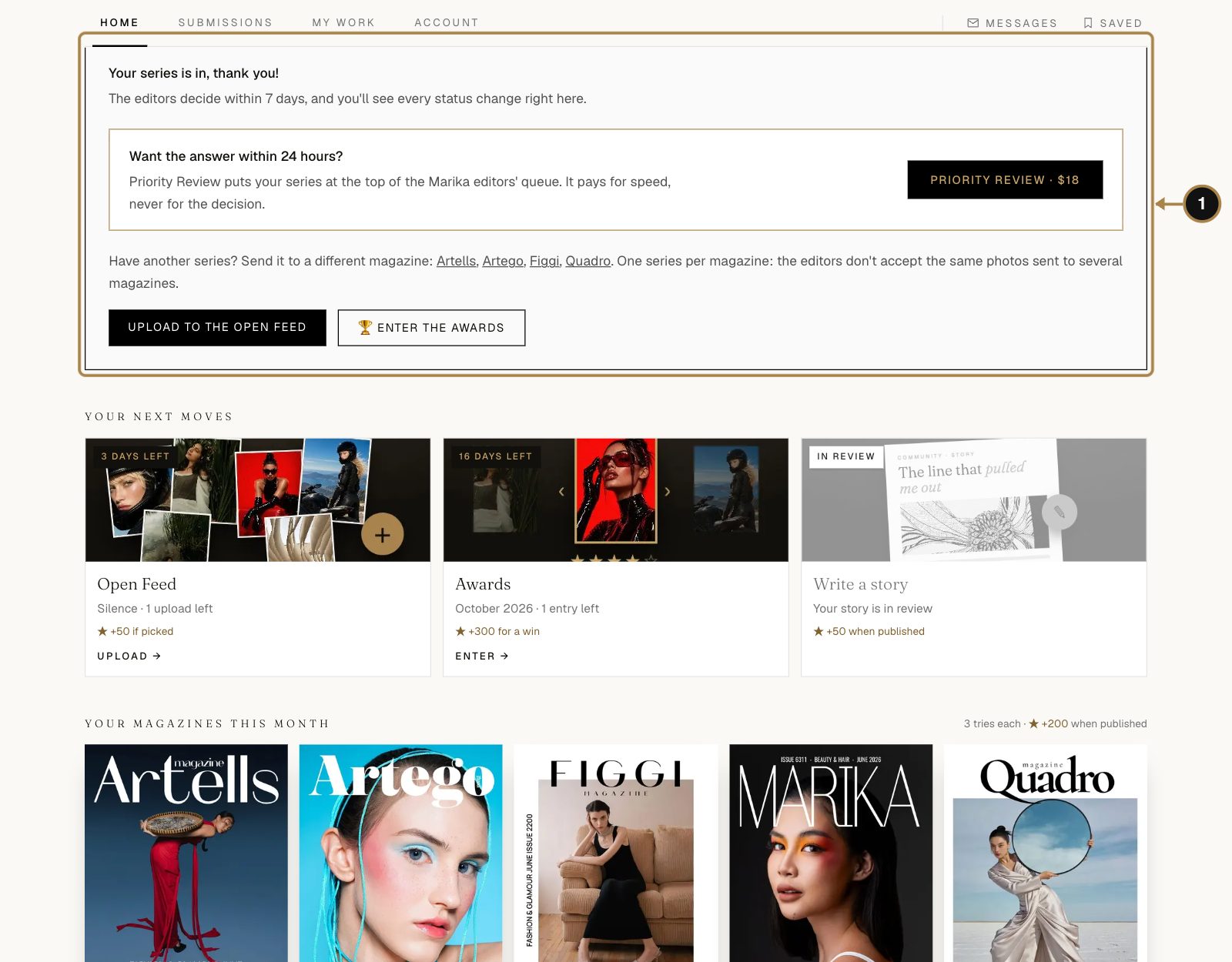
Done. You land back in your account with a confirmation (1). The editors decide within 7 days, and every status change shows up right here and in your email. Now go make a coffee.
While you wait, you can send a different series to another magazine, post to the Open Feed or enter the Awards. One rule: one series goes to one magazine. The editors don't accept the same photos sent to several of them.
Step 18. Follow the status and talk to the editors
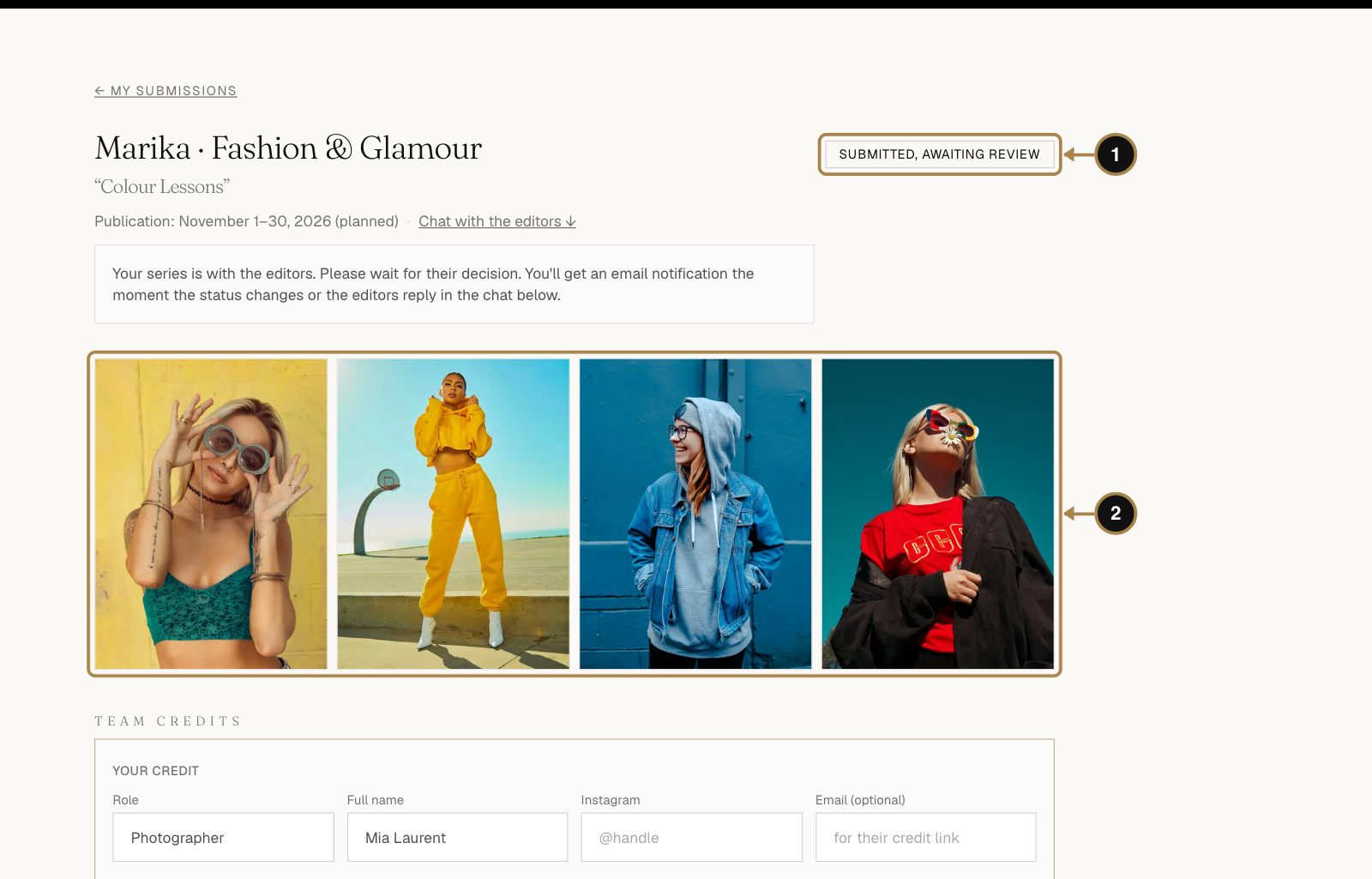
In your account, under Submissions, each series has its own page with the status (1), the photos (2), the planned publication month and the credits, which you can still edit.
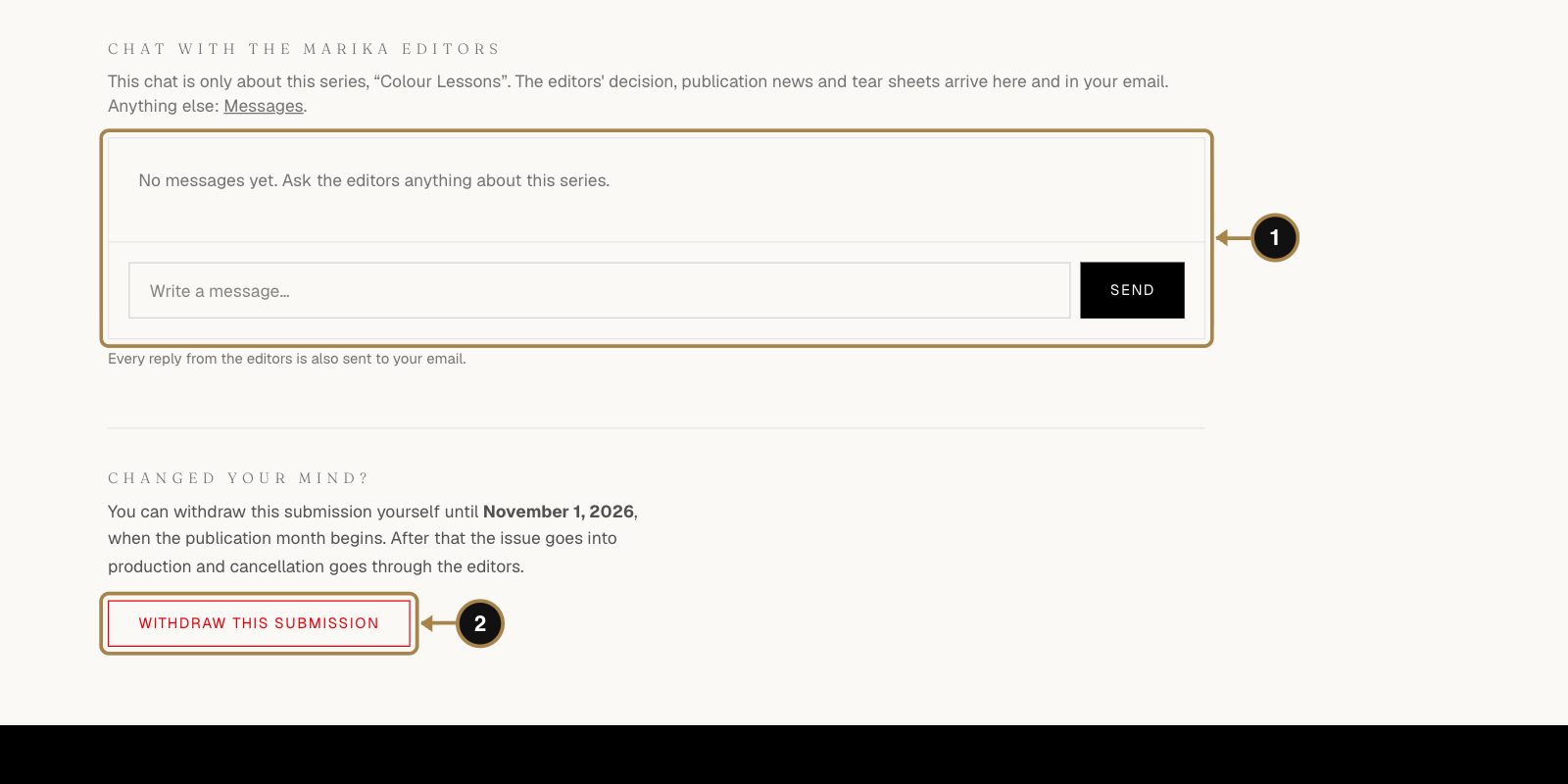
Further down is a chat with the magazine's editors (1), just for this series. Their decision, publication news and your tear sheets arrive here and in your email. Changed your mind? Withdraw this submission (2) works until the publication month begins.
The statuses go in this order: Submitted, In review, Accepted, Scheduled for an issue, Published and Tear sheets sent. The full walkthrough is in How to submit a series to a magazine.
Questions about submitting
Does submitting cost anything?
No. Free submission is the standard in all five magazines. Paid extras are optional.
How many series can I send in a month?
Three tries per magazine each month; your account shows how many are left. A decline counts as a try. PRO members get more.
How long does the decision take?
Up to 7 days. With Priority Review, 24 hours.
Can I send the same series to two magazines?
No. One series, one magazine. If it's declined, you're free to send it to another one.
My photos are smaller than the print size. What happens?
The form tells you which ones are too small. Send the full-size originals: an Instagram copy looks great on a phone and sad on paper.
What are tear sheets?
Your printed pages as a PDF, about 30 days after the issue comes out. Here's what they are and why they matter.
Part 4. Write a story for the Community
Why bother: a story shows how you think, and that's something a portfolio can't do on its own. Readers find stories through search and through the Community, then click through to your profile and your work. Editors read them too. A published story adds +50 to your Creator Score.
Step 19. Start a story
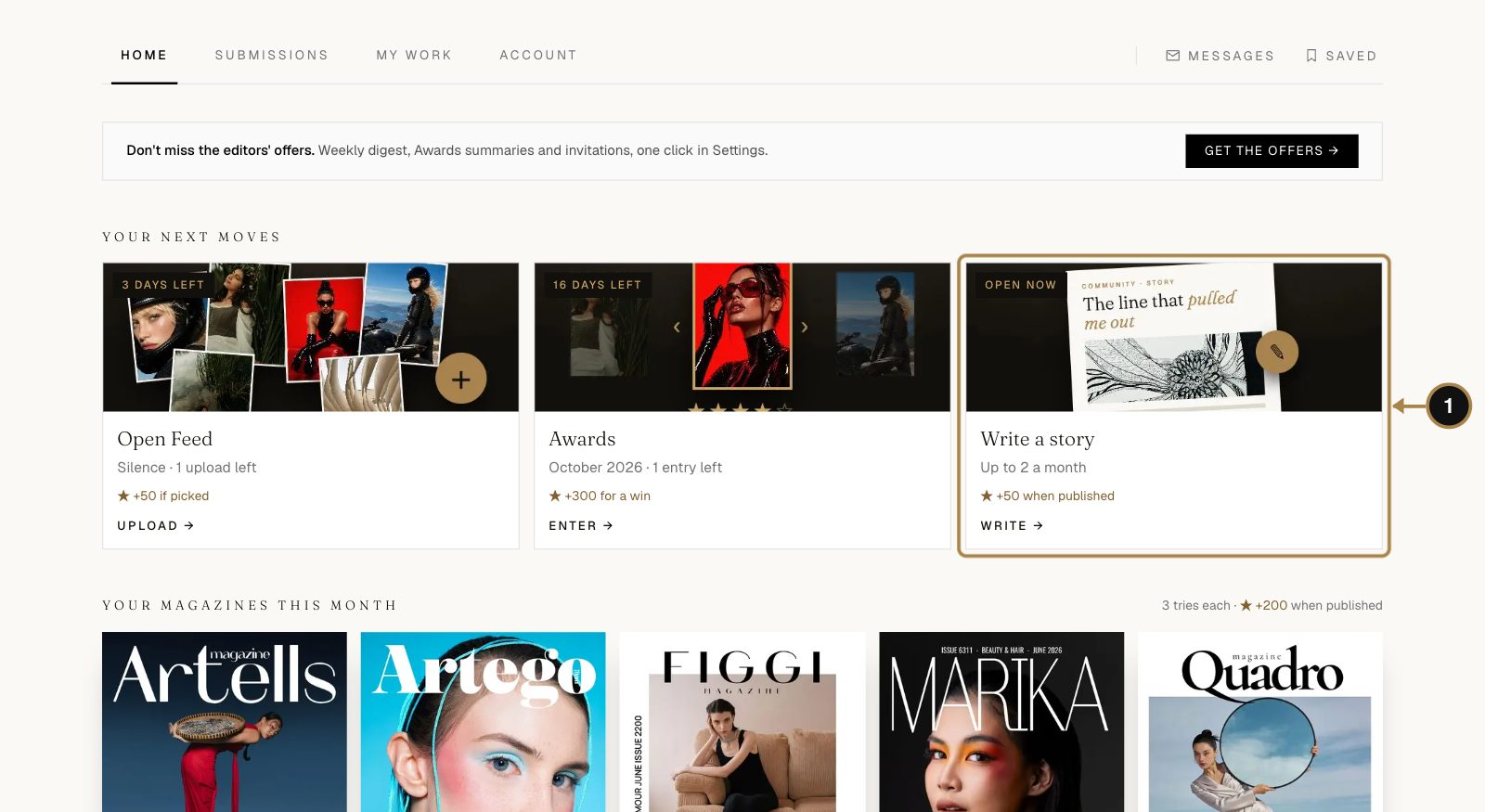
Stories are articles by creators: how a shoot came together, a lighting trick, a lesson from a difficult client. In your account, find Write a story (1) and click it. My stories has the same button.
Step 20. Write it and add photos
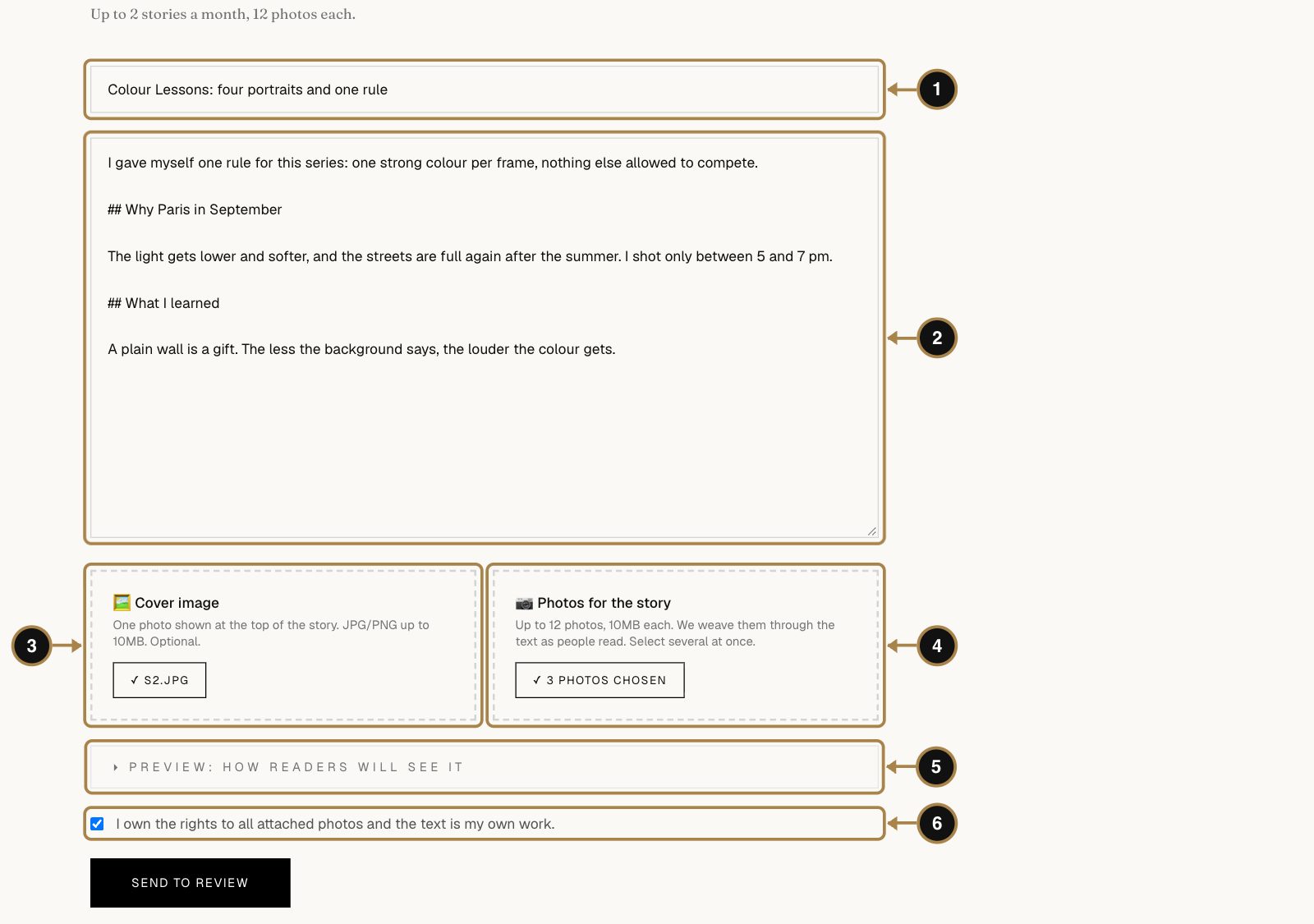
- Title (1). Say what the story is about. "Colour Lessons: four portraits and one rule" beats "My new work".
- Text (2). A few lines or a long read, both work. Plain text is fine: leave a blank line between paragraphs, and start a line with
##to make a heading. - Cover image (3), optional. One photo at the top.
- Photos for the story (4), up to 12. We weave them through the text as people read.
- Preview (5) shows the story exactly as readers will see it.
- Tick I own the rights to all attached photos and the text is my own work and press Send to review (6).
Step 21. Wait for the editors
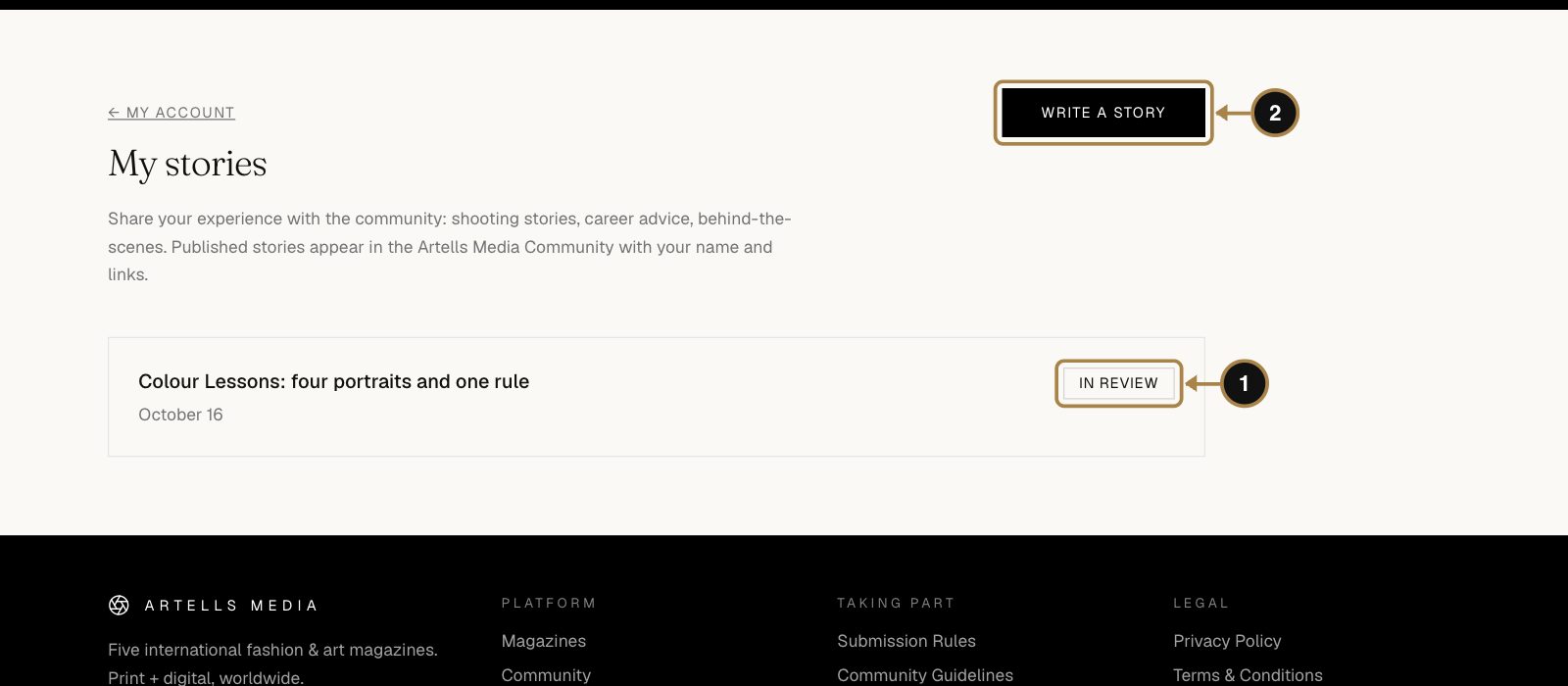
The story appears under My stories as In review (1). The editors usually decide within a few days. Once approved, it's published in the Community under your name, with your links.
Questions about stories
What can I write about?
Anything useful or honest about your craft: behind the scenes of a series, a gear choice, how you work with models, what a decline taught you. Plain advertising is turned down.
How many stories can I write?
As many as you like, one at a time: while one is in review, wait for the decision before you send the next.
Can I use photos from my series?
Yes, if you own the rights. Credit the team in the text.
Is the story printed in the magazine?
No, stories live on the website. For a printed interview, choose the Article/Interview option when you submit a series.
Part 5. Post to the Open Feed
Why bother: it's the quickest way in front of the editors of all five magazines. One photo, a weekly theme, no full series needed. The editors pick favourites every week: a picked photo leads its week with the magazine's badge on it and adds +50 to your Creator Score. Your first two published photos each week add +5 each. Two photos a week cost you nothing but a good eye.
Step 22. Read this week's theme
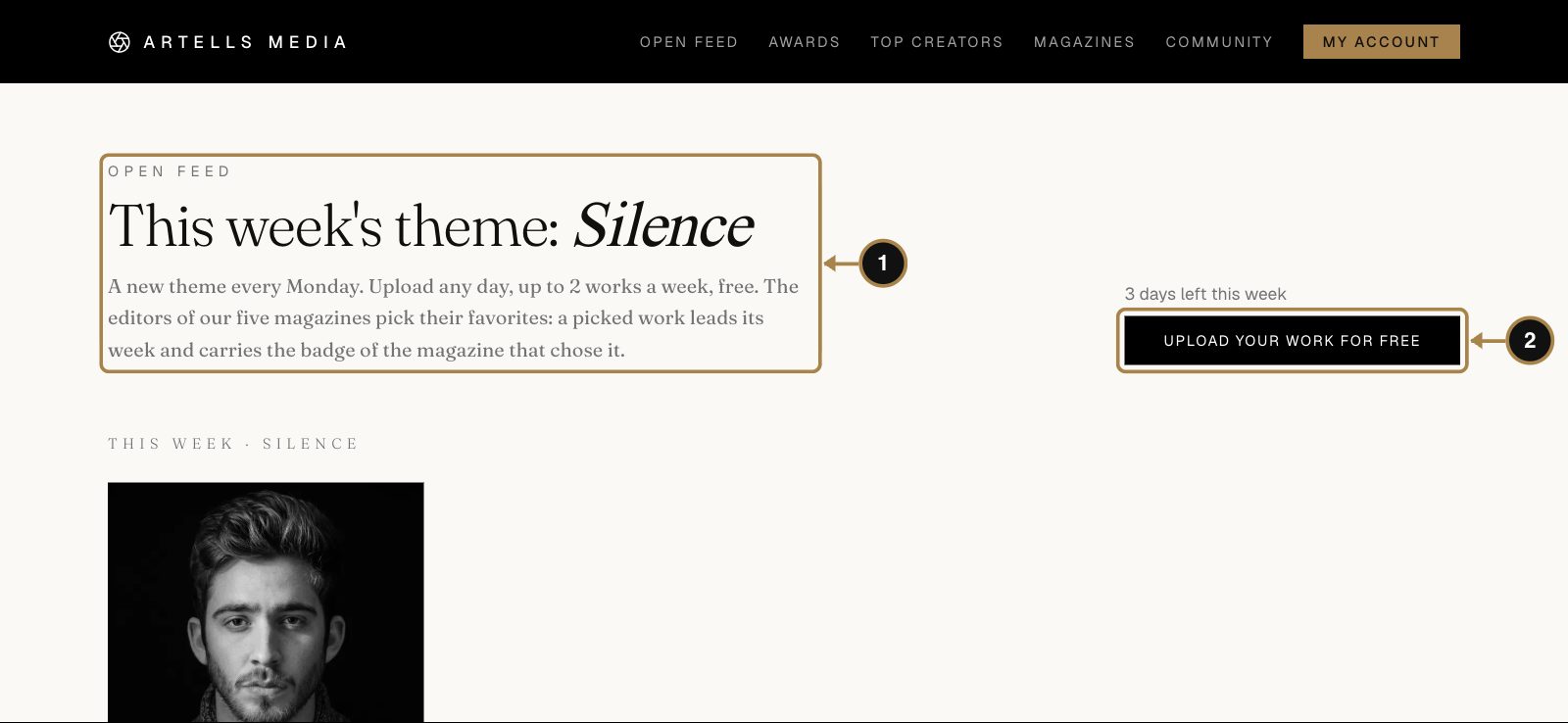
The Open Feed runs on a weekly theme (1), and a new one starts every Monday. Any genre fits as long as it fits the theme. Mia's week is "Silence", which is a nice challenge for a colour photographer. Press Upload your work (2).
Step 23. Add a photo and a caption
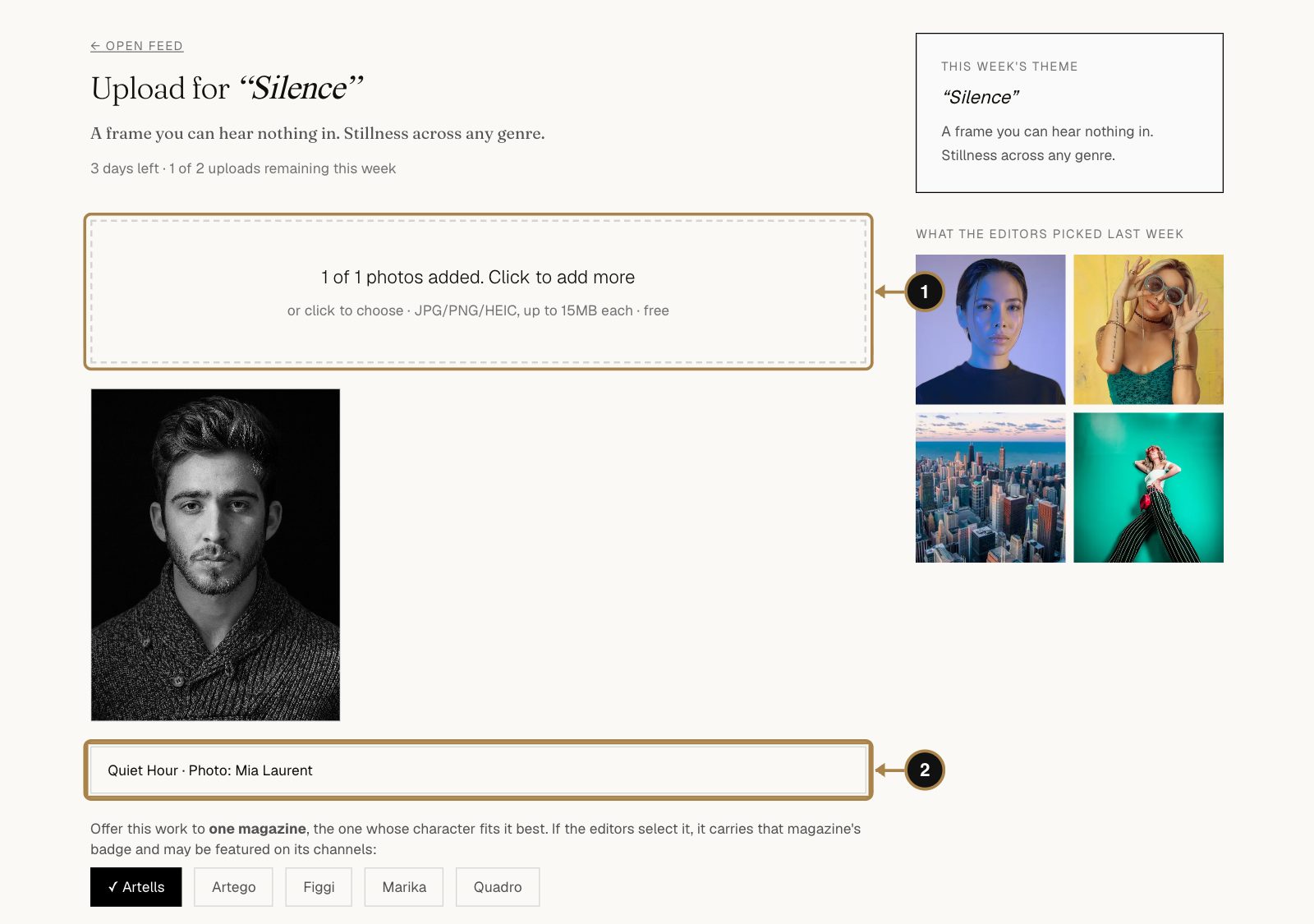
- Click the box or drop up to two photos into it (1). JPG, PNG or HEIC, up to 15 MB each.
- Add a caption (2): a title and the team credits. It applies to all photos in this upload.
Step 24. Choose a magazine and publish
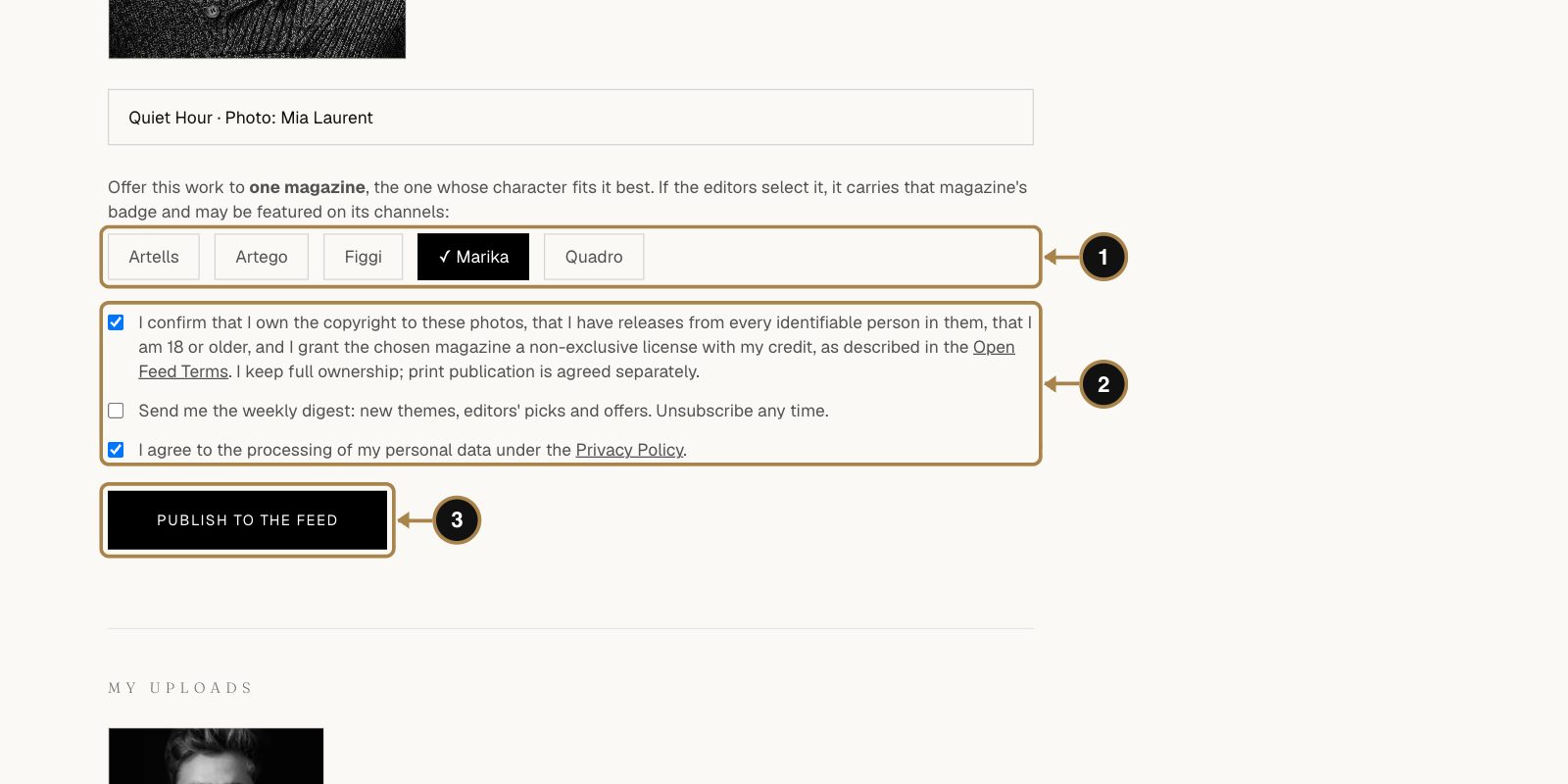
- Offer the work to one magazine (1), the one whose style fits it best. If its editors pick it, your photo wears that magazine's badge.
- Tick the boxes (2): the one about your rights and releases and the Privacy Policy are required; the digest is up to you.
- Press Publish to the feed (3).
Step 25. Watch what happens to it
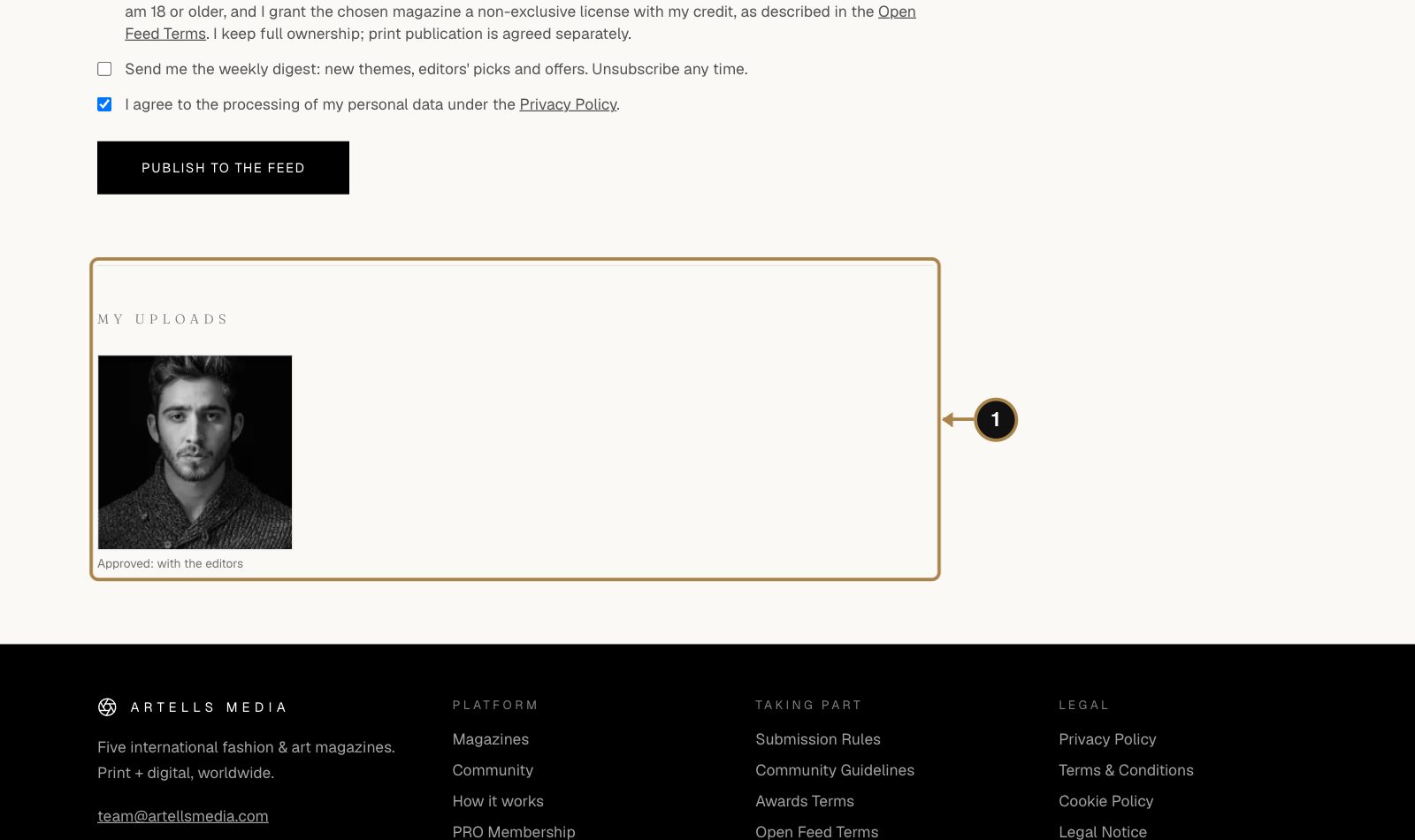
Your photo appears under My uploads (1) with its status. Most uploads go live in the feed within minutes. Then it's up to the editors' taste.
Questions about the Open Feed
How many photos can I post?
Two a week on the current theme. PRO members can post more.
Is the Open Feed the same as submitting to a magazine?
No. The feed is single photos on a weekly theme, and the editors pick from it. A magazine submission is a whole series for print. You can do both, and most active creators do.
My photo hasn't gone live. Why?
An automatic check looks at every photo. Anything it isn't sure about waits for an editor, which can take a little while. If a photo is declined and the reason isn't clear, ask us at team@artellsmedia.com.
Can I enter a feed photo in the Awards?
Yes, in one click and without uploading it again. See the next part.
Part 6. Enter the Awards
Why bother: the first prize is the cover of Artells magazine. Second and third are covers too. That's the kind of line that changes a portfolio. Places and Editors' Picks appear on your public profile with a verification link, and even rating other people's work pays off: every 20 ratings earn you one more entry. Two entries a month cost nothing.
Step 26. Open this month's round
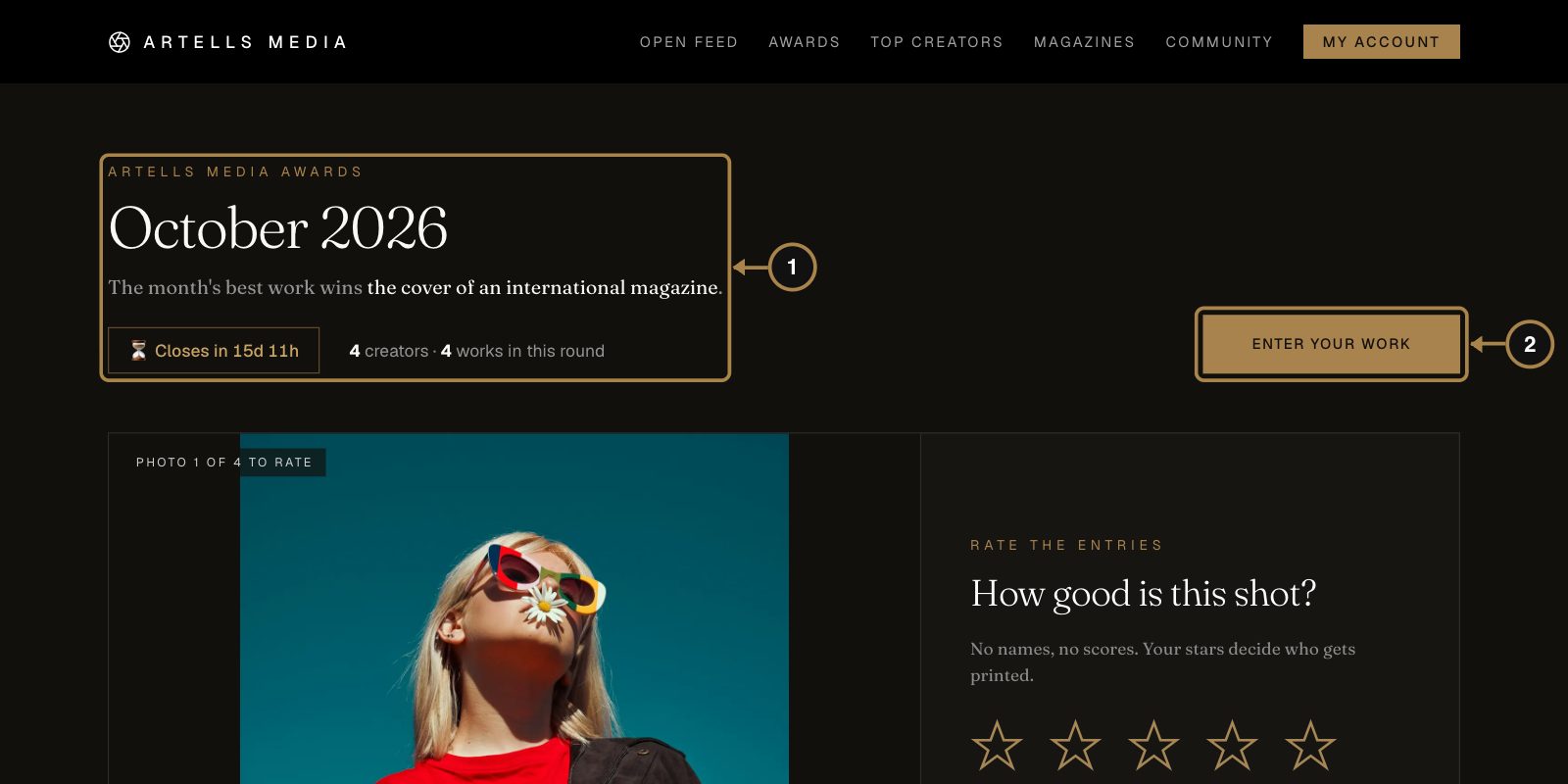
The Awards run monthly (1). The page shows how long the round has left and how many creators are in it. Press Enter your work (2).
What you can win
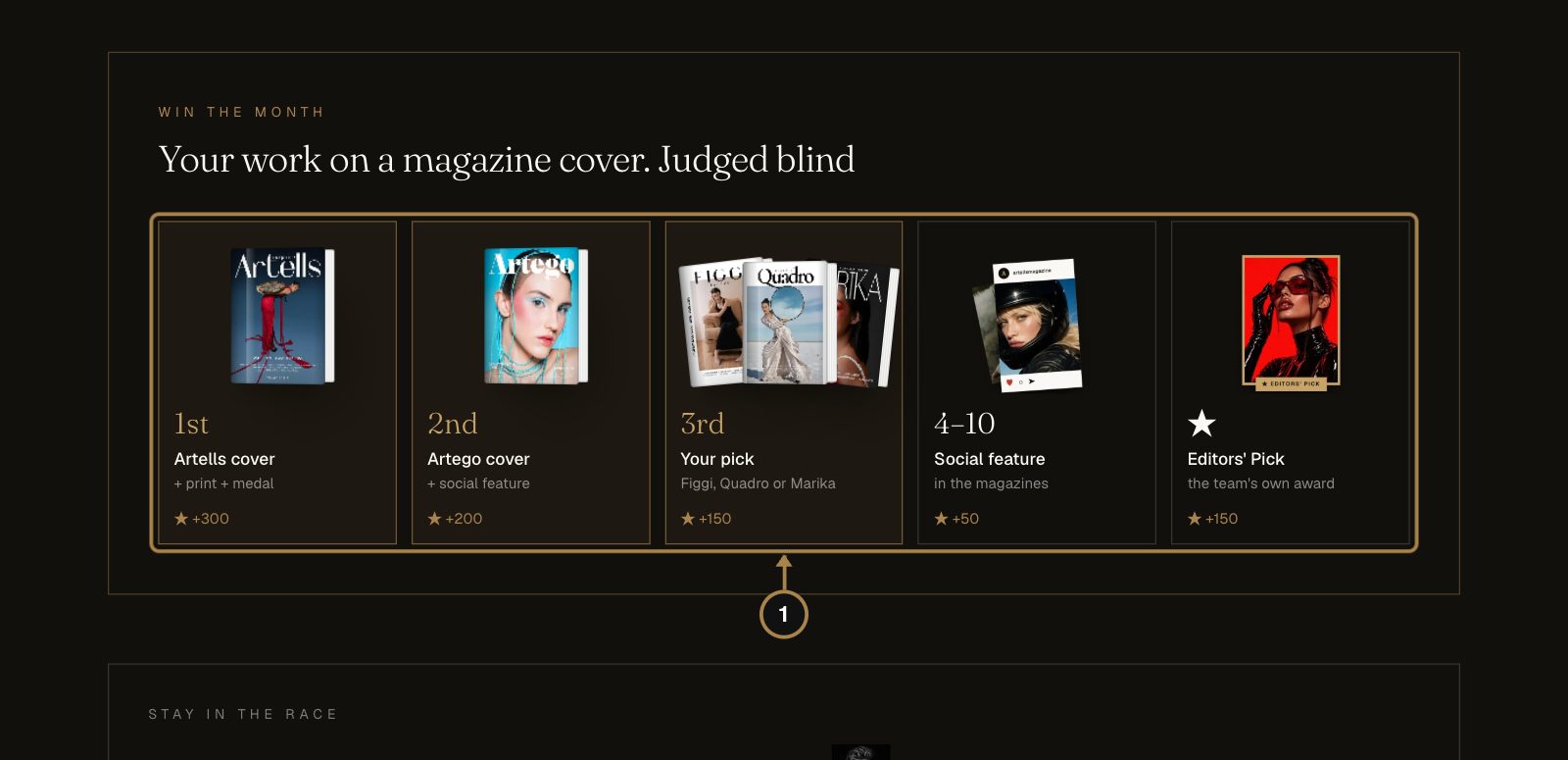
The prizes (1):
- 1st: the Artells cover, a printed copy and a medal, +300 Creator Score.
- 2nd: the Artego cover and a social feature, +200.
- 3rd: a cover in Figgi, Quadro or Marika, your choice, +150.
- 4th to 10th: a feature on the magazines' social media, +50.
- Editors' Pick: the team's own award, chosen apart from the votes, +150.
Further down the same page, Stay in the race lets you enter a photo that's already in your Open Feed.
Step 27. Upload your entry
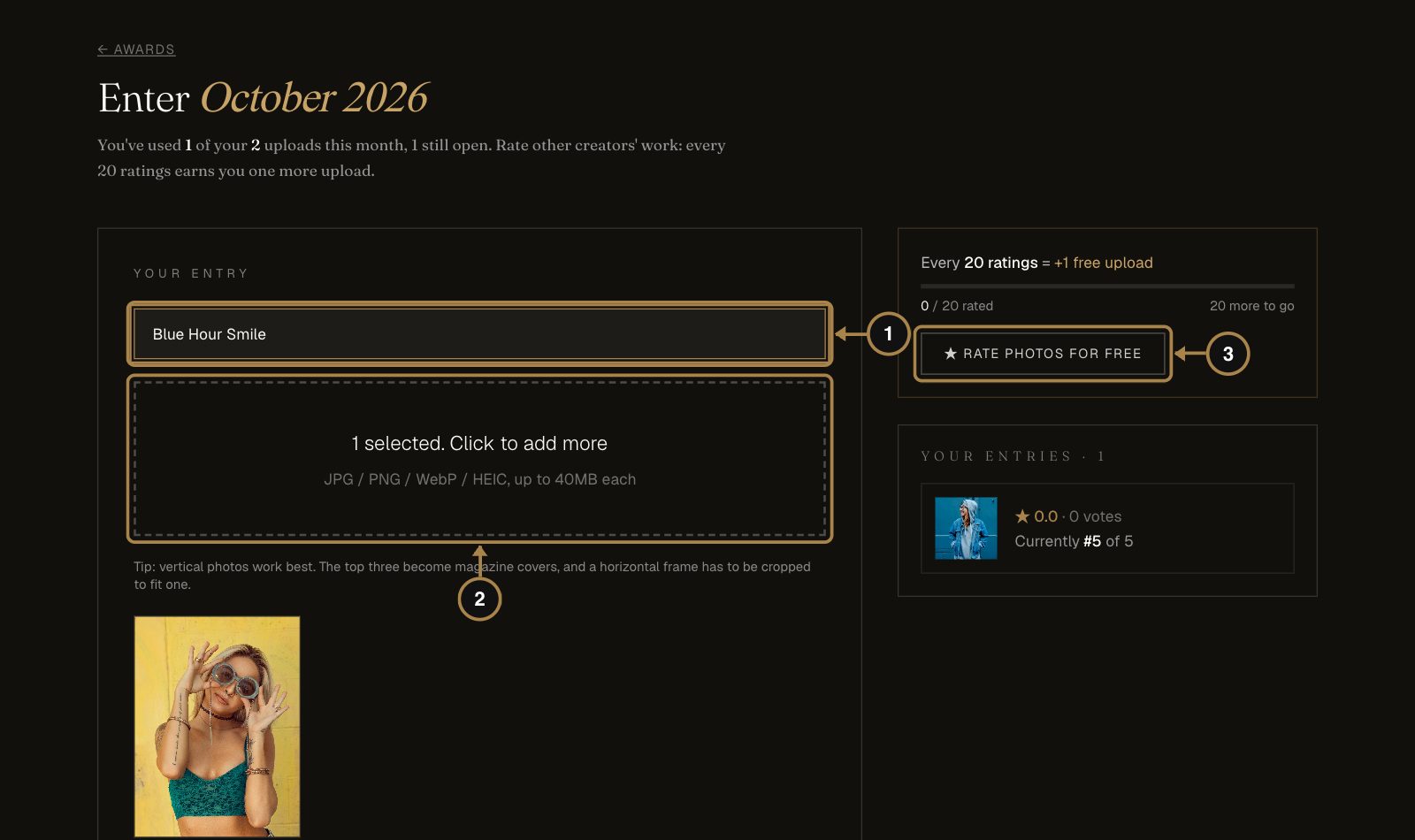
- Title (1), optional.
- Drop up to two photos into the box (2). JPG, PNG, WebP or HEIC, up to 40 MB. Vertical photos work best: the top three become magazine covers, and a horizontal frame has to be cropped to fit one.
- Rate photos (3), on the right, earns you more uploads: every 20 ratings give one more entry this month.
Step 28. Confirm and enter
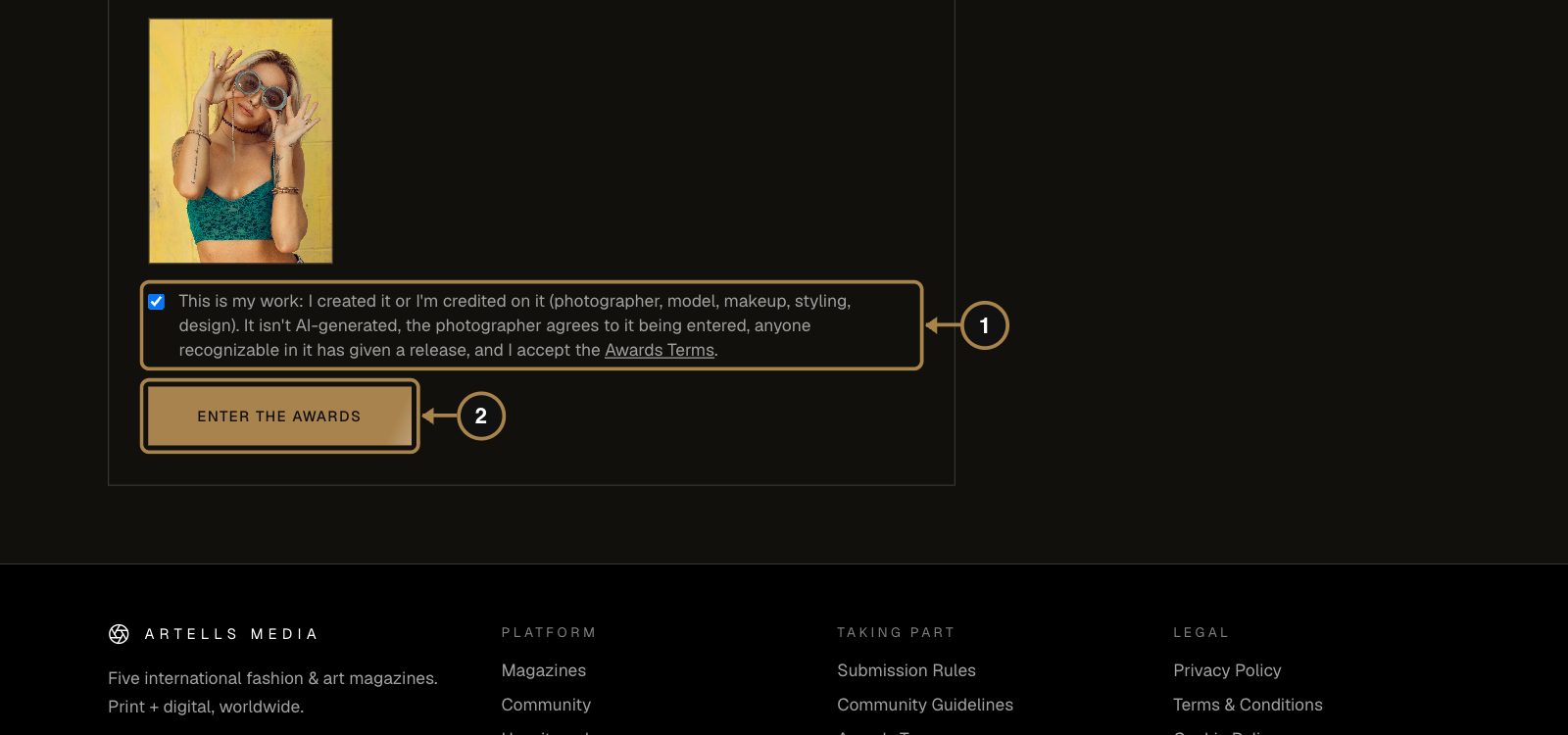
Tick the box (1) to confirm that you made the work or are credited on it, that it isn't AI-generated, that the photographer agrees to the entry and that anyone recognisable in it has given a release. Then press Enter the Awards (2).
Step 29. Rate other creators
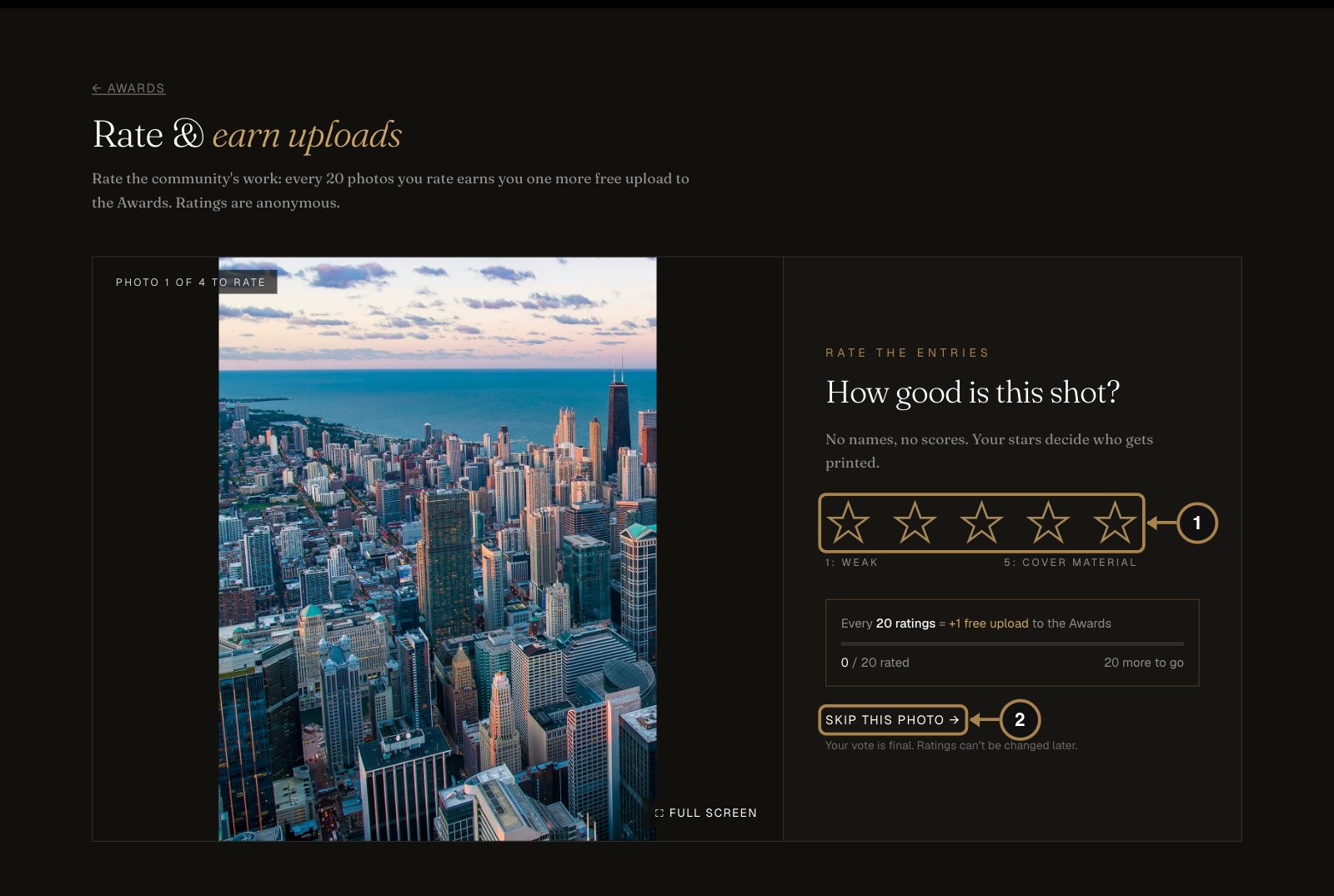
The Awards are judged by the community, blind: no names, no follower counts, just the photo. Open Rate and give each photo one to five stars (1), from weak to cover material. Not sure? Skip this photo (2). Ratings are final, so rate the way you'd like to be rated.
Step 30. Follow your entry
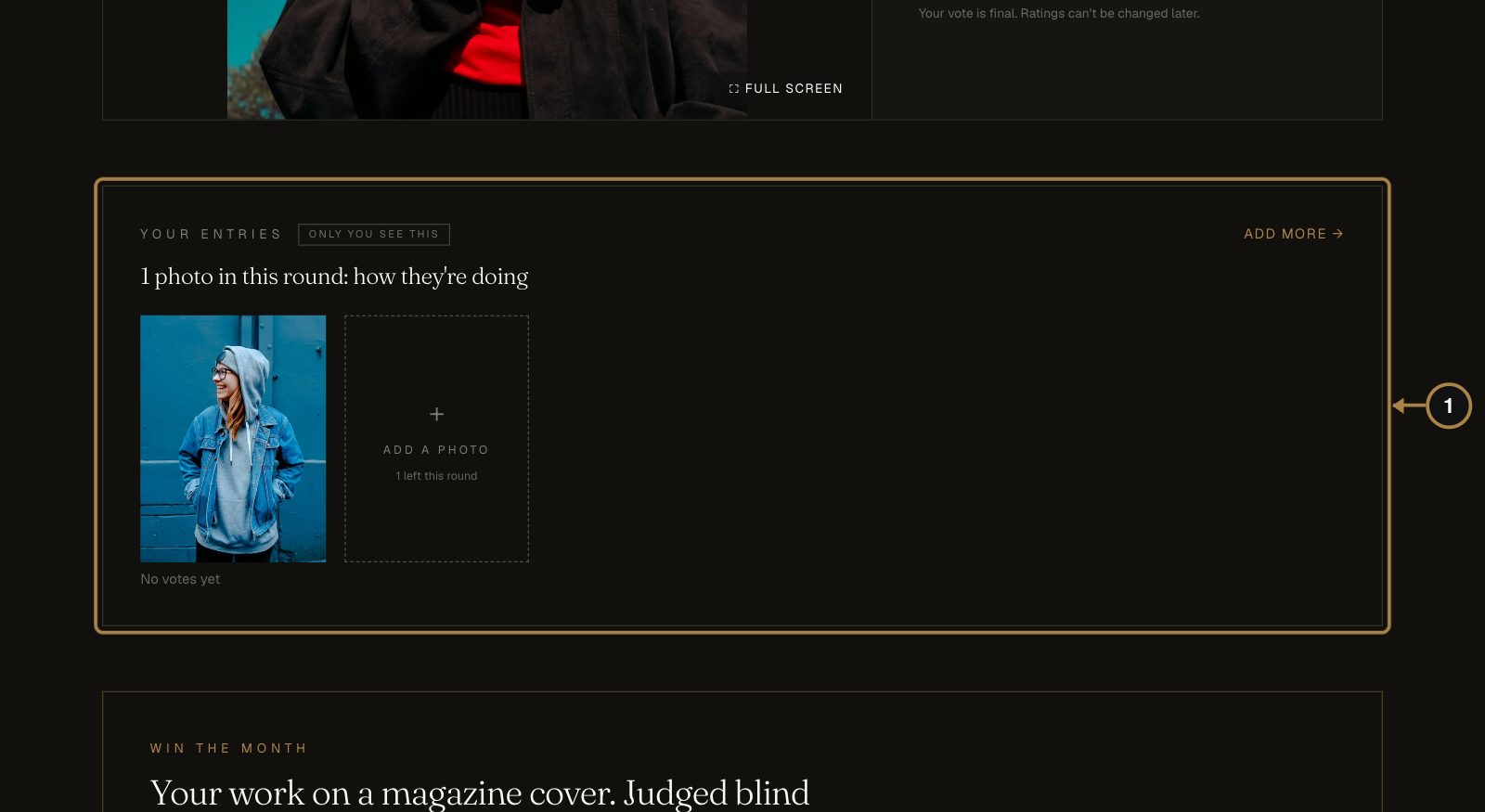
On the Awards page, Your entries (1) shows your photos in this round, their votes and your current place. Only you see this block. The place moves as people rate, so no panic on day two. When the round closes, everyone who placed gets an email and the result appears on their public profile. More in How to enter the Awards.
Questions about the Awards
Does entering cost anything?
No. Everyone gets two uploads per round, and every 20 photos you rate add one more. PRO members start with ten.
Who decides the winners?
The community's blind ratings, plus the editors' own Editors' Pick. Only accounts with a confirmed email can rate, ratings from accounts younger than 24 hours carry no weight, and an entry needs at least three ratings to place.
Can I enter AI-generated work?
No, not in the Awards.
Can I ask friends to vote for me?
They won't know which photo is yours: voting is blind. A strong vertical frame is the only campaign that works.
Part 7. Climb Top Creators with your Creator Score
Why bother: your Creator Score is the number editors see when they open your submission and clients see when they look for someone to hire. It decides your place on Top Creators, the public ranking of everyone on the platform, and your level. Higher levels come with real discounts on paid options. And it can't be bought: every point is a publication, a pick, a place or a story that anyone can check.
Step 31. Find your score
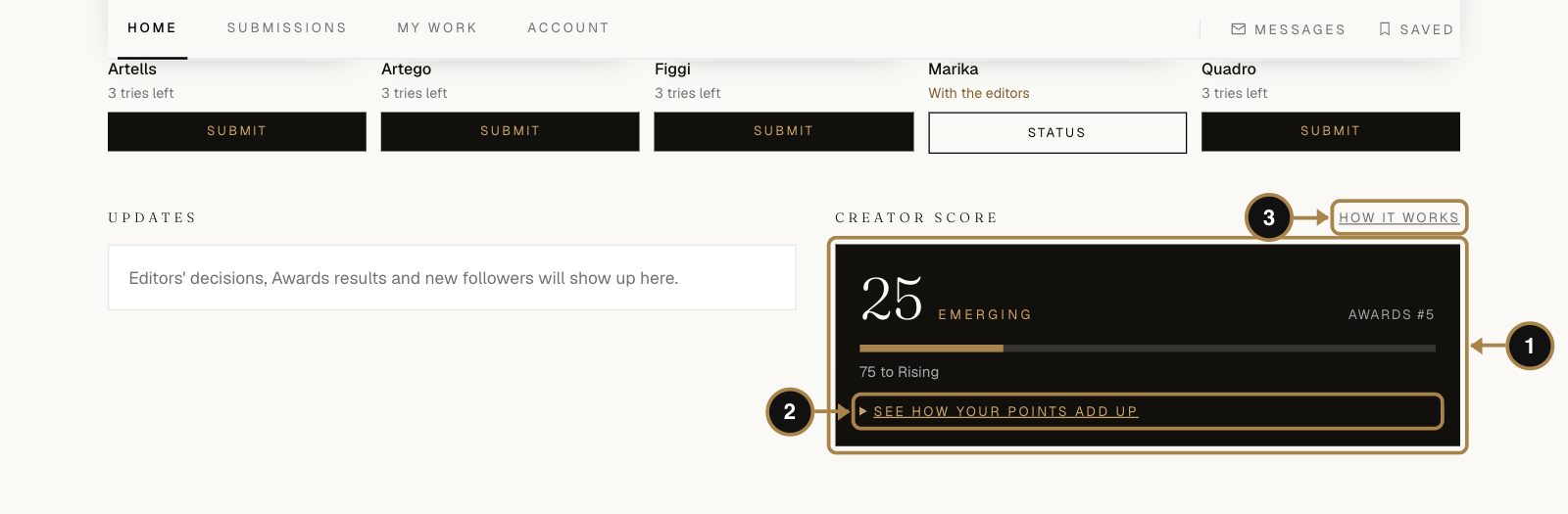
Your score lives at the bottom of your account home (1): the number, your level and how many points are left to the next one. Mia has 25 after her first day, so she's Emerging with 75 to go to Rising. See how your points add up (2) opens the breakdown, and How it works (3) opens the full rules.
Step 32. See where every point came from
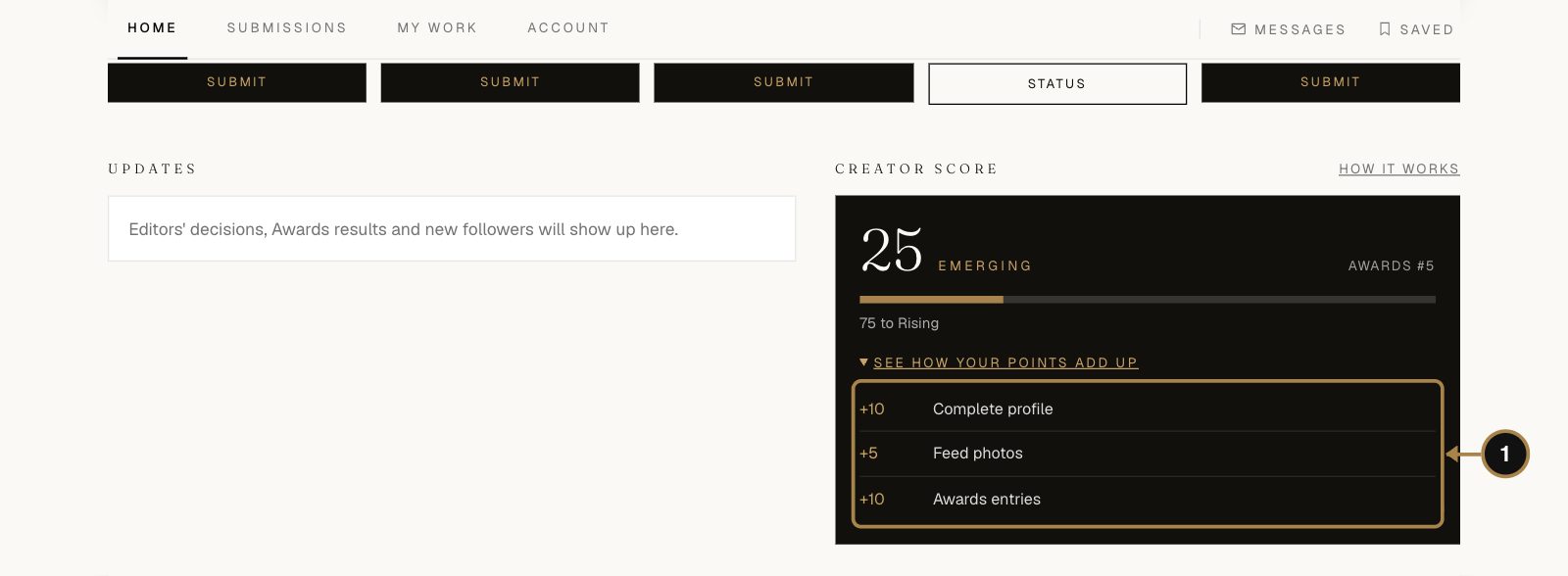
Each line is one real event (1): Mia's complete profile (+10), her Open Feed photo (+5) and her Awards entries (+10). The same breakdown shows on your public profile, so nobody has to take the number on trust.
What earns points:
- Awards win (1st place): +300
- Magazine publication: +200
- 2nd place in an Awards round: +200
- Editors' Pick in the Awards: +150
- 3rd place in an Awards round: +150
- Editors' selection in the Open Feed: +50
- Published Community story: +50
- Places 4 to 10 in an Awards round: +50
- Awards entry: +10 each for your first two approved entries in a round
- Complete profile: +10, for as long as it stays complete
- Feed photo: +5 each for your first two live photos in a week
What adds nothing: payments of any kind (a cover, a feature, PRO), likes, follows, the ratings you give and daily logins. Paid options can get your work seen; the score only counts what the editors and the jury decided.
The levels:
- Emerging from 0 points
- Rising from 100
- Featured from 400, with 5% off paid options
- Master from 1000, with 10% off
- Icon from 2500, with 15% off and priority review
Discounts never stack: if you also have a promo code or PRO, the best single discount applies.
Step 33. Open Top Creators
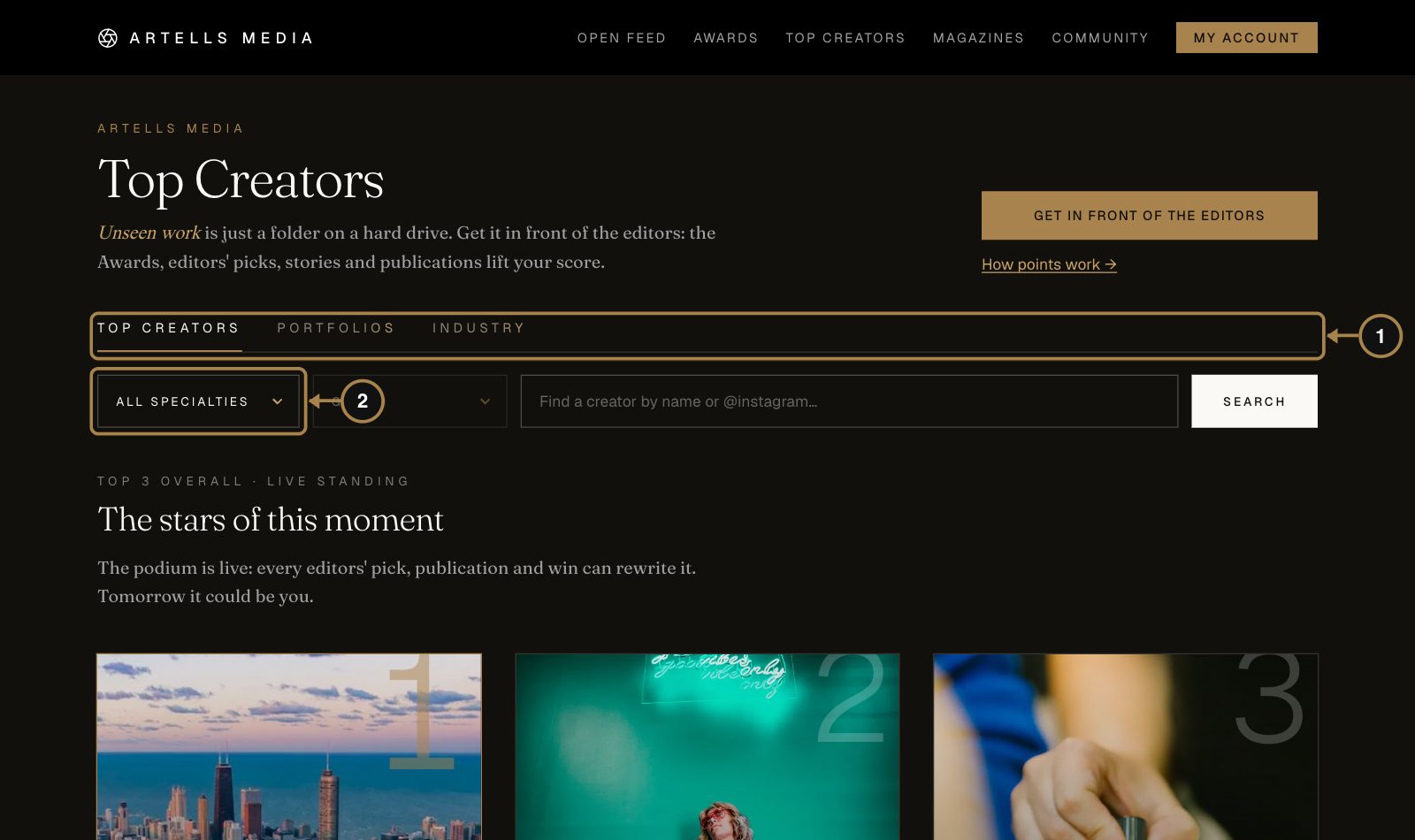
Click Top Creators in the top menu. The tabs (1) switch between the ranking, the Portfolios wall and Industry. The filters (2) narrow the list to one specialty, so a makeup artist competes with makeup artists and a model with models, plus a genre and a search by name.
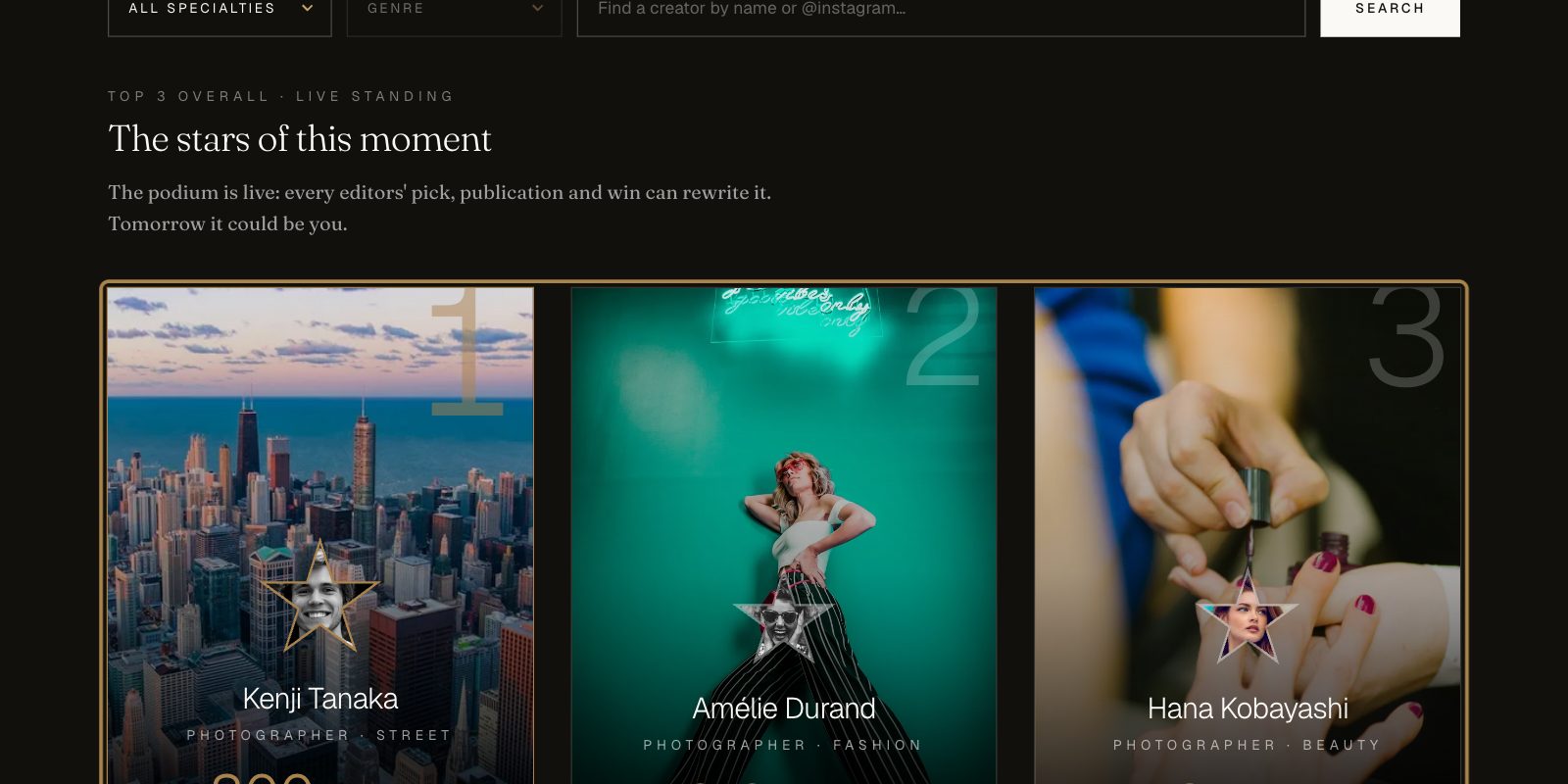
The podium (1) shows the top three right now, and it's live: every pick, publication and win can rewrite it. Below it, everyone else lines up by score with their level. You appear in the ranking once your profile has a photo.
Questions about the score and the ranking
Does PRO or a paid option raise my score?
No. Payments add exactly zero, by design. Every point links back to a real event an editor or the jury decided.
What's the fastest way to move up?
Complete your profile (+10), then keep a weekly rhythm: two Open Feed photos and your two Awards entries. A realistic first month is about +110, which is already Rising, before a single pick or publication.
Can my score go down?
The events behind it don't get undone. The one flexible part is the complete-profile bonus: it counts only while your profile stays complete.
Who looks at Top Creators?
Editors, other creators and clients looking for someone to hire. PRO members can also show a Commission this creator button on their profile, so a client who likes your work can send a brief with a budget straight away.
What next
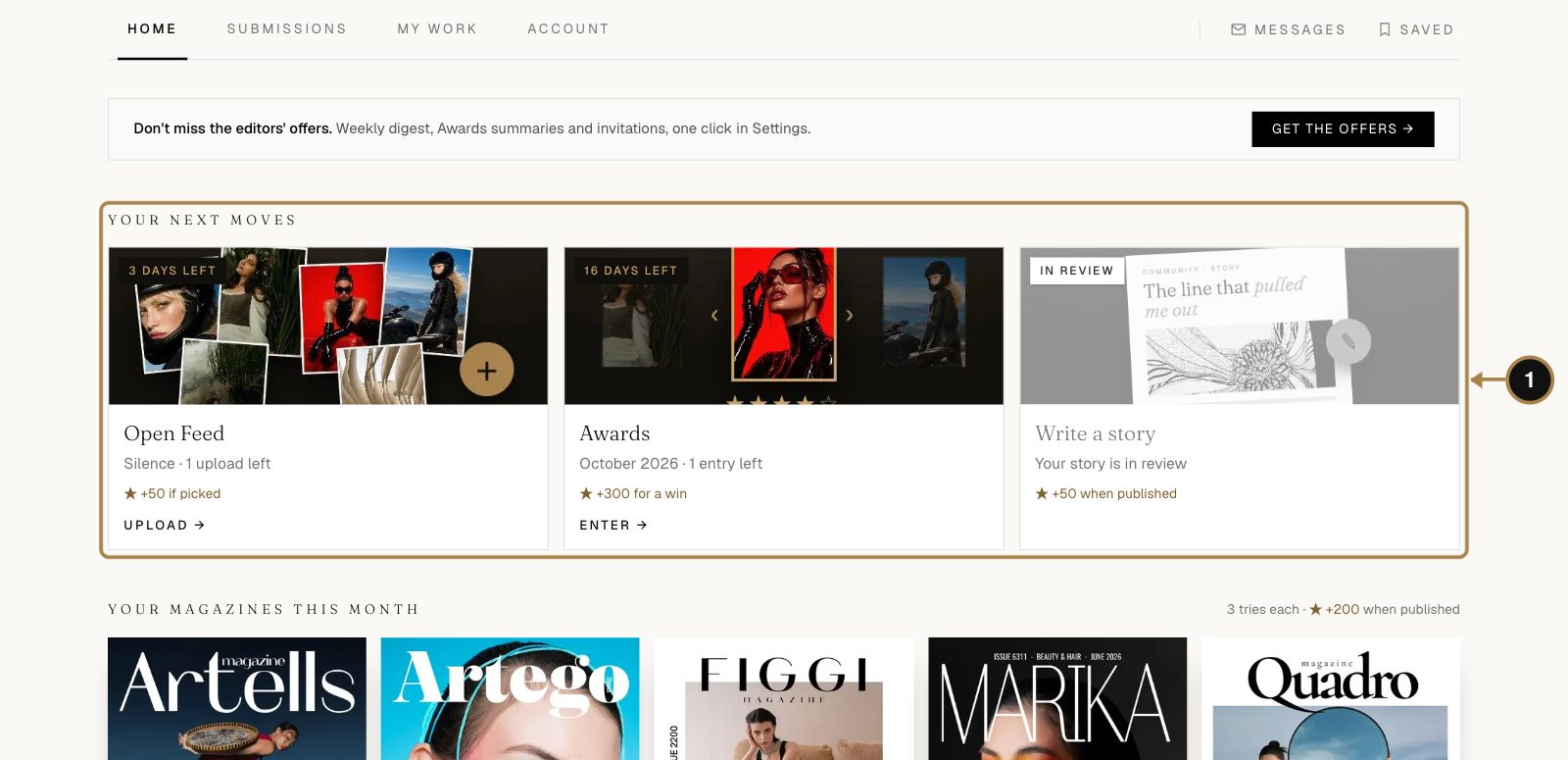
That's the whole first day, and the start of your climb. From now on your next moves wait in your account, each with the days it has left.
When your first series is published, here's how to make the most of it: publication documents and verified links. Building a record for a talent visa? Read how magazine publications work for an O-1 visa.
Questions we didn't answer? Write to team@artellsmedia.com. A person reads every letter, usually with coffee.
Comments
Sign in to join the conversation.
No comments yet. Be the first.