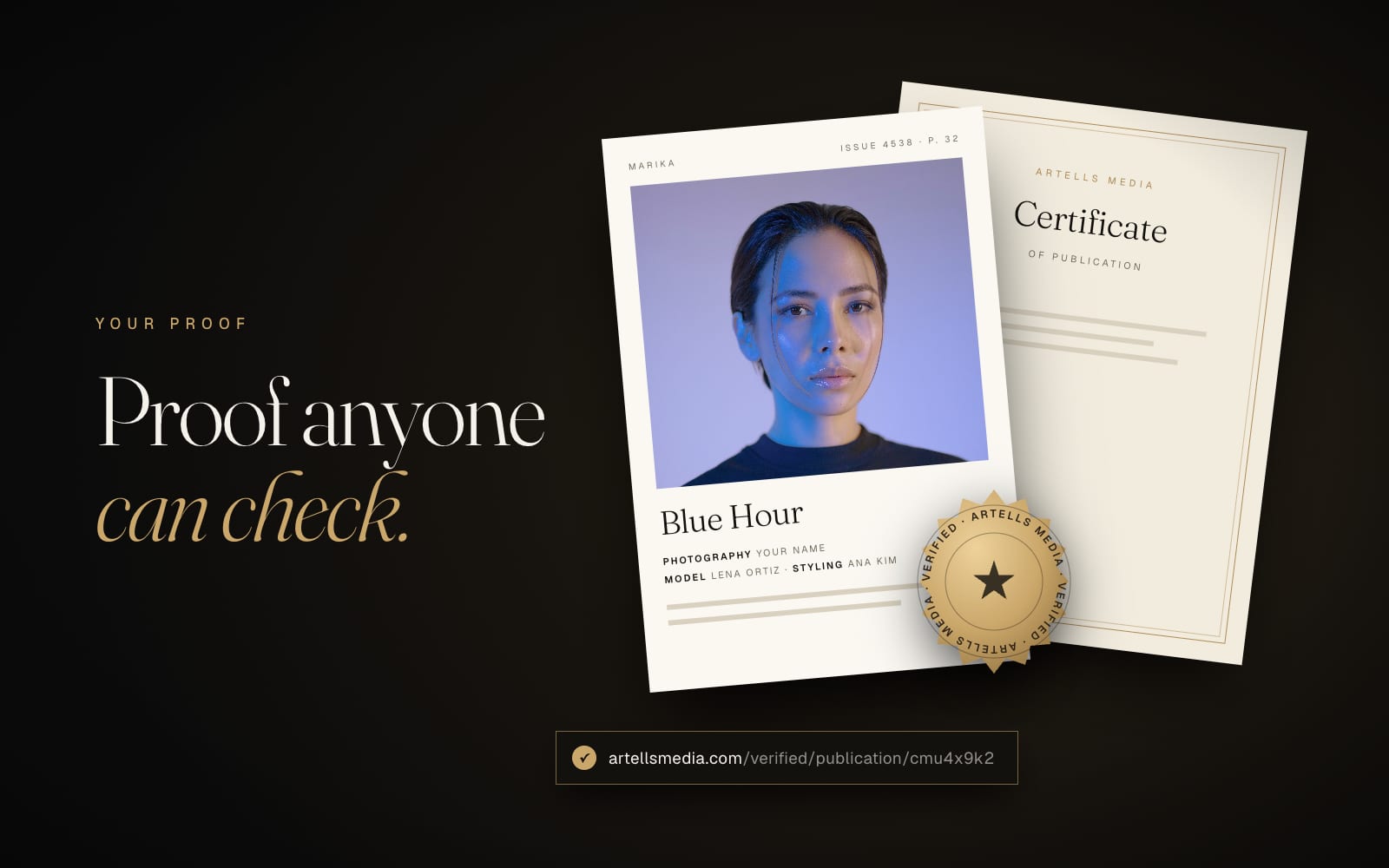
"Published in an international magazine" is a sentence anyone can type into a bio. Agencies, clients and visa lawyers have read it a thousand times, and they have learned to ask one question: can I check it?
On Artells Media the answer is yes, in one click and without anyone writing an email. Every result you earn on merit gets a public page that confirms it, and the bigger ones come with documents you can download or order. This guide shows what exists, where to find it and when each piece is useful.
The verified page
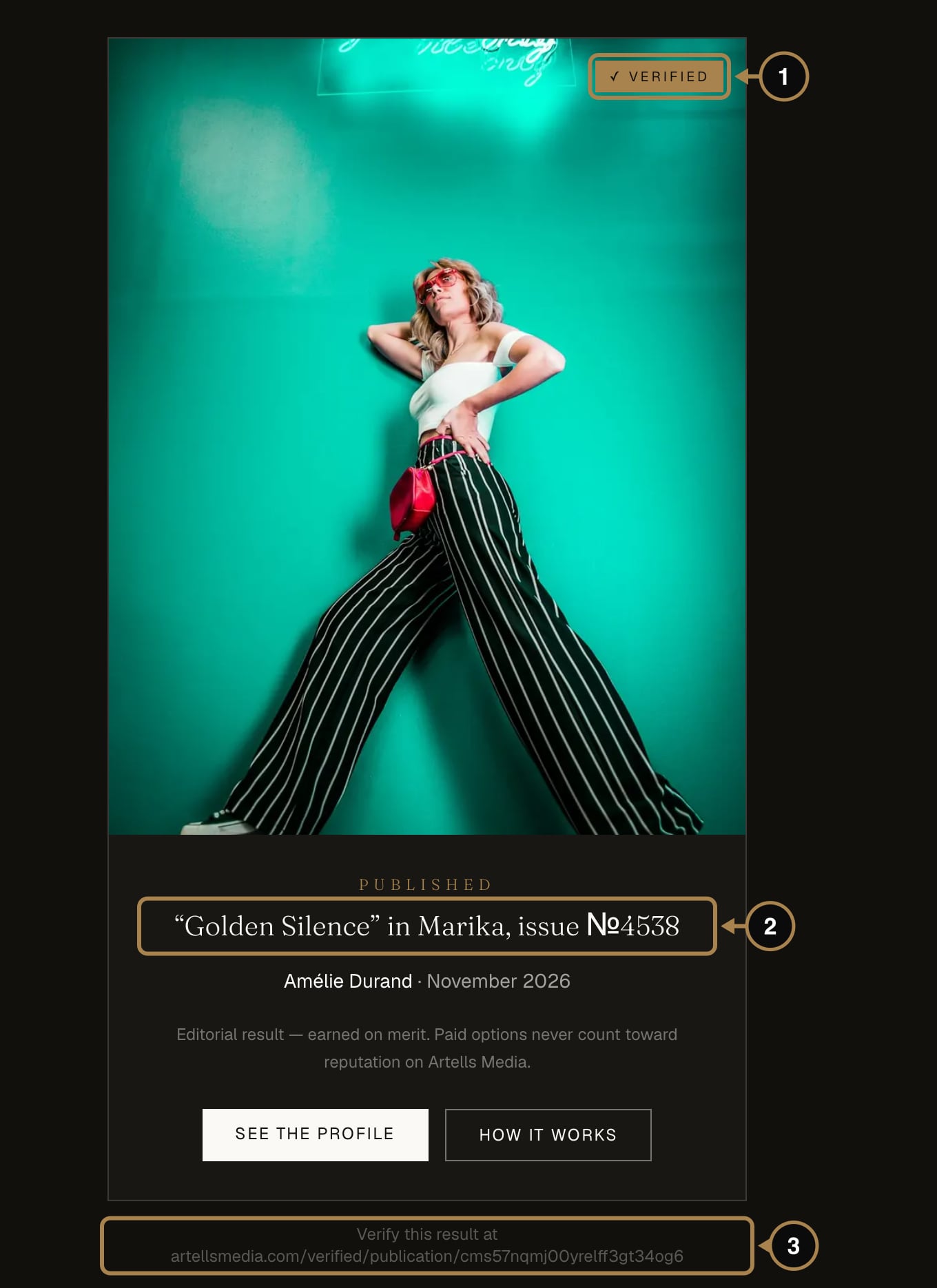
A verified page is a public card for one result: the photo, the Verified mark (1), what was achieved, in which magazine or round (2), whose work it is and when. At the bottom is its permanent address (3). Anyone can open it, no account needed.
Three kinds of results get one:
- Magazine publications: the series title, the magazine and the issue number.
- Awards places and Editors' Picks: the place and the round.
- Editors' selections from the Open Feed: the magazine that chose the photo.
Paid options never get a verified page. The card says so in small print, and that small print is the reason the page is worth showing.
Where to find your share links
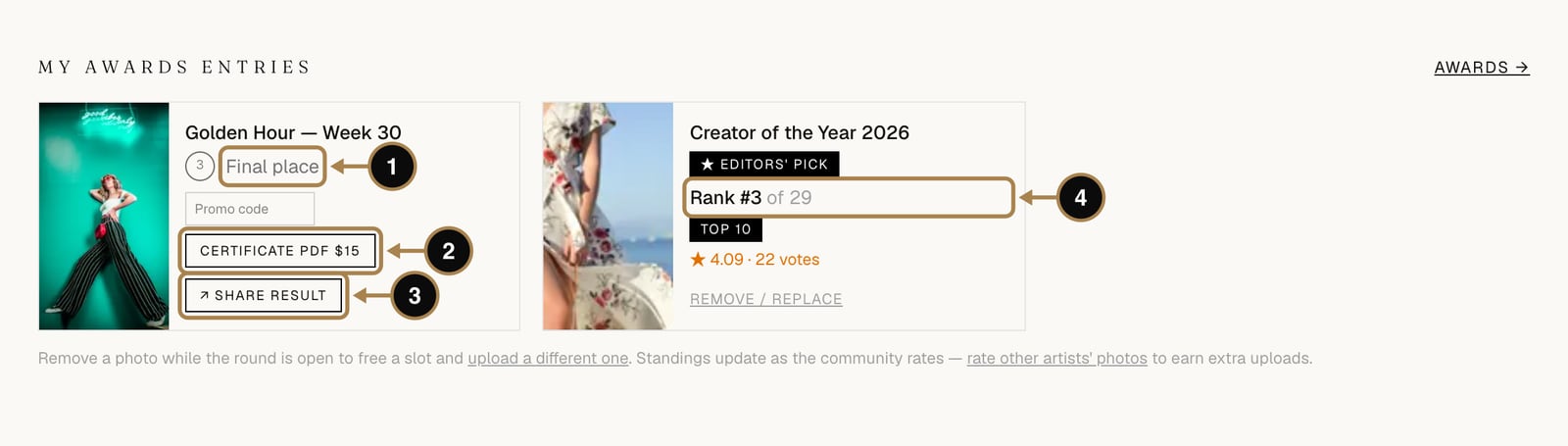
For the Awards, the link is one click away. In My account, under My Awards entries, each placed entry has a Share result button (3) that opens its verified page. Copy the address from your browser and paste it into a bio, a CV or a message to an agency.
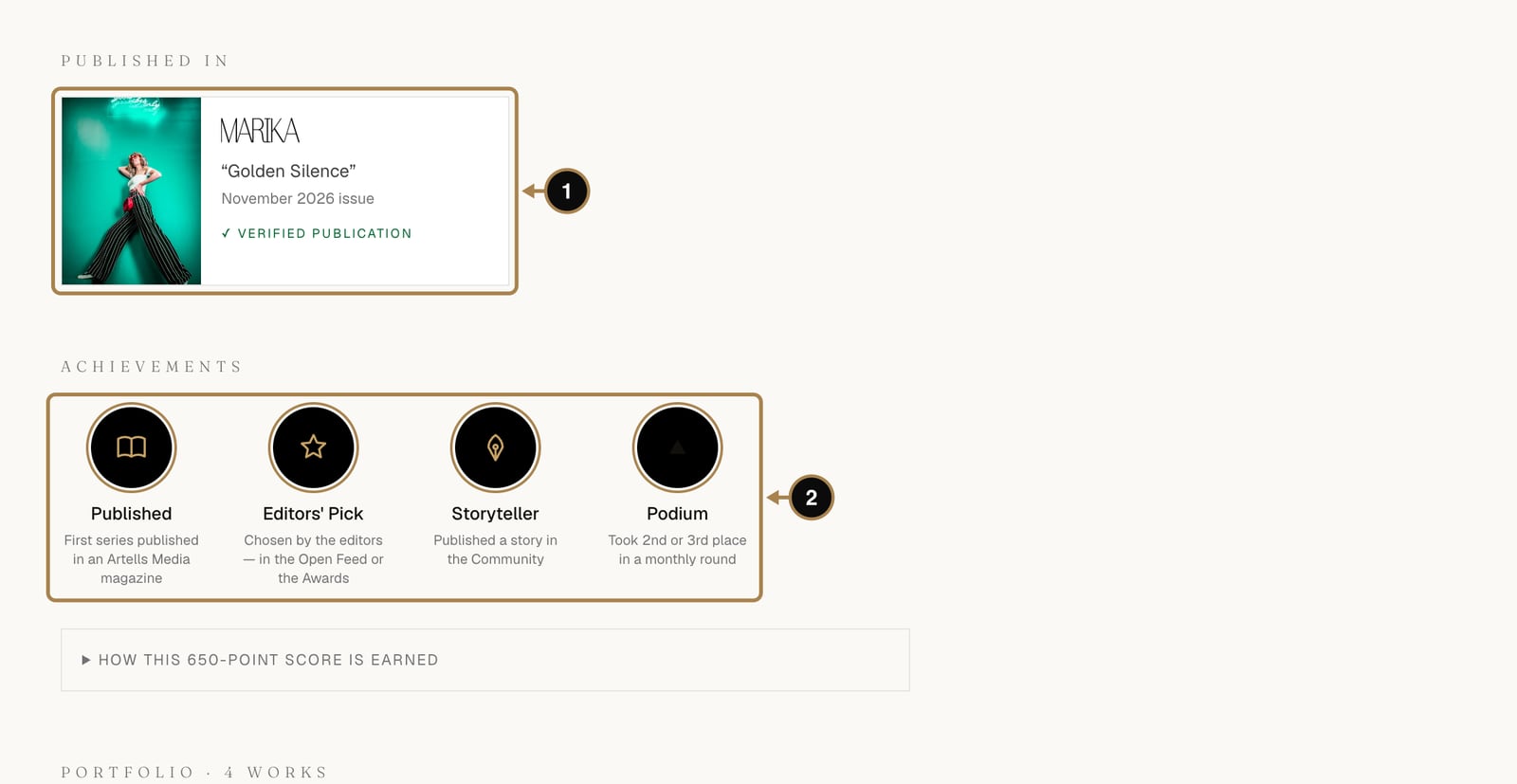
Your public profile does the same job by itself. Each magazine publication under Published in links to its verified page (1), and further down every Awards place has its own Share link, so visitors can check a result without asking you for anything.
Tear sheets
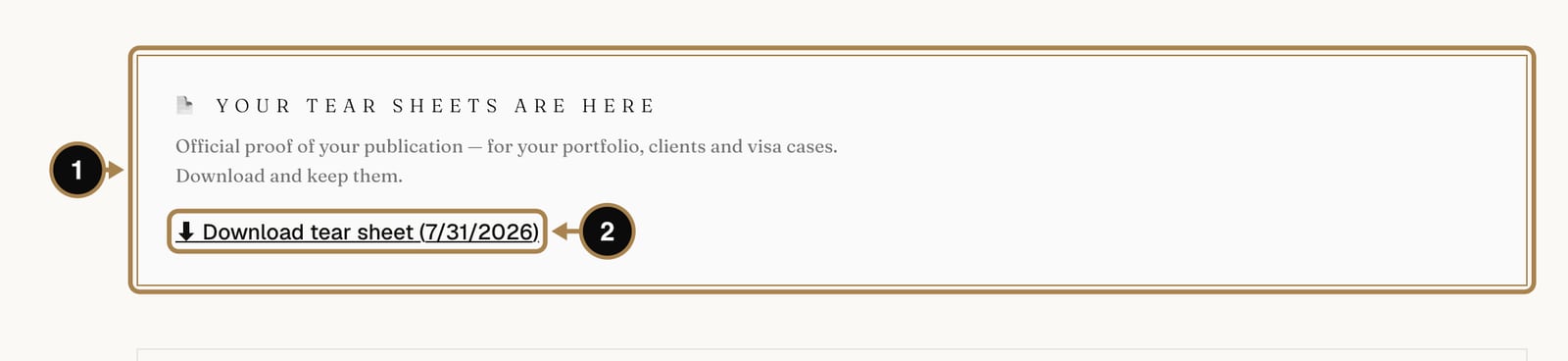
Tear sheets are the official pages of the issue with your work on them, the classic proof of publication for agencies and portfolios (what tear sheets are and why they matter). They arrive about 30 days after the issue is released, on the page of your published series under Your tear sheets are here (1), and the status of the series changes to “Tear sheets sent”. You also get an email. Download them (2) and keep a copy in a folder with the cover and the date of the issue.
The Awards certificate
For every Awards place and Editors' Pick you can order a certificate as a PDF from My Awards entries ($15). It carries the photo, your name, the place and the round, the signature of the editor-in-chief and a certificate ID, plus the address of the verified page, so a printed copy can be checked online too. It is the document people frame, attach to grant applications or send to the proud relatives.
The official confirmation letter
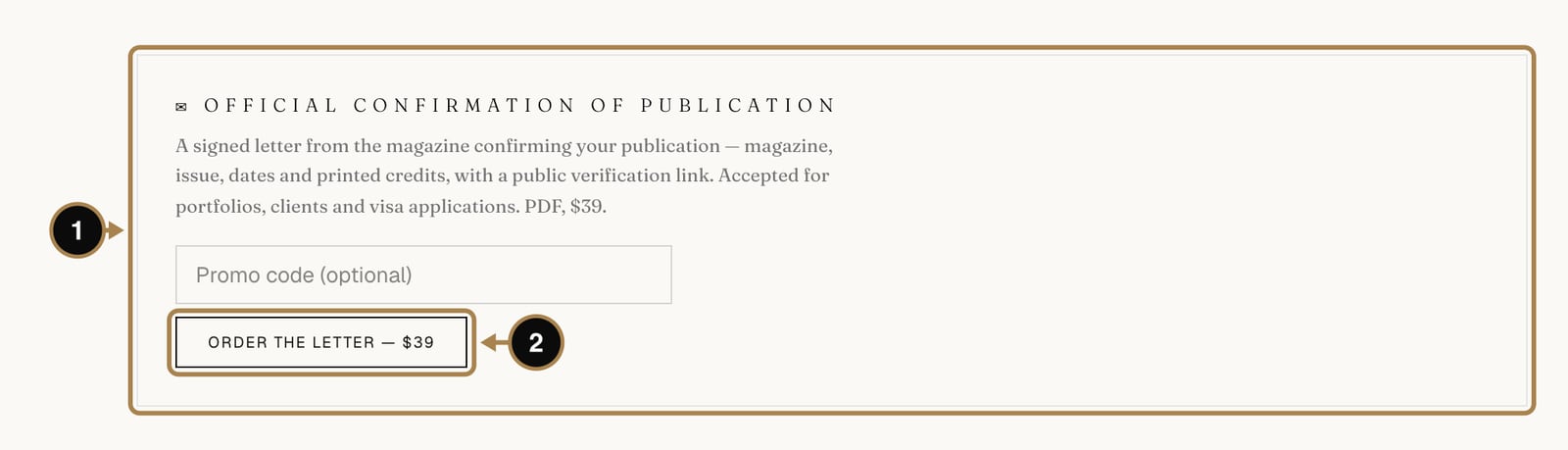
A published series can also get an official confirmation of publication (1): a signed letter from the magazine stating the magazine, the issue, the dates and the printed credits, with the verified page address printed on it. It is a PDF document ($39), ordered with Order the letter (2) on the page of the published series.
Lawyers ask for exactly this kind of letter in visa petitions, and agencies like it for their files. If you are building an O-1 or Global Talent case, read our guide to publications for talent visas first.
A tidy evidence folder
For each result, keep together:
- the verified page address;
- the tear sheets and the cover of the issue (for publications);
- the certificate (for Awards places) or the confirmation letter (for publications), if you need one;
- your own high-resolution files of the work.
Ten minutes after each result saves days of searching a year later, usually on the evening before a deadline.
Frequently asked questions
Who can open my verified page? Anyone, without an account or a password. That's the point: an agency, a client or a visa officer can check it themselves, in one click.
Do paid options like covers or features get a verified page? No. Verified pages exist only for results earned on merit: publications, Awards places and editors' selections. The card itself says so.
How much does the Awards certificate cost, and can I get a refund? The certificate PDF is $15, and the confirmation letter is $39. Both are documents, not entries, so they aren't refundable once issued.
I lost a download link. Where do I find it again? Tear sheets and certificates stay on the page of the series or the Awards entry they belong to, under My account, so you can always go back and download them again.
What next
Most of these documents come from publications and Awards places, and those come faster with more uploads, entries and submissions. Here is what the PRO membership adds, in plain numbers: What Artells Media PRO gives.
Comments
Sign in to join the conversation.
No comments yet — be the first.