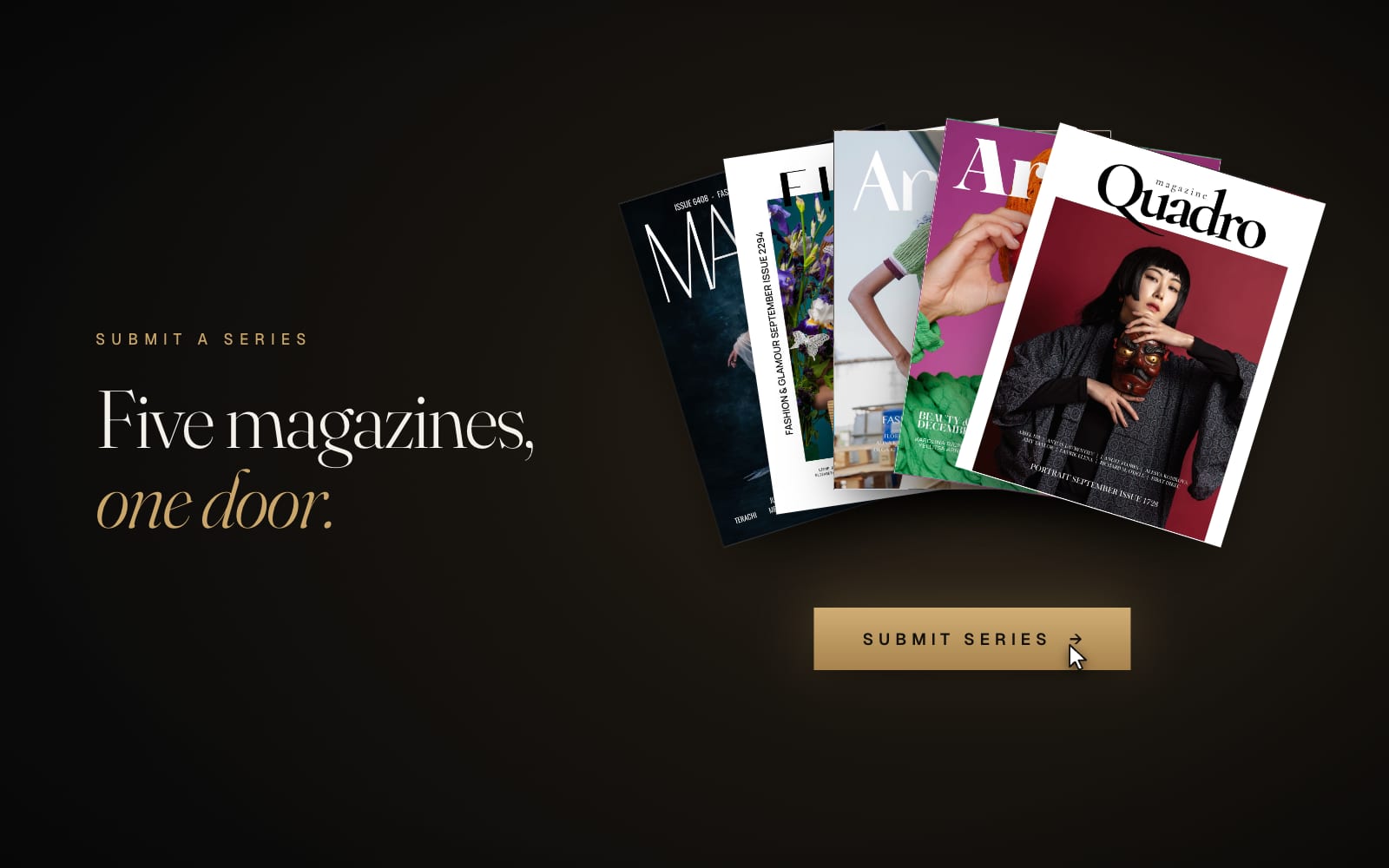
A magazine publication is the strongest line a creative CV can hold: a printed page, an issue number, your name in the credits, and official tear sheets that agencies and visa officers recognise. The five magazines on Artells Media take submissions all month, the editors answer within 7 days, and publication on interior pages costs nothing.
The form itself takes about ten minutes. Preparing the series takes a little longer, so let's start there.
Before you start: prepare the series
- One story, 2 to 16 photos from the same shoot: same idea, same styling, same light. Magazines print stories, and a folder of greatest hits rarely gets past the first look. Our editors' guide to getting published goes deeper.
- Print-size files. JPG in sRGB, at least 2200 px on the long side. Ideally 2550×3300 px for portrait or 5100×3300 px for landscape, up to 40 MB each. The form refuses web-size copies, because a magazine can't print them anyway.
- Credits and rights. Names and Instagram handles of everyone on the team, and model releases from anyone recognisable.
Step 1. Choose your magazine
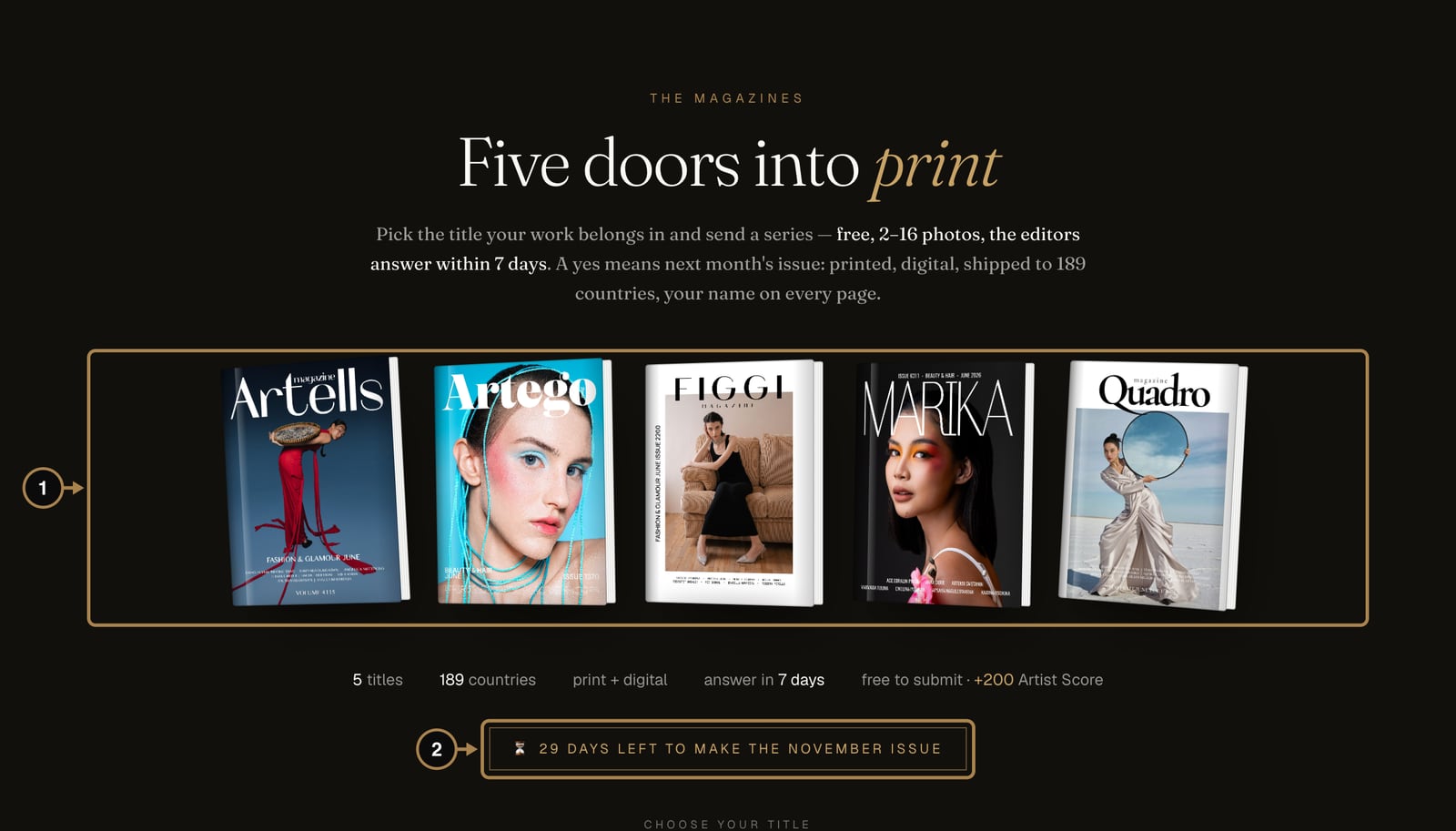
Open Magazines in the top menu. Five titles, five characters (1). The banner (2) counts down the days left to make the next issue: a series sent this month is planned for next month's issue.
Step 2. Check the open calls and press Submit
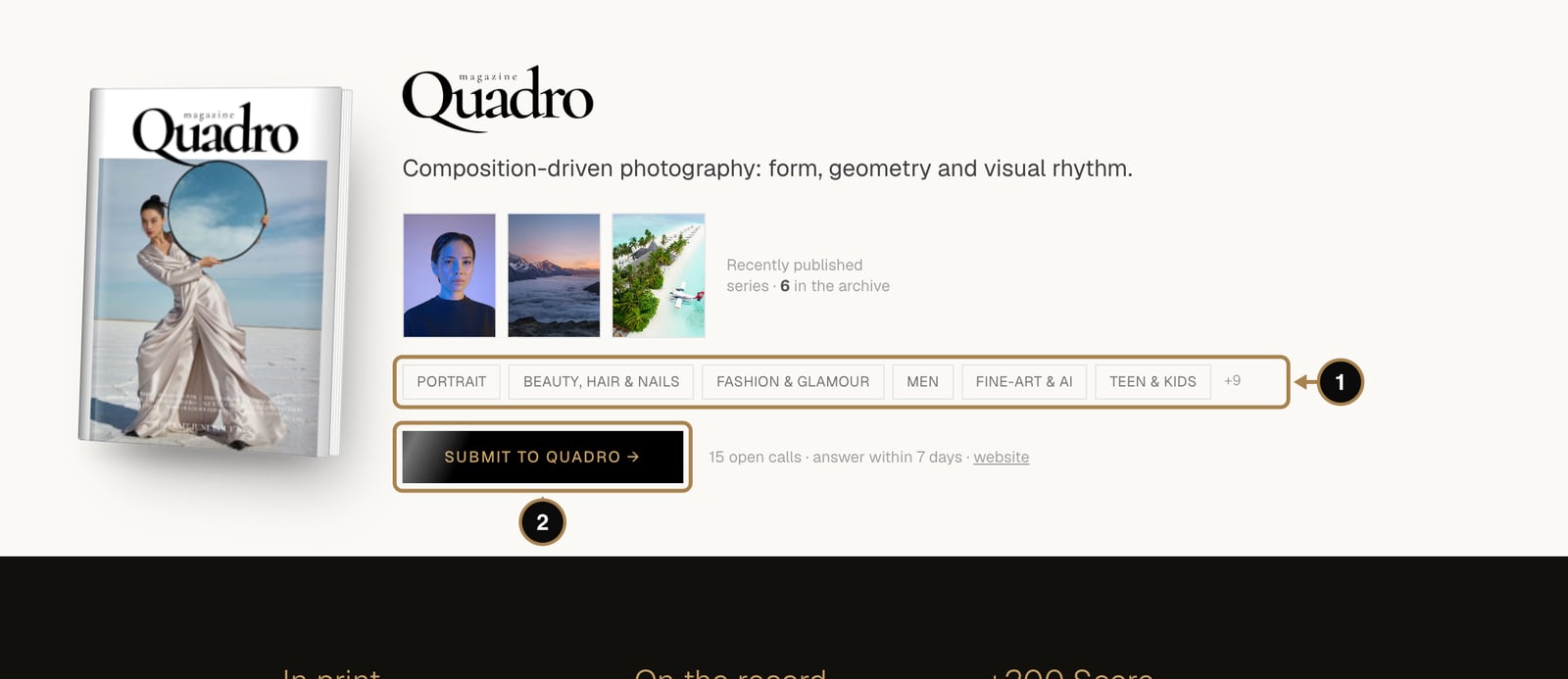
Scroll to the magazine whose character suits your series. Each card shows recently published series and the open calls (1): the genres the editors are collecting for upcoming issues, from portrait and beauty to street and fine art. Press Submit to … (2). In our example a street series goes to Quadro, the magazine of form and geometry.
Step 3. Check the facts and your details
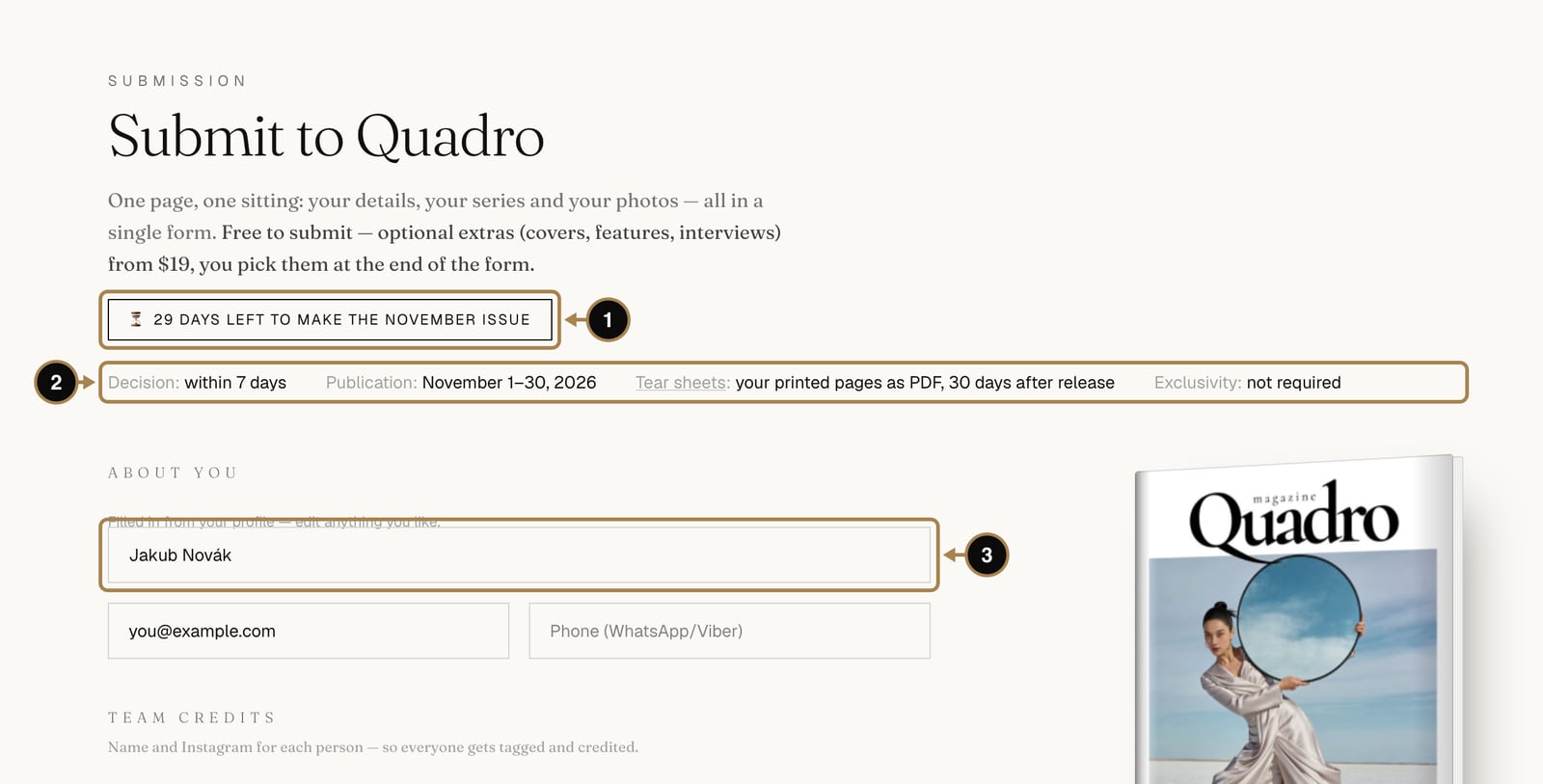
The top of the form repeats the deadline (1) and the key facts (2): when the editors decide, which month the issue comes out, when the tear sheets arrive, and that exclusivity isn't required.
About you is filled in from your profile. Check that the name (3) is the one you want printed in the credits.
Step 4. Credit the team
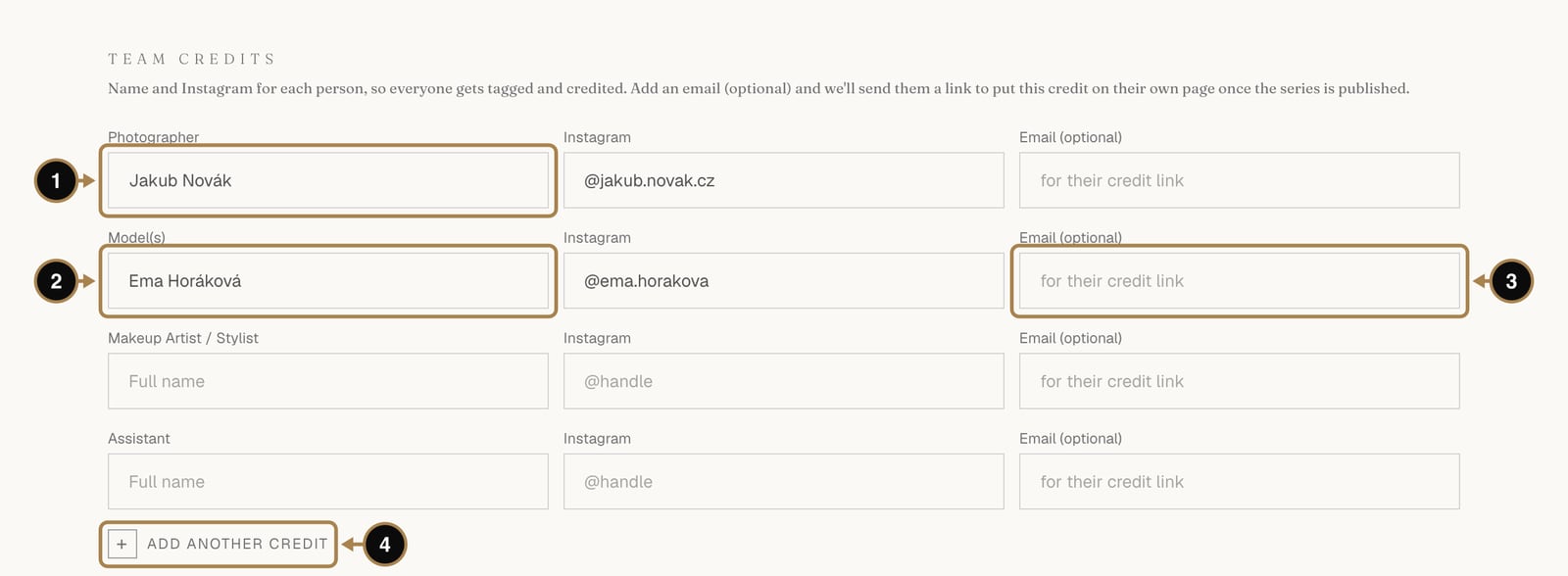
Fill in a name and an Instagram handle for each person: photographer (1), model (2), makeup artist or stylist, assistant. The email (3) is optional: we use it once, to send that person a link to claim their credit when the series is published. Add another credit (4) adds a line for a retoucher, a set designer or anyone else who helped. Every name here goes into the magazine's credits, and a claimed credit also shows on that person's own profile.
Step 5. Pick the open call, title and description
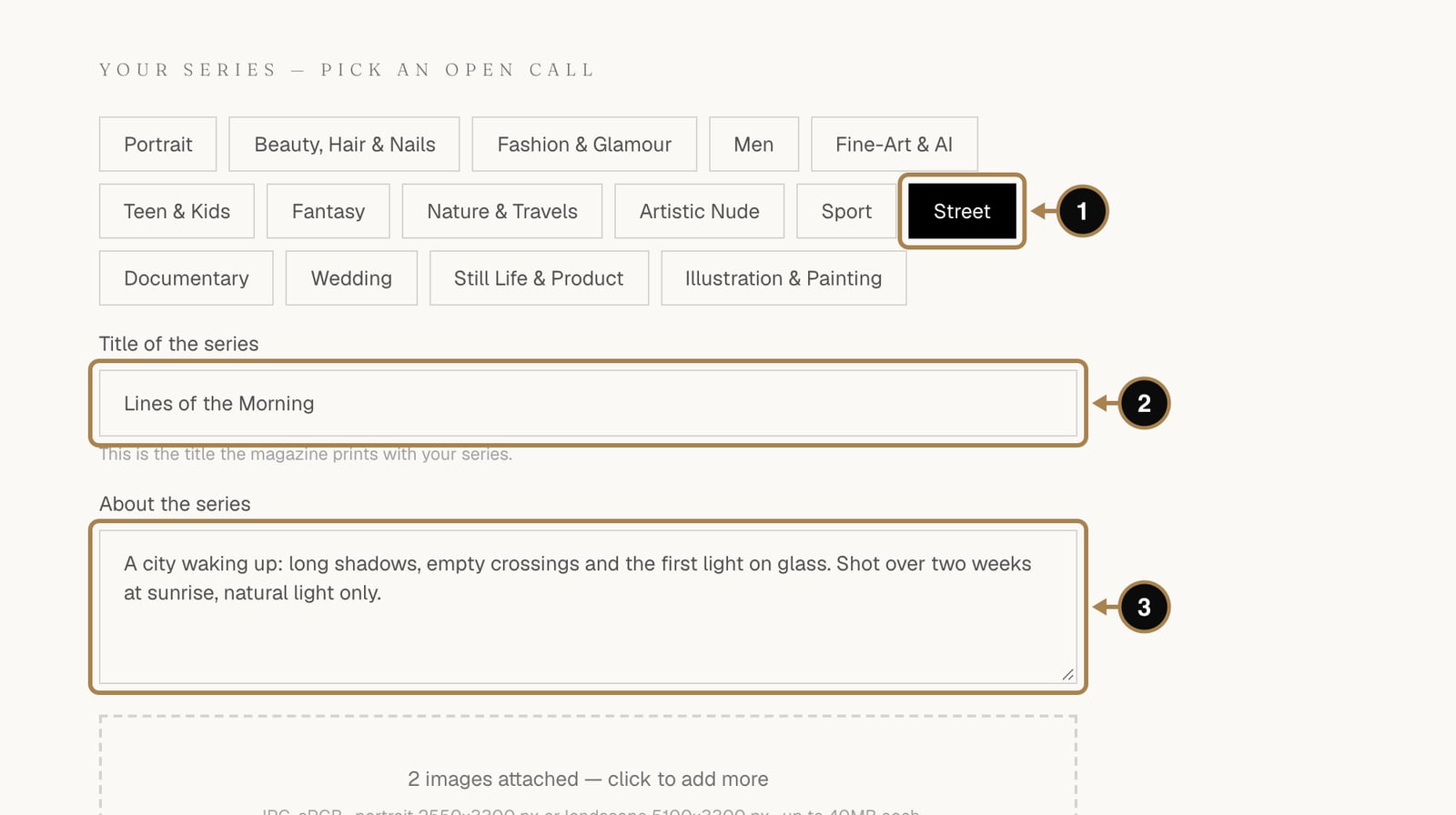
- Open call (1). Pick the genre that fits the series.
- Title of the series (2). This is the title the magazine prints, so give it some thought.
- About the series (3). Concept, location, anything the editors should know. Three honest sentences work better than a press release.
Step 6. Attach the photos
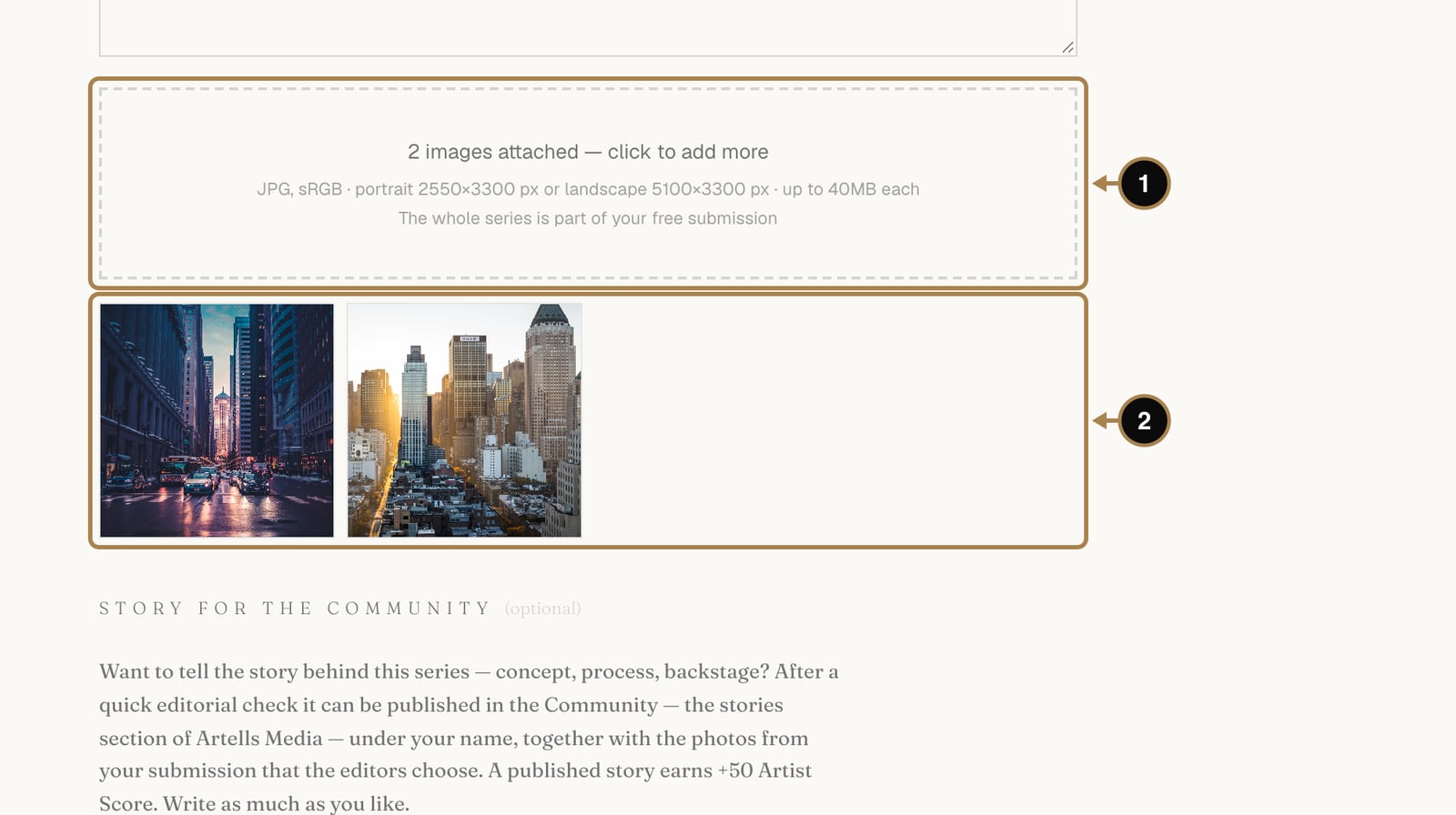
Drop the photos into the box (1) or click it to choose them. The previews appear underneath (2). If a photo is too small for print, it gets a red “Too small” label. Swap it for the full-size original before sending.
Step 7. A story for the Community (optional)
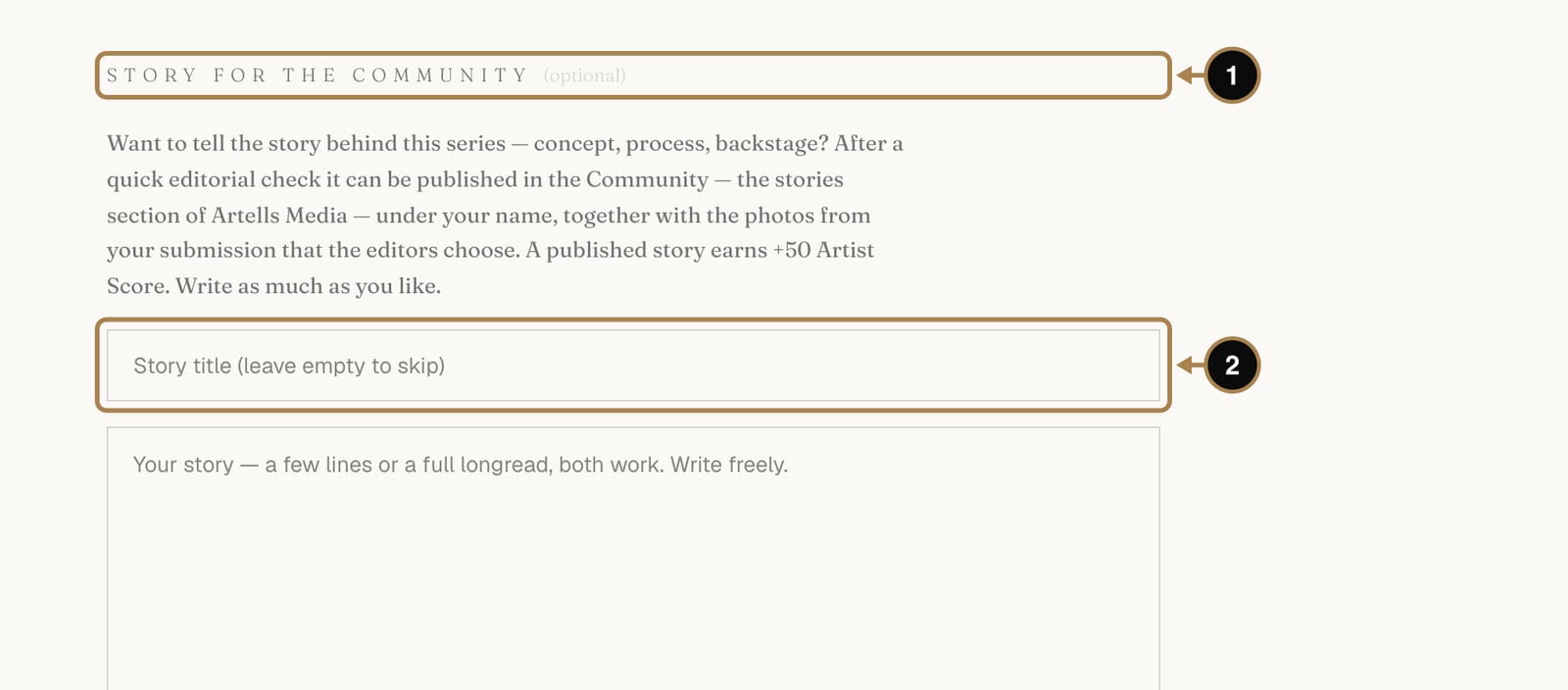
Want to tell the story behind the series: the idea, the process, the backstage disaster that turned into the best frame? Write it here (1). After a quick editorial check it can run in the Community under your name, with the photos the editors choose, and a published story adds +50 to your Artist Score. Leave the title (2) empty to skip.
Step 8. Publication type
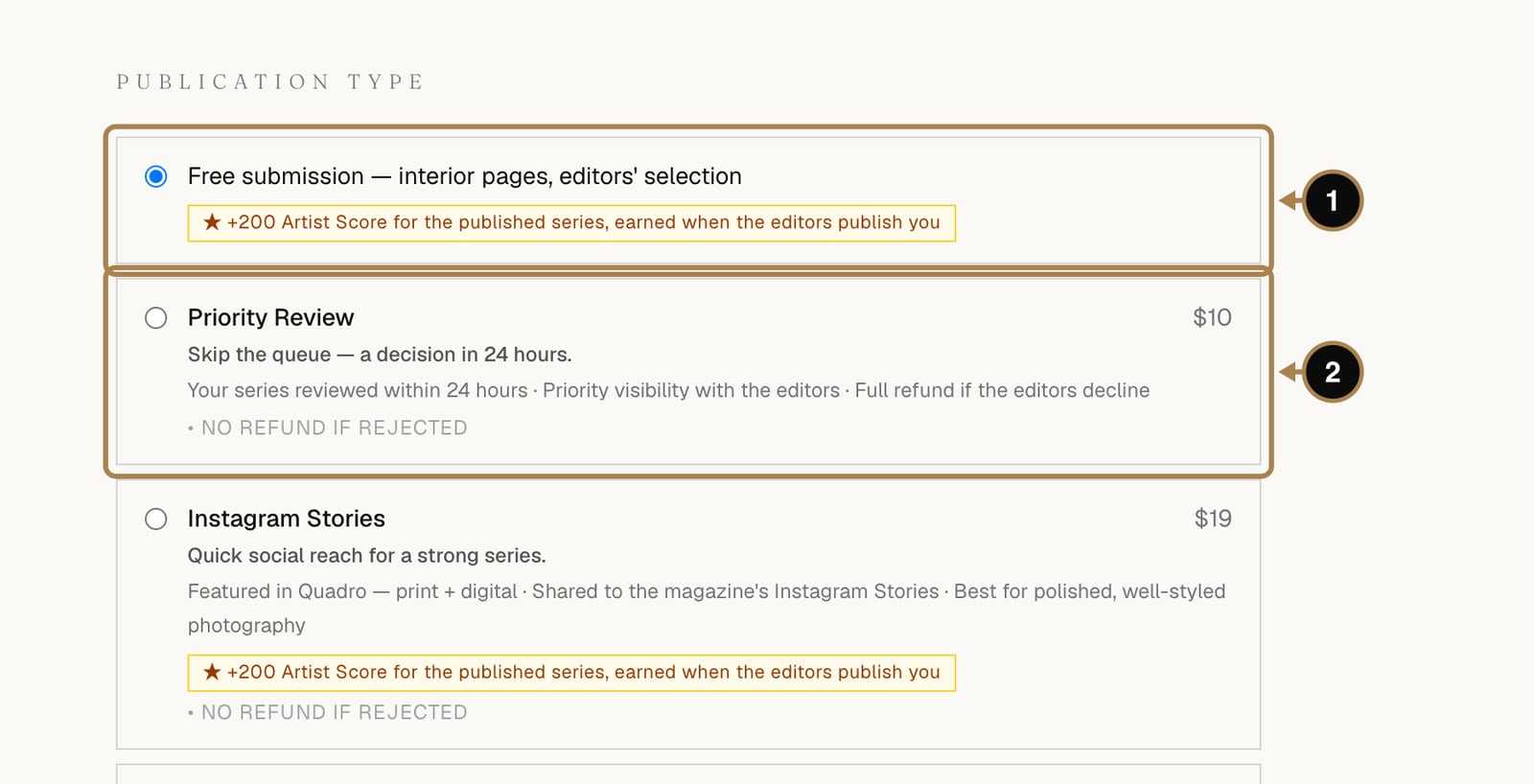
The first option (1) is the standard submission: interior pages, selected by the editors, at no cost. Most series go in this way. Below it are optional extras (2): Priority Review for a decision within 24 hours, Instagram placements, a webitorial, an interview, a cover. Each card shows its price and refund terms. Extras change reach and speed. The editors' yes still depends on the work, and Artist Score points come from the publication itself, never from a payment.
Step 9. Agree and send
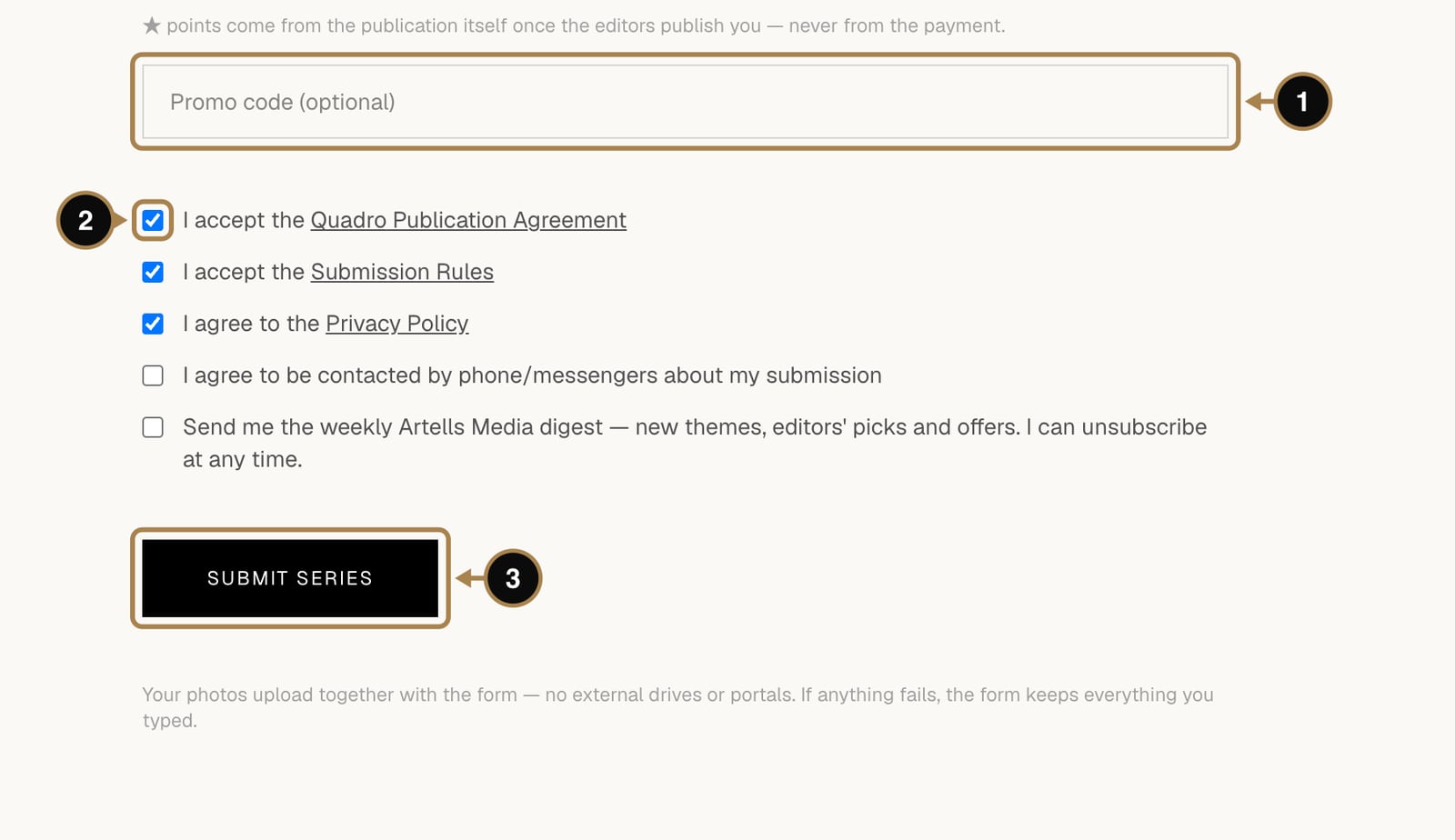
Add a promo code if you have one (1). Tick the publication agreement, the submission rules and the privacy policy (2), then press Submit series (3). The photos upload together with the form, and if the connection drops, the form keeps everything you typed.
What happens next: the review queue
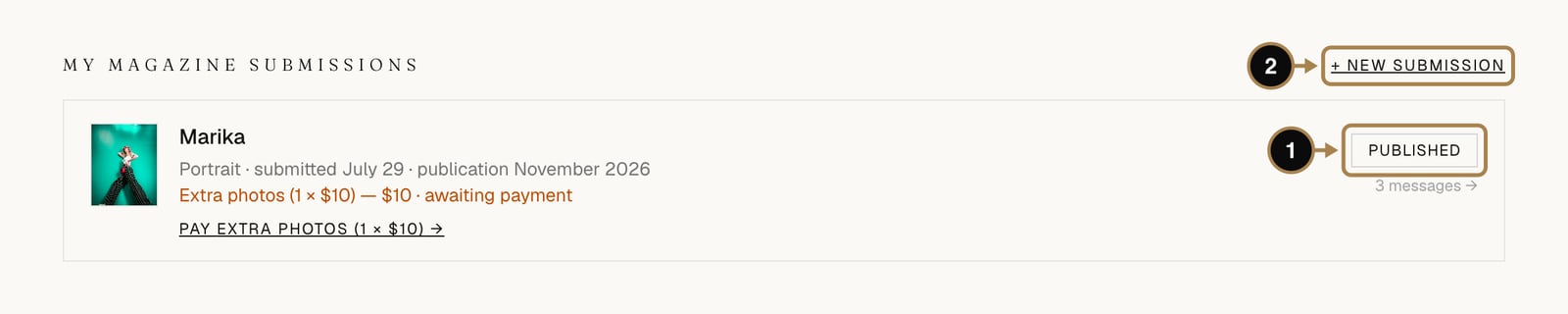
Your series now appears in My account, under My magazine submissions, with a status (1). It moves through these stages:
- Submitted, awaiting review. The series is in the editors' queue.
- In review. An editor has opened it.
- Accepted or Declined, within 7 days. With Priority Review, within 24 hours.
- Scheduled for the issue. The series has an issue number and a month.
- Published. The issue is out, and you get a letter with a link to order a printed or digital copy.
- Tear sheets sent. About 30 days after release your official pages arrive on the series page.
You get an email each time the status changes. Each magazine accepts one series per author per month (two with PRO) and takes up to three submissions a month (six with PRO); a decline counts as one of them. Until the publication month begins, you can withdraw a submission yourself from its page.
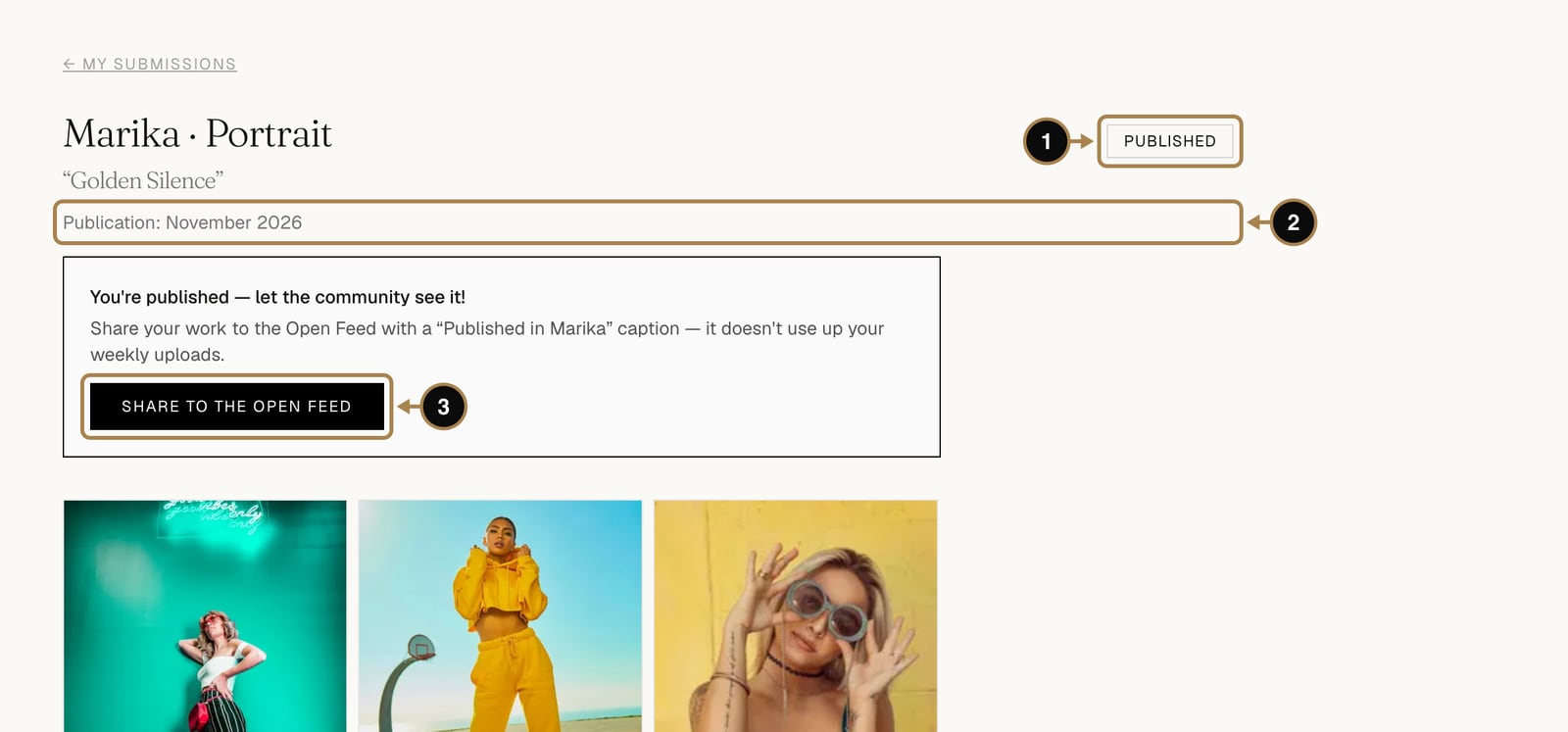
Click a series to open its page. You see the status (1), the publication month (2) and your photos. Once the series is published, Share to the Open Feed (3) shows it to the community with a “Published in …” caption, and the publication adds +200 to your Artist Score.
Talk to the editors
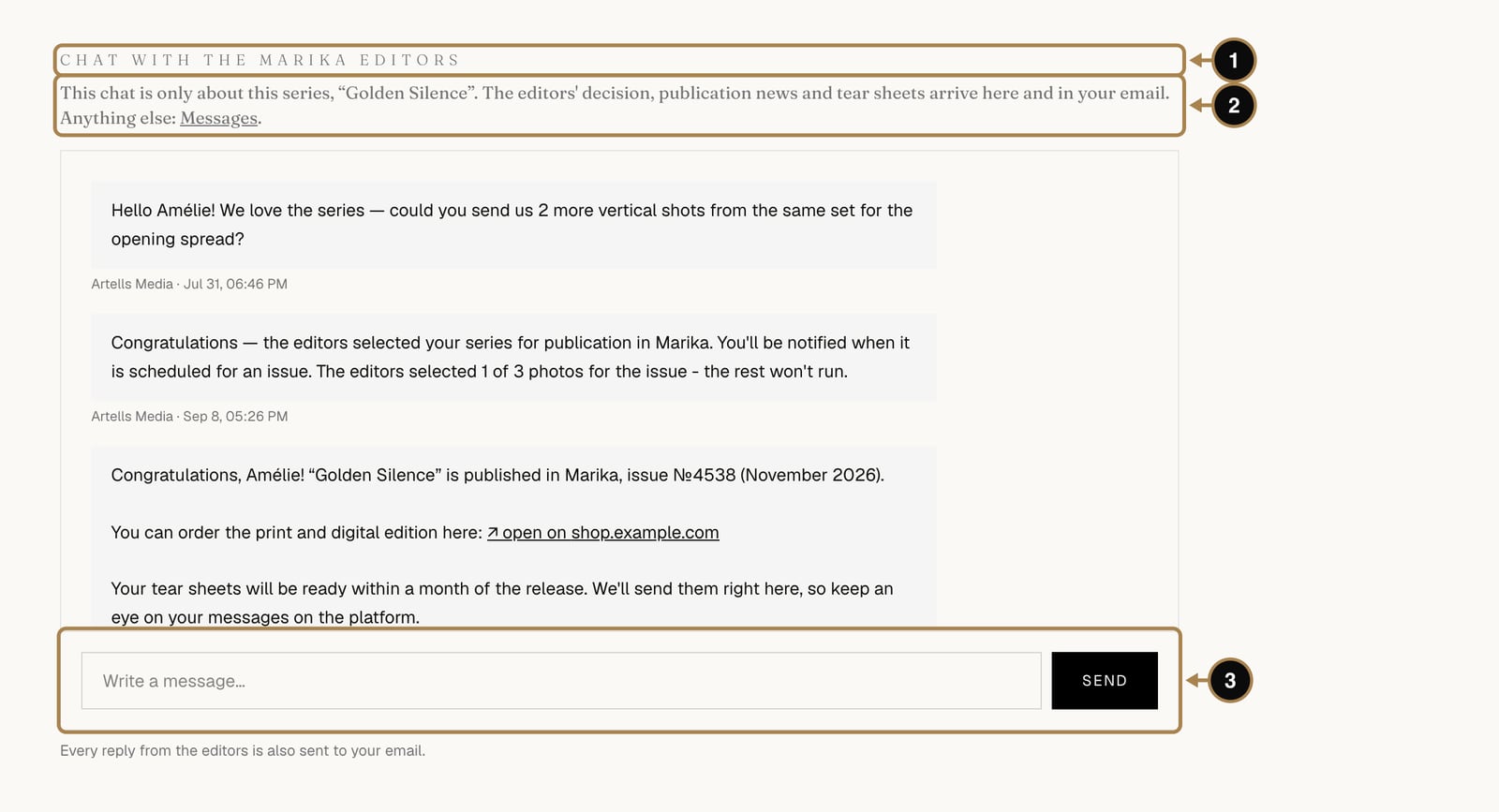
Every series has its own chat, named after the magazine, for example Chat with the Marika editors (1). The line under it (2) reminds you that this chat is only about this series; for anything else, use Messages. The editors write here when they need full-size originals, one more vertical frame, or an answer about the extras you picked. Their messages also arrive by email, and you reply in the box below (3).
The chat sits at the bottom of the series page. To jump there, click Chat with the editors at the top, next to the publication month. The number in brackets shows how many messages it holds.
If the answer is a decline, read it as “this series, this issue”. Shoot the next story with the magazine in mind and send it in. The authors the editors publish most often are usually the ones who came back.
Frequently asked questions
Does submitting a series cost anything? No. Interior-page publication is free in all five magazines and selected purely on the work. Paid extras like Priority Review or a cover are optional, never required.
How many series can I submit in a month? Up to three tries per magazine (six with PRO), with one accepted series per magazine a month (two with PRO). A decline counts toward the three tries.
Can I withdraw a submission after sending it? Yes, from the series page, any time before the publication month begins.
How long after publication do tear sheets arrive? About 30 days after the issue is released. They land on the page of your series, ready to download.
What next
Every publication, selection and Awards place adds to one number on your profile. Here is how it works and how to grow it: What the Artist Score is and how to raise it.
Comments
Sign in to join the conversation.
No comments yet — be the first.