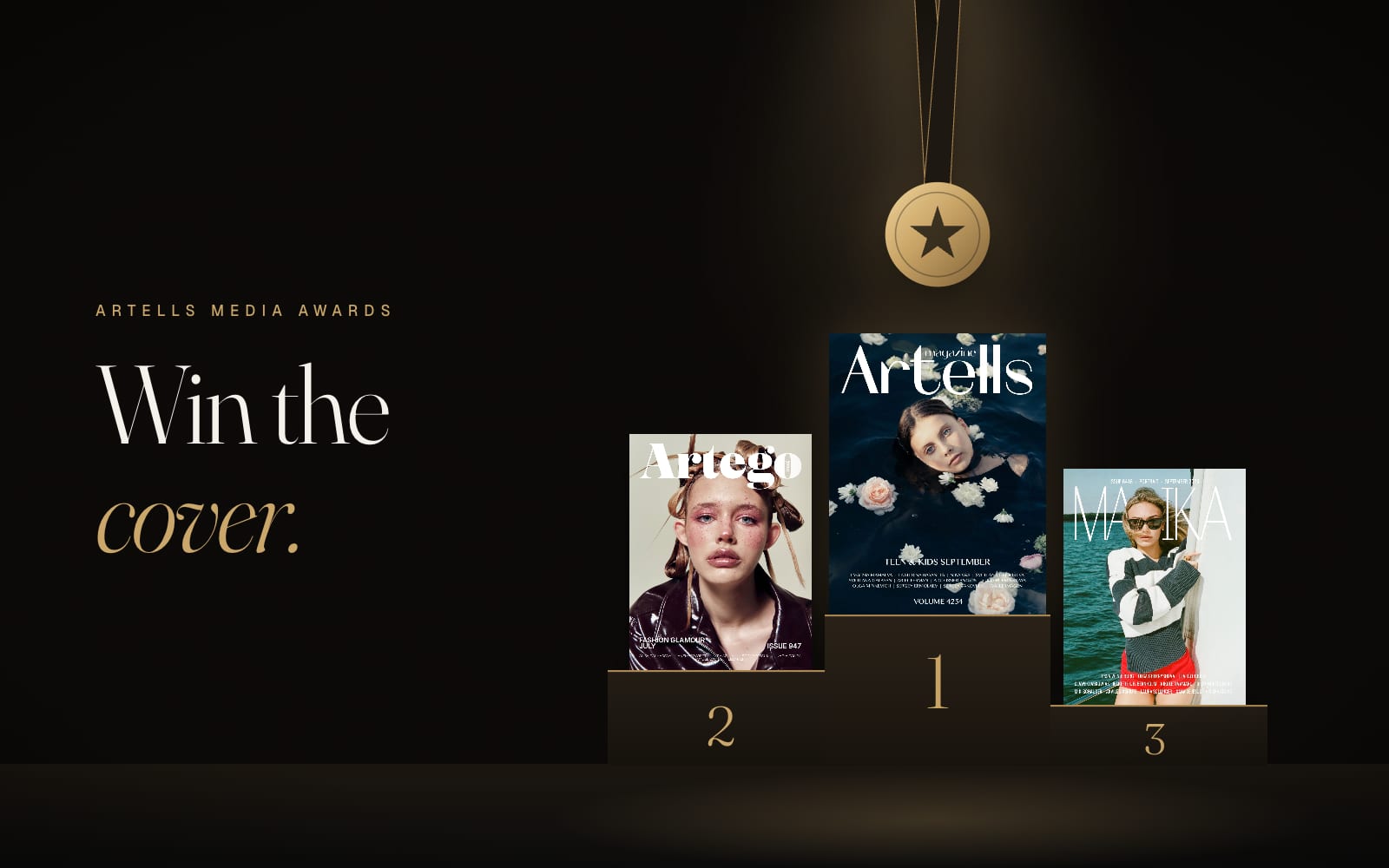
Every month the Awards choose the best single photographs on the platform, and the winner's prize is a printed magazine cover. Second and third place win covers too, places four to ten are featured on the magazines' social channels, and the editors hand out their own Editors' Pick on top.
The current round, October 2026, is open until October 31. Entering costs nothing. The judging is blind: people rate your photo without seeing your name, your follower count or anyone else's score.
Step 1. Open the round
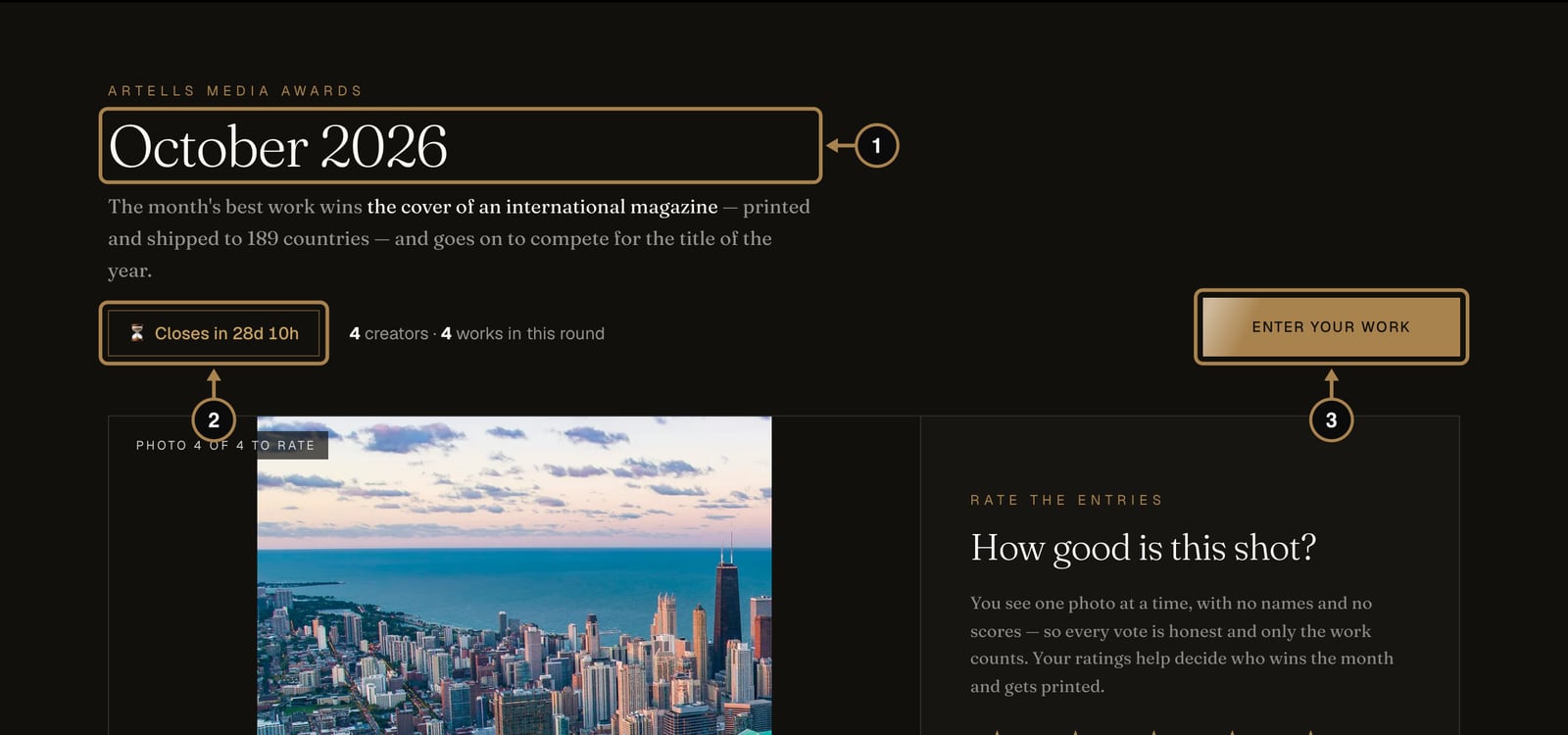
Click Awards in the top menu. At the top you see the round (1) and a countdown (2). Each round runs for a calendar month and closes by itself on the last night of the month. Click Enter your work (3).
Step 2. Know what's at stake
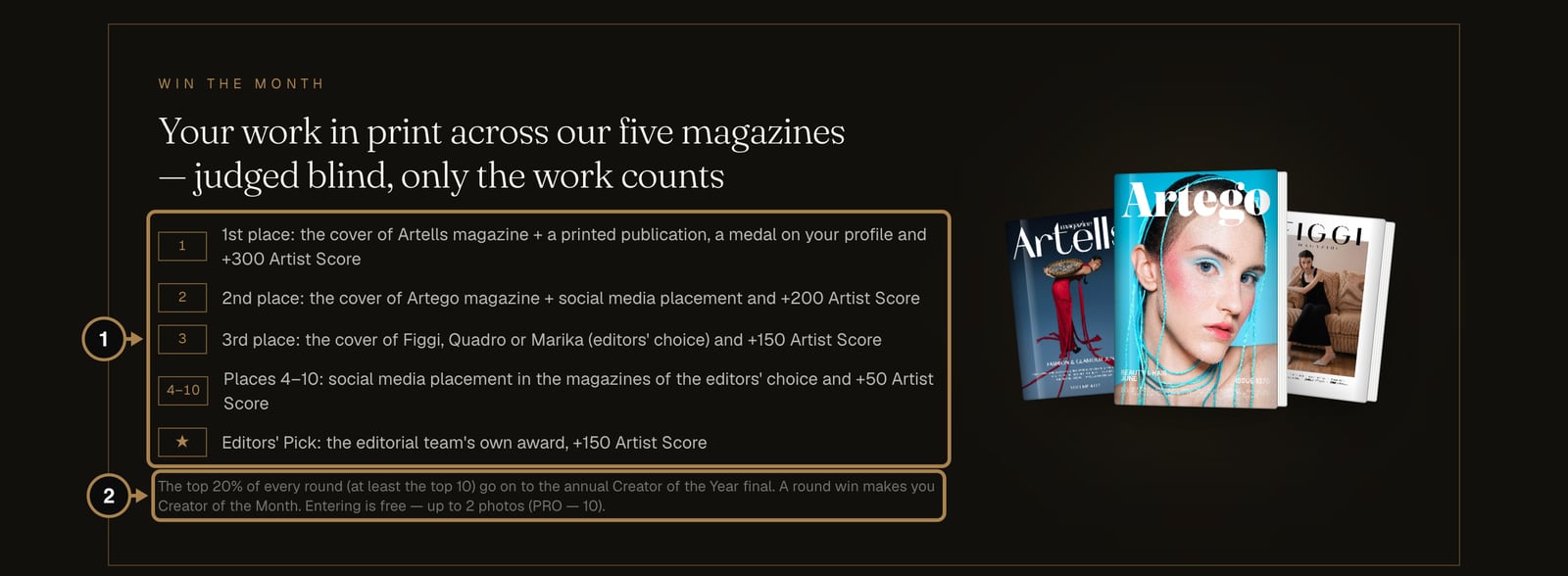
A little further down the Awards page, the Win the month block lists the prizes (1):
- 1st place: the cover of Artells magazine, a printed publication, a medal on your profile and +300 Artist Score. You also become Creator of the Month.
- 2nd place: the cover of Artego, social media placement and +200.
- 3rd place: the cover of Figgi, Quadro or Marika (you choose which) and +150.
- Places 4 to 10: social media placement in the magazines and +50.
- Editors' Pick: the editorial team's own award, independent of the votes, +150.
The top 20% of every round, and never fewer than the top ten, go through to the annual Creator of the Year final (2). Your first two approved entries in each round also add +10 each to your Artist Score, whatever their place.
Step 3. Enter your photo
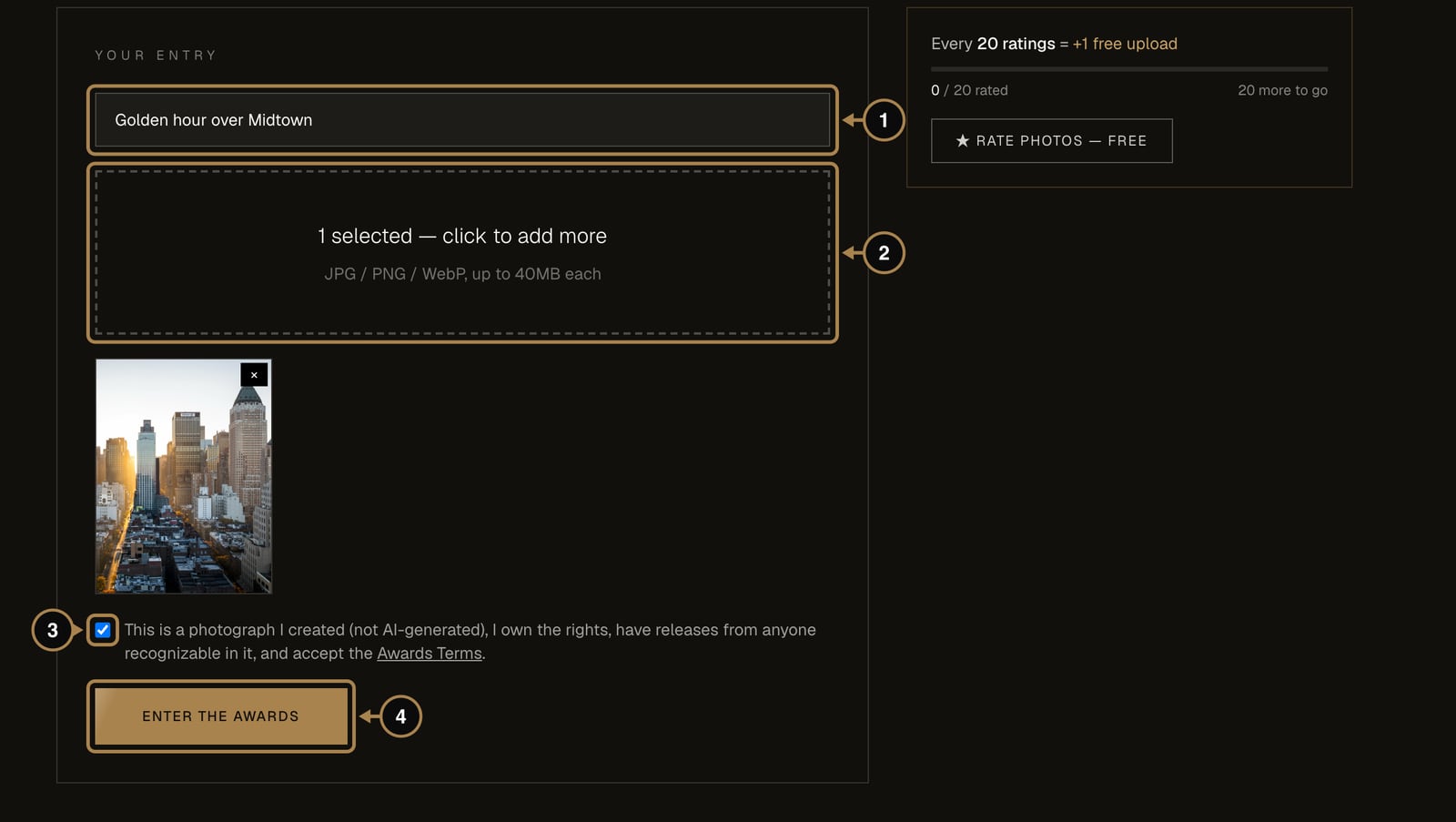
- Title (1). Optional. A good title helps voters remember the frame; “IMG_4471” helps nobody.
- Photo (2). Click the box or drop a file onto it: JPG, PNG or WebP up to 40 MB. You have two entries per round, ten with PRO.
- Rights (3). Tick the box to confirm it is your own photograph, made by you and not generated by AI, and that you have releases from anyone recognisable in it.
- Press Enter the Awards (4).
Every entry goes through a short moderation. Your account shows it as “In moderation” first, then live.
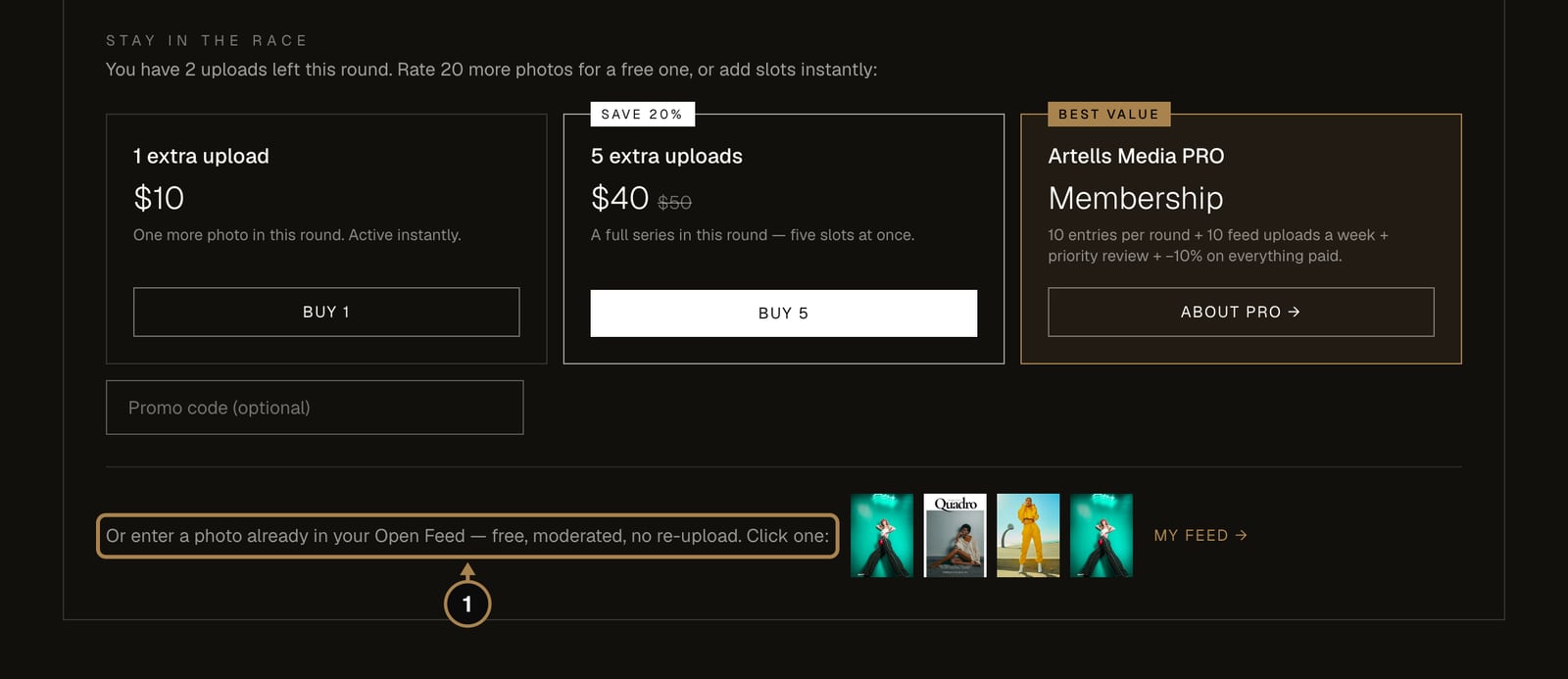
A photo that is already in your Open Feed can go straight in. The Stay in the race block on the Awards page lists your feed photos (1); one click enters one.
Step 4. Rate other entries and earn uploads
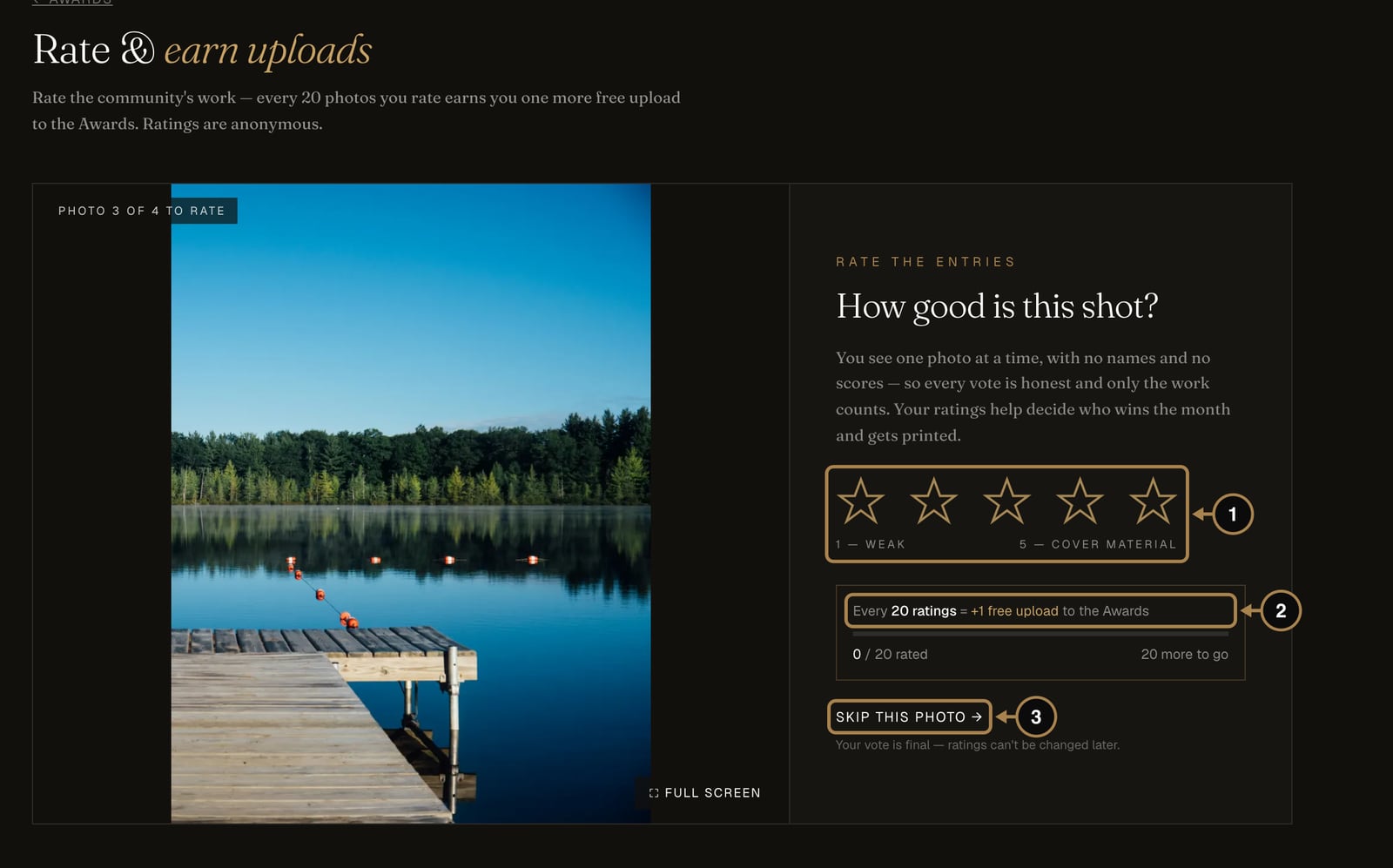
The community is the jury, and that includes you. Open Rate photos from the Awards page. You see one photo at a time, with no names and no scores:
- Give it one to five stars (1). One means weak, five means cover material.
- Every 20 ratings earn you one more entry in the current round (2). The bar shows how close you are.
- If you can't judge a photo fairly, for example because you recognise a friend's work, press Skip this photo (3). Votes are final, so give each frame three honest seconds.
How the ranking works
An entry's place comes from the average of its stars, with a few guard rails:
- Blind voting. Voters see only the photo, so fame and follower counts don't move anything.
- At least three votes before an entry can take a place.
- The editors' rating counts more than a single member's vote.
- Smoothing, so three five-star votes from friends can't overtake a photo that thirty people rated honestly.
- No shared places. If two entries end up level, the one with more ratings goes ahead, and if that is equal too, the one entered earlier.
While the round is open you can watch your live rank in your account. It moves as people rate, so there's no need to panic on day two.
Step 5. After the round: results, certificates and sharing
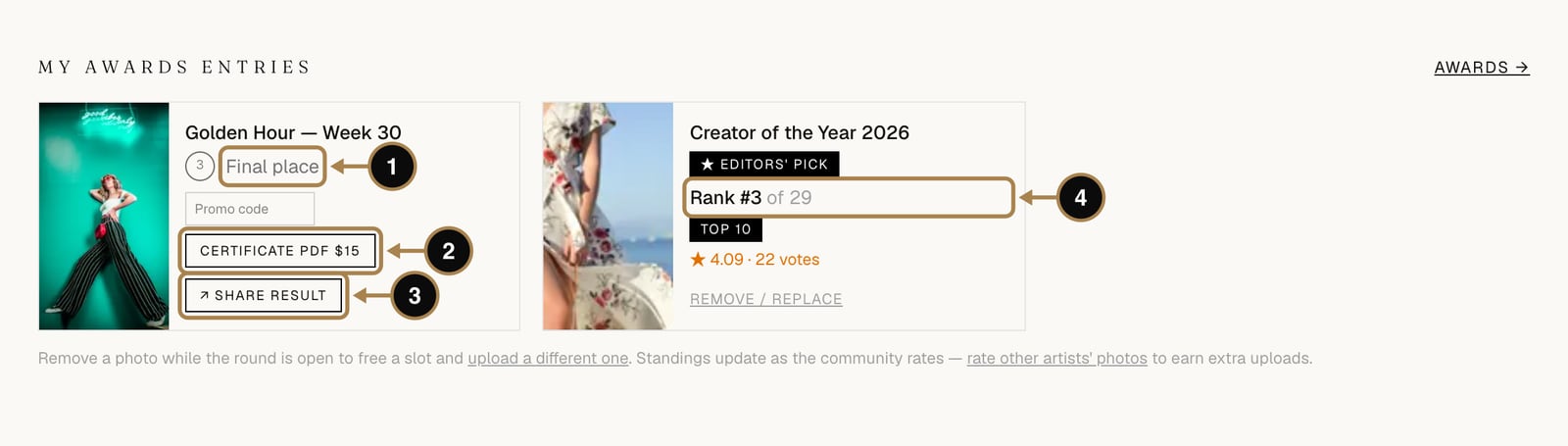
When the round closes, everyone who placed gets an email with the results and a notification in their account, and the places appear under My Awards entries:
- Final place (1) for ranked entries, plus a medal on your public profile.
- Certificate PDF (2) for places and Editors' Picks, $15. Handy for portfolios, grant applications and proud parents.
- Share result (3) opens a public verification page for that place. Anyone can open it without an account, so it's the link to put in a bio, a CV or a visa file.
- Entries in a round that is still running show their live rank and votes (4).
If you made the top three
Your results come with a second letter: your prize. It holds a personal prize code, valid for 7 days, for the cover you won: Artells for 1st place, Artego for 2nd, and Figgi, Quadro or Marika for 3rd, whichever you like best. The button in the letter opens the submission form with the cover already chosen and the code filled in. Upload the full-resolution file of your winning work (one photo is enough) and send. There is nothing to pay, your monthly submission limits don't apply, and the editors take it from there and place your cover in an issue.
Frequently asked questions
Does entering the Awards cost anything? No. Entering is free for everyone; PRO members simply get more entries a round, ten instead of two.
How many votes does an entry need before it can place? At least three. Judging stays blind throughout, so your name, your follower count and your past wins never appear next to the photo.
What if I don't make the top three? Places four to ten still add Artist Score and get featured on the magazines' social channels, and the top 20% of every round move on to the annual Creator of the Year final.
How long do I have to claim a winning cover? Seven days. The prize letter carries a personal code that fills in the submission form for you, and there is nothing to pay.
What next
The Awards reward a single frame. A magazine prints a whole story. When you have a series that holds together, here is the road to print: How to submit a series to a magazine, step by step.
Comments
Sign in to join the conversation.
No comments yet — be the first.