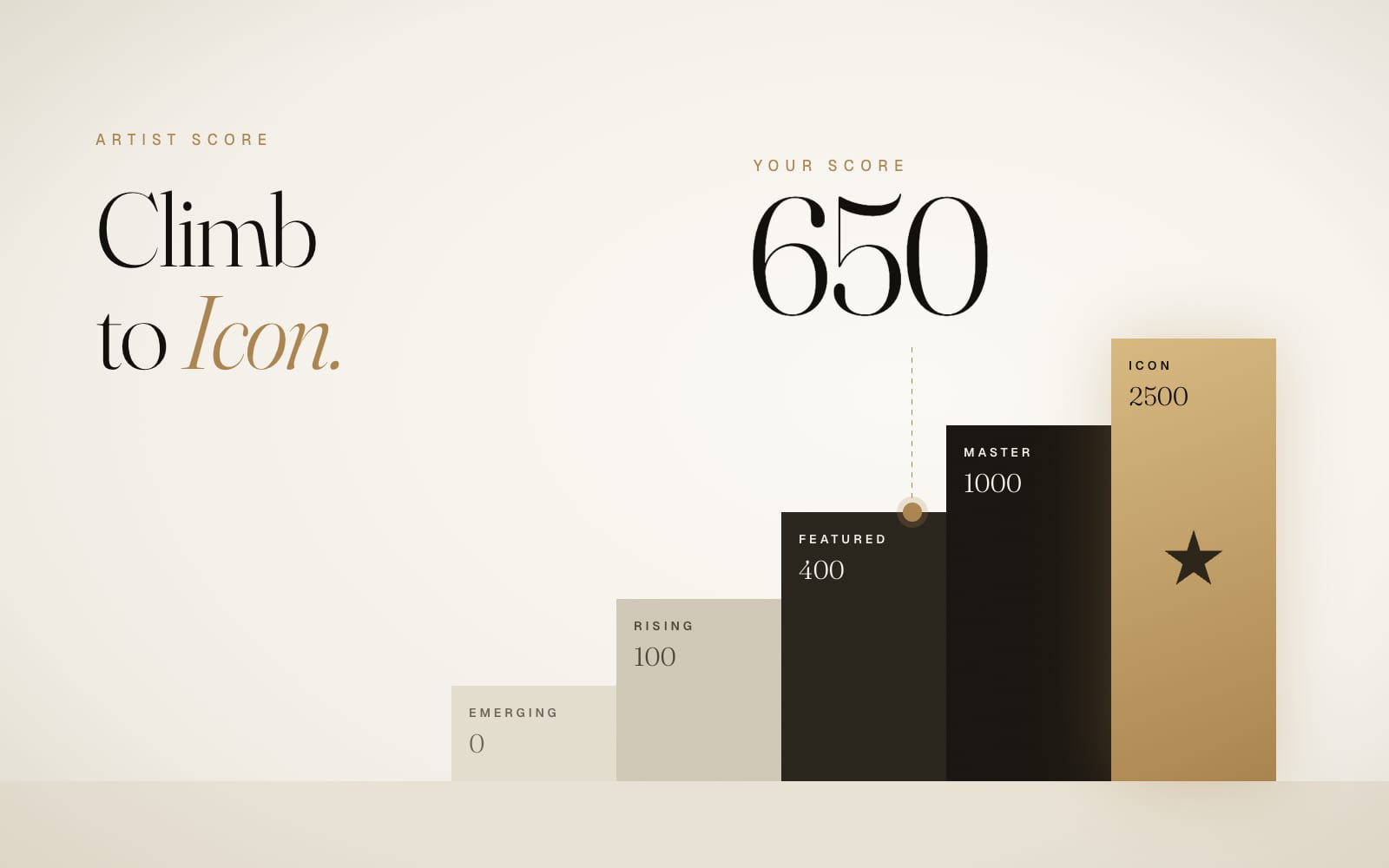
The Artist Score is one number that sums up what you have achieved on Artells Media: publications, editors' picks, Awards places, published stories. Editors see it when they open your submission. Clients see it when they browse Top Artists. And it decides where you stand in the rankings.
It has one strict rule: every point has to be earned. Payments, likes and daily logins add exactly zero, and every point links back to a real event that anyone can check. That is what makes the number worth having.
Where to see your score
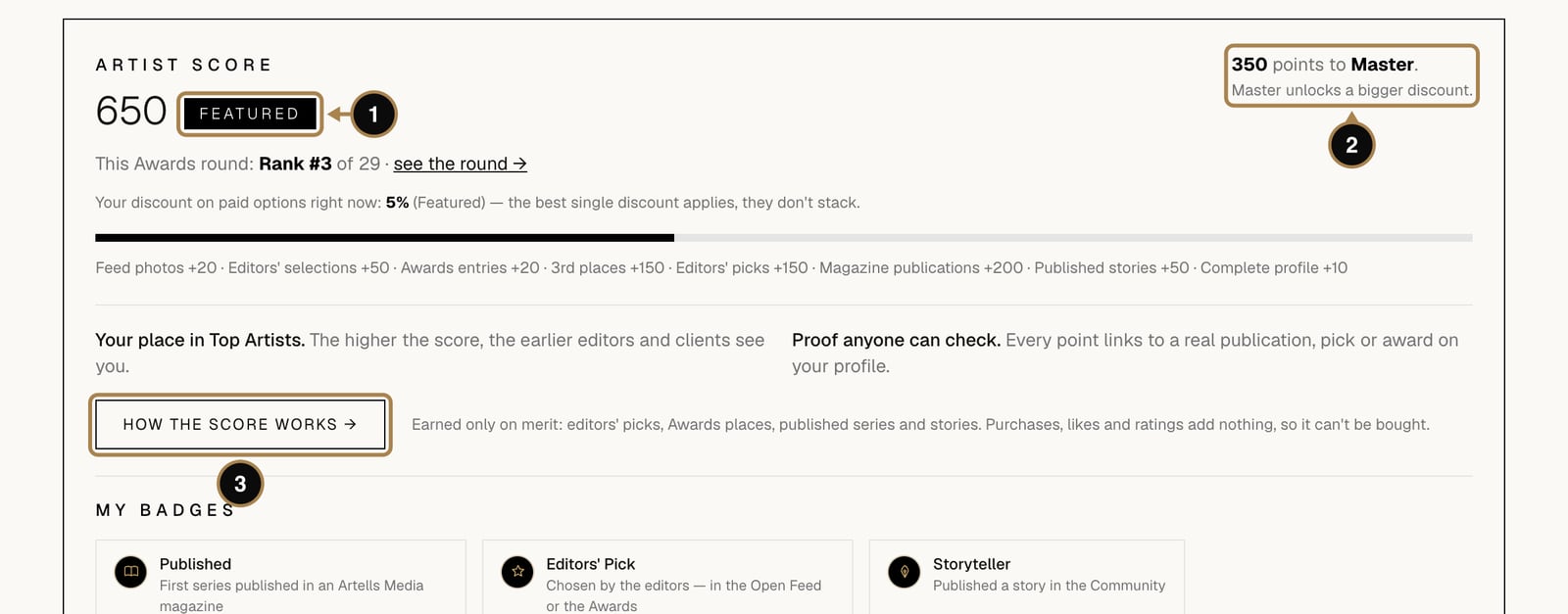
Your account page opens with the Artist Score block: the number and your level (1), and how many points are left to the next level (2), which unlocks a bigger discount. The line under your Awards rank shows the discount you get on paid options right now. The thin bar underneath fills up as you go, and the grey line below it sums up where your points came from. How the score works (3) opens the public rules page.
Where every point comes from
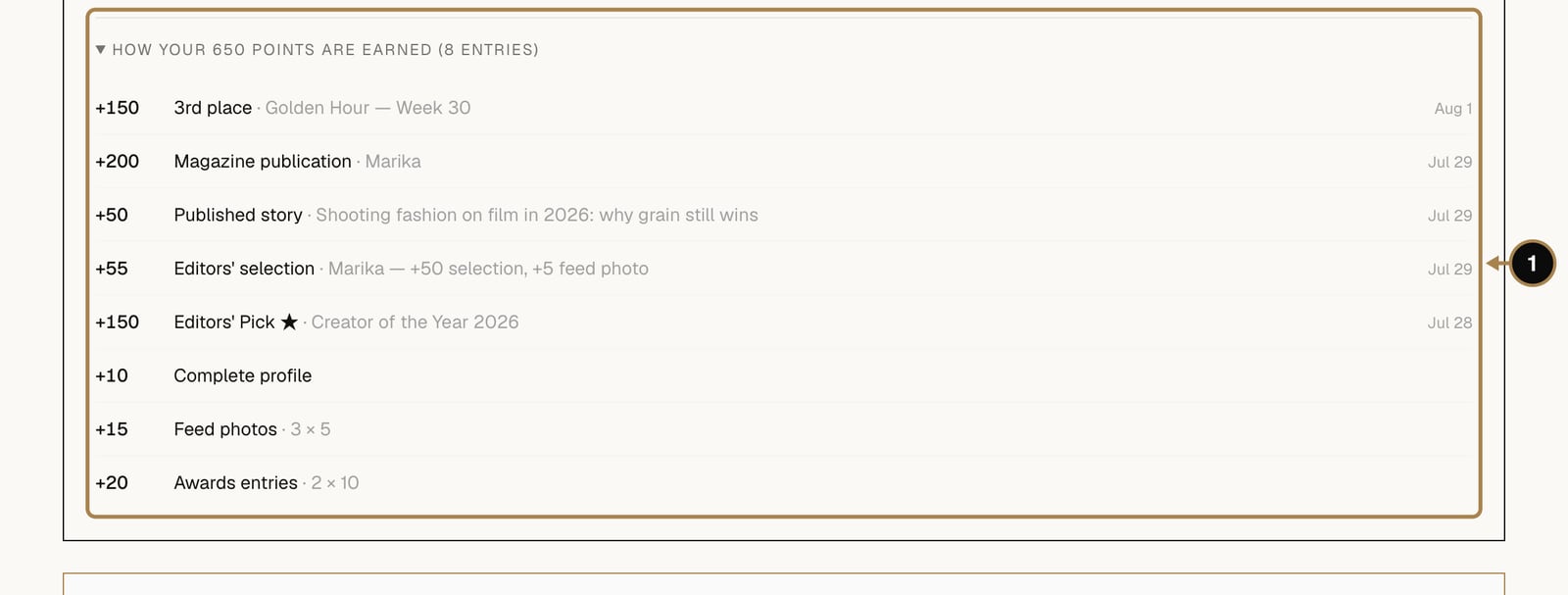
Click How your points are earned under the badges to unfold the full list (1). Each line is one event: an Awards place, a publication, an editors' selection, a story. The same breakdown appears on your public profile, so nobody has to take the number on trust.
What earns points
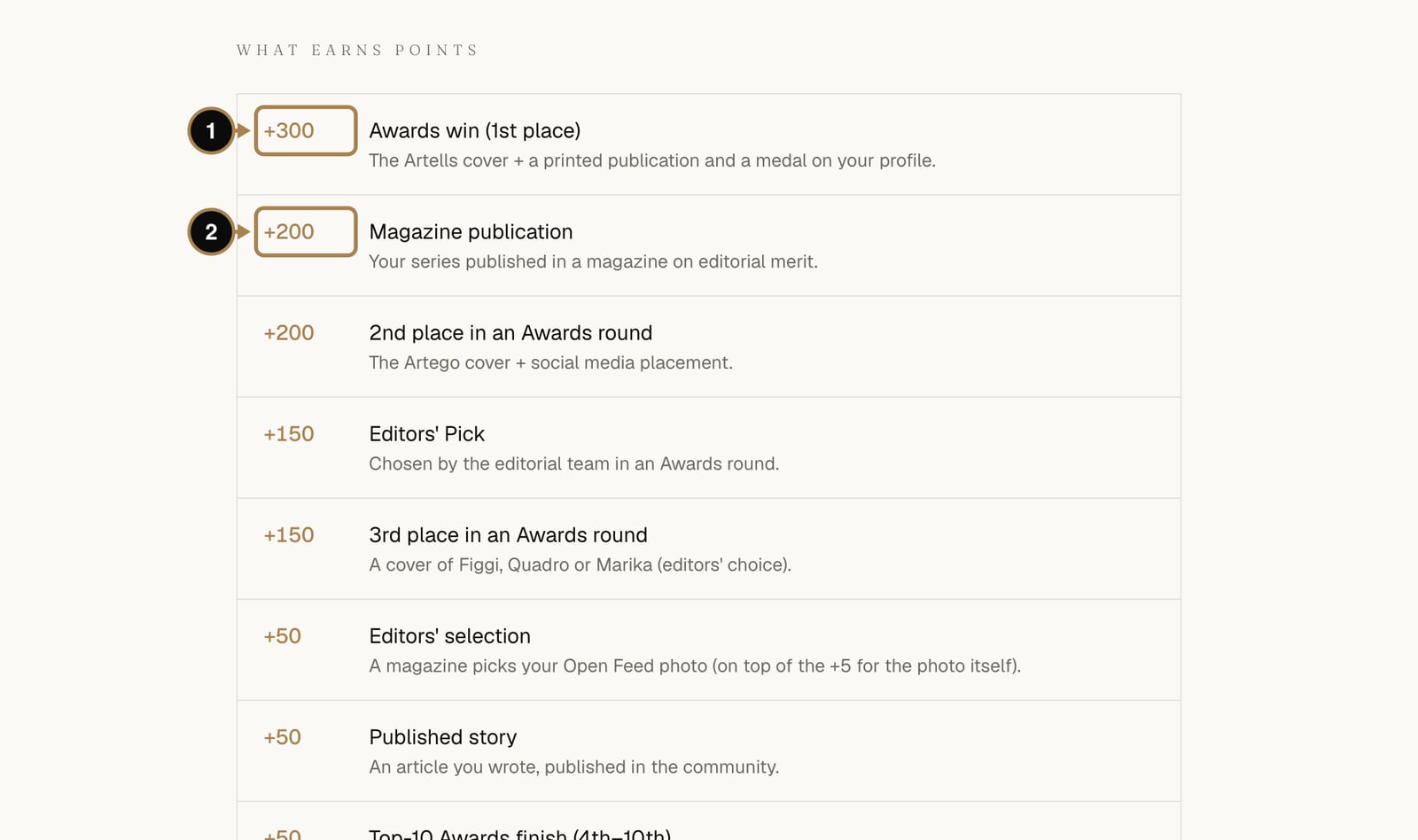
The rules page has the complete table. In short:
- Awards win (1st place): +300
- Magazine publication: +200
- 2nd place in an Awards round: +200
- Editors' Pick in the Awards: +150
- 3rd place in an Awards round: +150
- Editors' selection in the Open Feed: +50, on top of the +5 for the photo itself
- Published Community story: +50
- Places 4 to 10 in an Awards round: +50
- Awards entry: +10 each for your first two approved entries in a round
- Complete profile: +10, kept as long as the profile stays complete
- Feed photo: +5 each for your first two live photos in a week
What adds nothing, and what the levels give
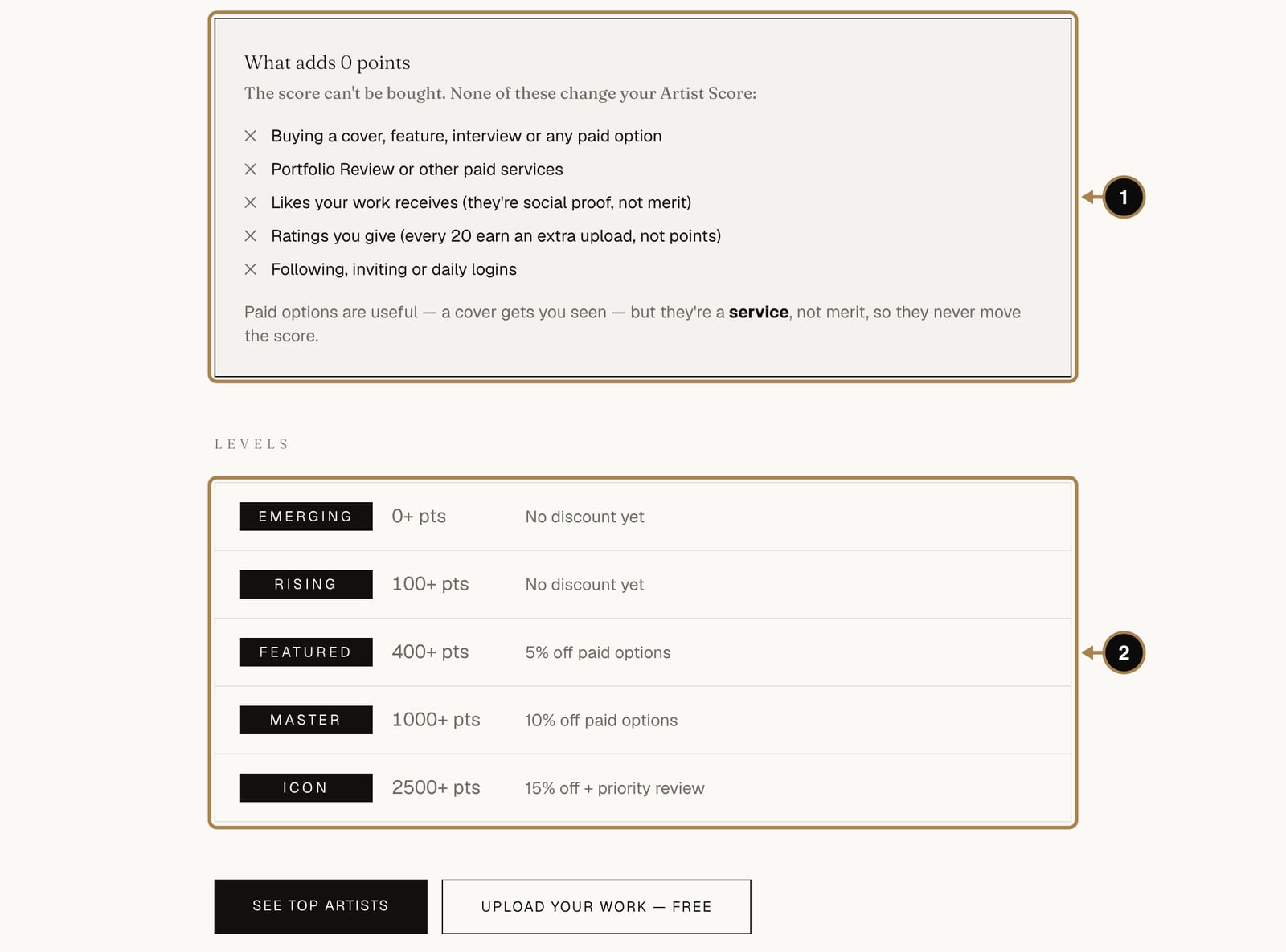
Buying a cover, a feature or any paid option adds nothing (1). Neither do likes, the ratings you give (those earn extra Awards entries instead), following people, inviting friends or logging in every day. Paid options can get your work seen; the score only counts what the editors and the jury decided.
The score sets your level (2):
- Emerging from 0 points
- Rising from 100
- Featured from 400, with 5% off paid options
- Master from 1000, with 10% off
- Icon from 2500, with 15% off and priority review
Discounts never stack: if you also have a promo code or PRO, the best single discount applies.
How to raise it, from the easiest step up
- Complete your profile. Photo, name, specialty, bio, a link and three portfolio works: +10 Artist Score, yours for as long as the profile stays complete. About ten minutes, explained in How to set up your profile.
- Upload to the Open Feed every week. Two photos, +5 each, and +50 whenever the editors select one. See How to upload to the Open Feed.
- Enter every Awards round. +10 for each of your first two entries, and up to +300 for a win. Rate 20 photos to earn one more entry. See How to enter the Awards.
- Write a Community story. +50 when it is published, up to two stories a month. Start from Write a story.
- Submit a series to a magazine. +200 when it is published. See How to submit a series to a magazine.
A realistic first month: two feed photos every week (+40), two Awards entries (+20) and one published story (+50). That is +110 and the Rising level before a single selection or publication. Every pick from the editors after that is a bonus with a badge.
Where the score shows
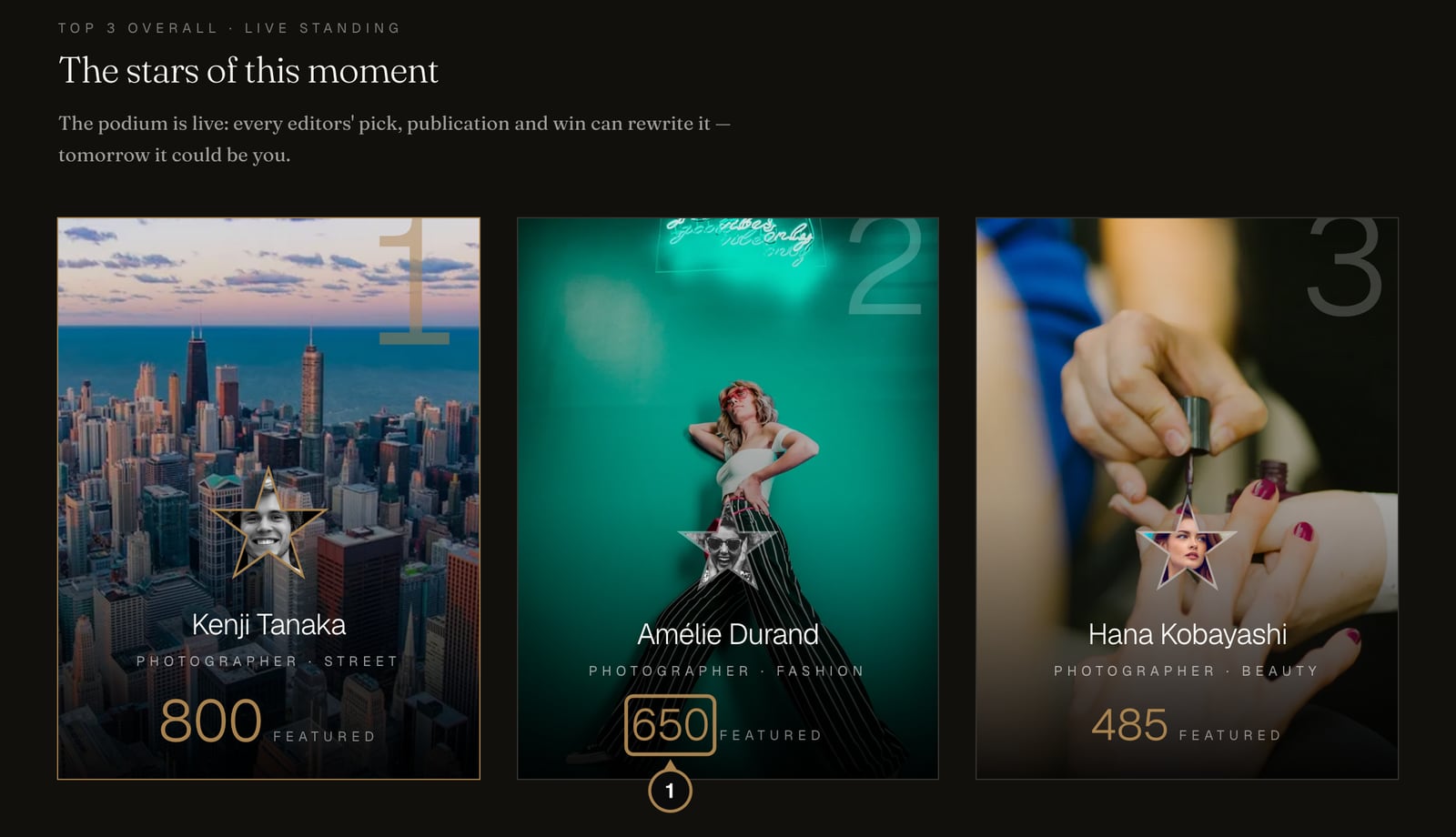
Your score appears on your public profile, on your cards across the site and on Top Artists, where creators are ranked by it. The rankings refresh every few minutes, so a new selection or place may take a moment to show up. The podium at the top is live, and the people on it change more often than you'd think.
Frequently asked questions
Does paying for PRO or any paid option raise my Artist Score? No. Payments add exactly zero, by design. Every point links back to a real event an editor or the jury decided, and anyone can check the breakdown.
Do likes, follows or daily logins add anything? No. None of those move the score. The ratings you give in the Awards don't add points either, but they do earn you extra entries.
What's the fastest way to see my score move? Complete your profile for a one-time +10, then keep a weekly rhythm: two Open Feed photos and one Awards entry add up quickly even before any selection or win.
Can my score go down? The events behind it don't get undone, but the one flexible part is the complete-profile bonus: it only counts while your profile stays complete.
What next
Many of the events behind your score come with a public proof page, and some with documents you can download or order. Here is how that works: Tear sheets, certificates and verified links.
Comments
Sign in to join the conversation.
No comments yet — be the first.